In the grid (G) crop your first image as required e.g. 16 x 9, 10 x 8 etc and close the crop tool and then go to the menu:
Photo >> Choose Edit Settings to Copy
Click on the downward pointing arrow to the right of Select and choose Modified
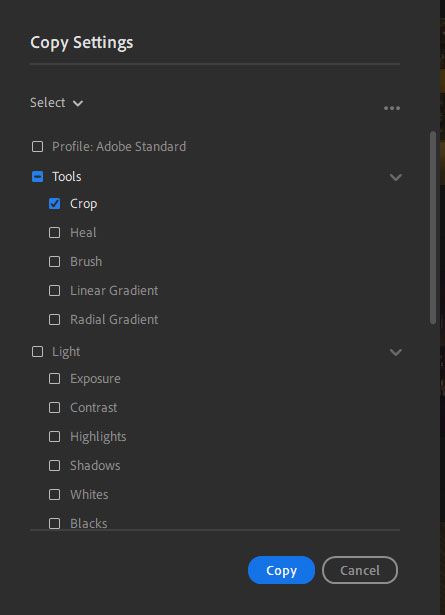
Put a checkmark in the box for crop, uncheck everything else and click the “Copy” button – see web image below.
Select the batch of other thumbnails in the grid and press Ctl+V to copy the crop settings to the selected photos.



 2
Replies
2
Replies





 AdChoices