
Participant
August 12, 2022
Answered

Can't upload FBX in Mixamo after exporting from Blender

  • August 12, 2022
  • 1 reply
  • 10175 views

Hi,

What I'm trying to do:

1. Download a character from Mixamo

2. Edit it in Blender 3.2 (for example I need arms to be a separated mesh parts)

3. Export it to FBX with textures

4. Upload it back to Mixamo to find some animations

During last step I'm getting "Sorry, unable to map your existing skeleton" error in Mixamo.


In attachements - my exported file

Here is my export settings from Blender
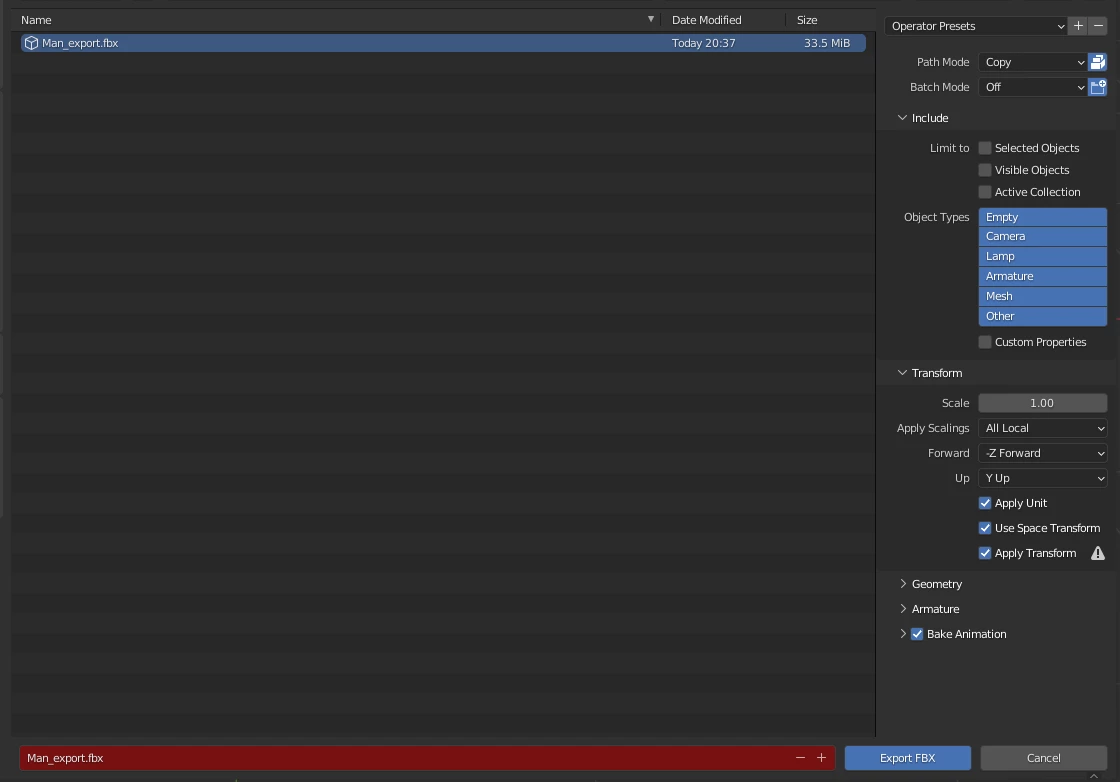
 

I'm new to 3d modeling and can't figure out what I'm doing wrong. 😞

Please help me

Thank you.
Correct answer Ussnorway7605025

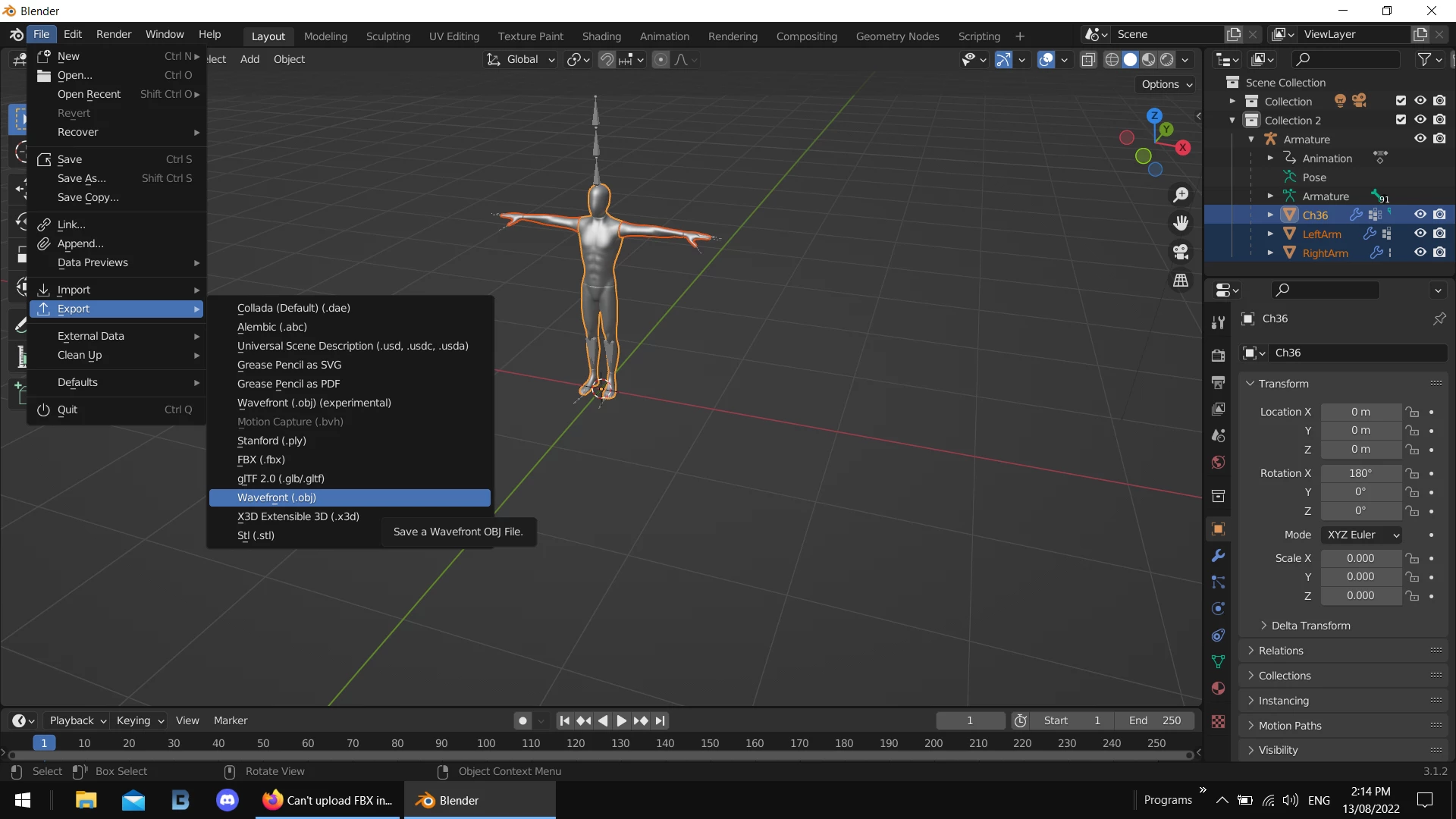
 export it as Obj, load that model into Blender and export it as Fbx... that will make it around 980kb and will go up into Mixamo easy


put your textures [what not] in after making the bones \ animations

1 reply

Ussnorway7605025
Ussnorway7605025Correct answer
Legend
August 13, 2022

 export it as Obj, load that model into Blender and export it as Fbx... that will make it around 980kb and will go up into Mixamo easy


put your textures [what not] in after making the bones \ animations

Participant
April 9, 2023

 If anyone is checking this answer in 2023, yes it works. Make sure you join your mesh in Blender by using Ctrl+J first.

Participant
August 16, 2023

thanks, lol