- Startseite
- Photoshop ecosystem
- Diskussionen
- Re: Both desktop and laptop computers Photoshop pr...
- Re: Both desktop and laptop computers Photoshop pr...

Link in Zwischenablage kopieren
Kopiert
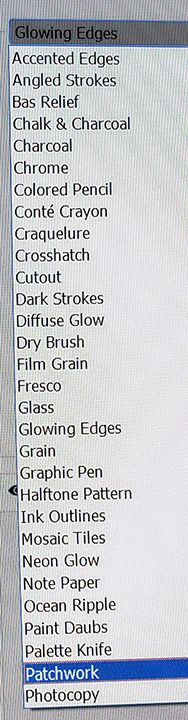
I'm trying an old art effect that is totally terrific. It begins with layer 1 and Filter>Filter Gallery>Stylize> Find Edges. That particular filter is missing on both of my computers. I have a feeling that the last Photoshop update had something to do with its being missing as I used that technique back in July. How would one get it back?


 1 richtige Antwort


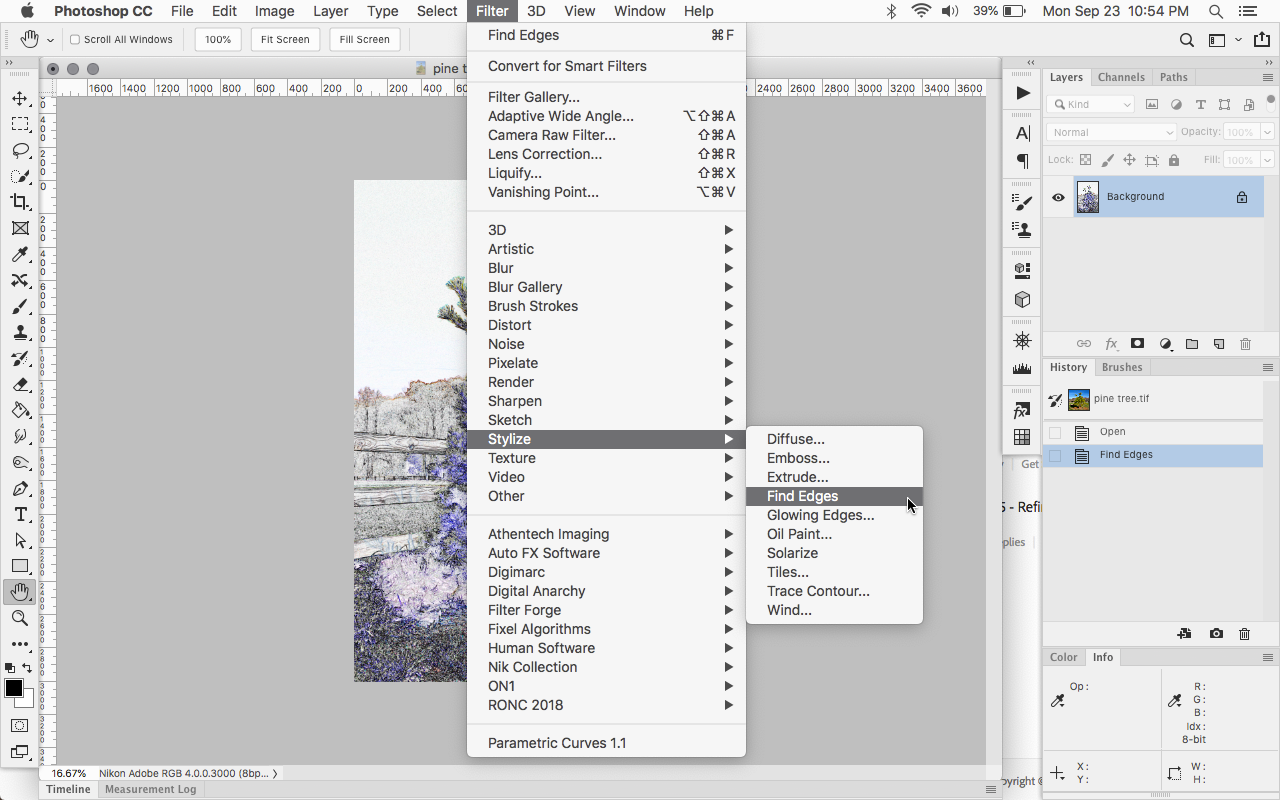
Actually it should be Filter>Stylize>Find Edges


Entdecken Sie verwandte Tutorials und Artikel
 14
Antworten
14
14
Antworten
14

Link in Zwischenablage kopieren
Kopiert

Link in Zwischenablage kopieren
Kopiert
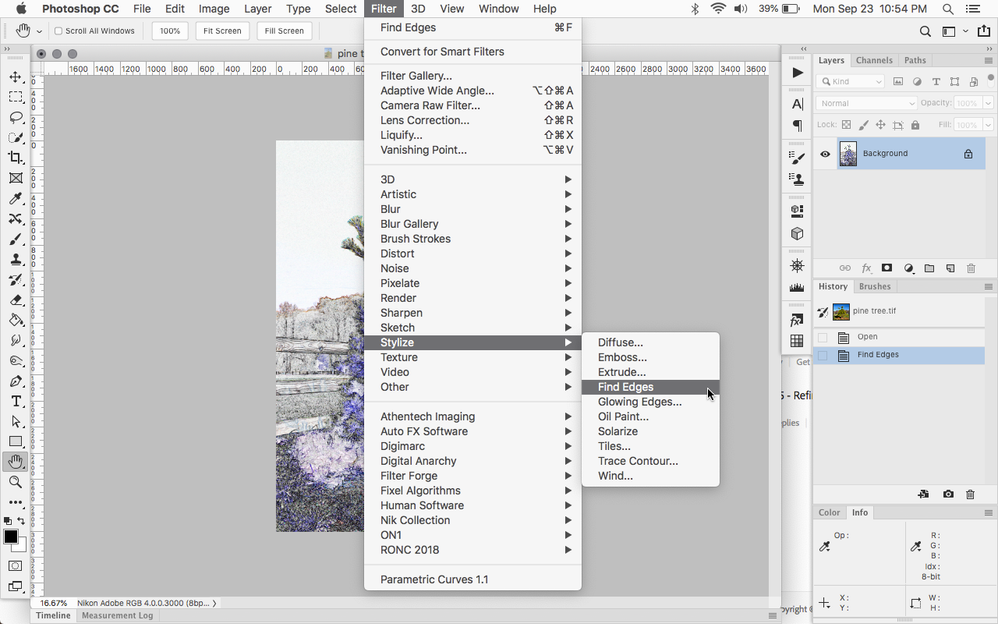
It's under Filter > Stylize > Find Edges on my computer. If you don't see it, you may need to reset preferences or uninstall/reinstall.

Link in Zwischenablage kopieren
Kopiert
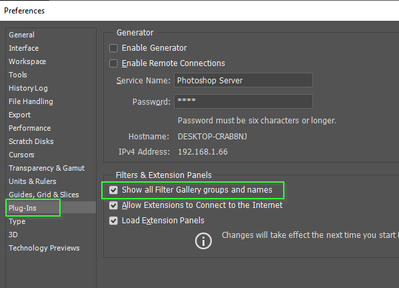
You could check this Preferences > Plugins setting is checked
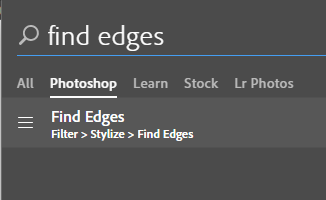
And if using an up to date version of CC, remember you have an excellent seach facility now.
Click on the magnifying glass top right corner, and start typing
Even experts will have a rarely used function they need to track down very occasionally, and it saves a lot of time.
Link in Zwischenablage kopieren
Kopiert
Link in Zwischenablage kopieren
Kopiert

Link in Zwischenablage kopieren
Kopiert
Can you show a screenshot of your Filter >Stylize menu
Dave
Link in Zwischenablage kopieren
Kopiert
Link in Zwischenablage kopieren
Kopiert
Use the blue reply button next to your first post and you will see an icon to attach an image
Dave
Link in Zwischenablage kopieren
Kopiert
Link in Zwischenablage kopieren
Kopiert
That is the menu from inside Filter Gallery. Come out of that altogether and in the Photoshop menus use Filter >Stylize >Find Edges

Dave
Link in Zwischenablage kopieren
Kopiert
Link in Zwischenablage kopieren
Kopiert
Haha - to be fair, Rob did post the same screenshot as mine in his first reply 🙂 No harm done though - glad it's sorted now
Dave
Link in Zwischenablage kopieren
Kopiert

Link in Zwischenablage kopieren
Kopiert
Who's the Rob in this thread? You mean Jeff Arola?


Weitere Inspirationen, Events und Ressourcen finden Sie in der neuen Adobe Community
Jetzt ansehen
 AdChoices