



Copy link to clipboard
Copied
So when is Adobe going to update Camera RAW to read Nikon Z6 NEF files? ON1 does this already!


 1 Correct answer


There is the adobe dog converter 11.1 beta you can use to convert the Z6 nefs to dog copies and open in photoshop until adobe releases the camera raw 11.1 update.


Explore related tutorials & articles
 45
Replies
45
45
Replies
45


Copy link to clipboard
Copied
So you're saying that you now have Lightroom 8.1 and you still cannot open Z6 files?

Copy link to clipboard
Copied
Hi I have whatever Creative Cloud gives me... it updates almost every day it seems to me... so today it's Adobe Creative Cloud Photoshop LightRoom Classic CC 7.5 with Camera Raw 10.5 (I also tried the Adobe Photoshop LightRoom CC 1.5). Neither will read the Z6 files. But a few days ago, everything worked fine.
Copy link to clipboard
Copied
OK, so that's your problem. This is why we always ask people to check the actual version number. Don't assume you have "the latest".
You need Lightroom 8.1. The one you have, 7.5, is old and won't read Z6 files.
Why your CC app doesn't report available updates is a separate problem for which I don't know the answer. But it happens.
Copy link to clipboard
Copied
I believe the reason is you have have windows 8.1/mac OS X El Capitan 10.11 and adobe requires newer operating systems.
As i read the following one needs for LR 8.1/Camera Raw 11.0+ windows 7 x64 sp1, windows 10 x64 version 1511 or newer or macOS 10.12 Sierra or newer.
Of note though, is several users i've talked to and my own El Capitan system as well, have had their Mac El Capitan 10.11 updated to camera raw 11.1.
So on your mac run the Creative Cloud Desktop app and see if there is a camera raw update.
Applications/Adobe Creative Cloud/Adobe Creative Cloud
Copy link to clipboard
Copied
On the other hand Lightroom 7.5 and camera raw 10.5 should read the Nikon Z6 nefs even though officially you do need CR 11.1/LR 8.1, users were able to open the files before with camera raw 10.5.
Have you used Nikon Transfer to get the Z6 nefs to computer?
Copy link to clipboard
Copied
No, Z7 support came in 11.0, and Z6 in 11.1. Or Lightroom 8.0 and 8.1 respectively.
Copy link to clipboard
Copied
I know that's what adobe says, but users were reporting the Z6 nefs opened fine in camera raw 10.5 before camera raw 11.0/11.1 were even released.
Copy link to clipboard
Copied
You're right - that was discussed in the Lightroom forum.
Nobody could ever make out what this was. I think it was some kind of preliminary test files - IIRC it wouldn't work on an off-the-shelf camera. I'd need to go back to that thread for details.
Copy link to clipboard
Copied
Your right, i do apologize.
It was the Nikon Z7 nefs that would open in camera raw 10.5 even though they weren't yet supported.
sample file from here
https://www.photographyblog.com/reviews/nikon_z7_review/sample_images/
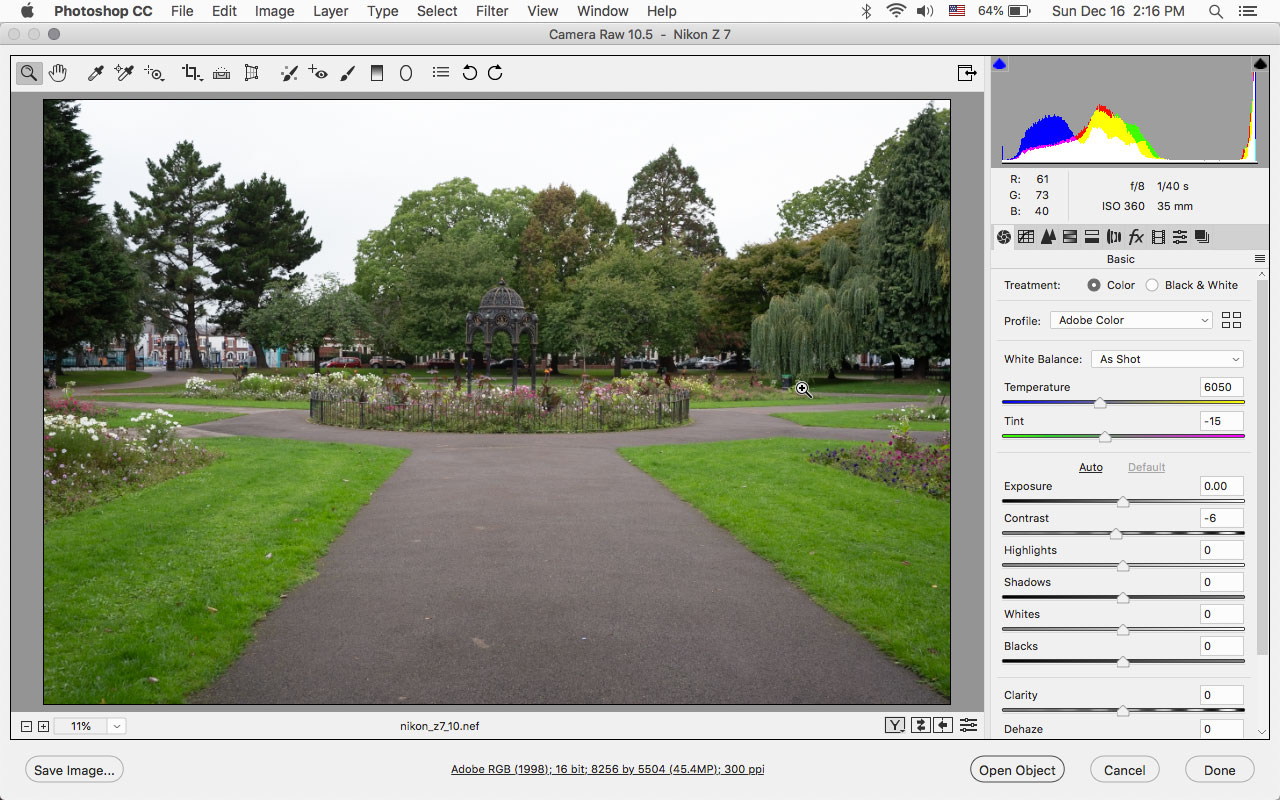
Okay i found the thread i was looking for and it was referring to the Z7. I guess i jumped the gun saying it was the Z6 that would open in 10.5 without
making sure as i should have.
I can not transfer NEF file from Nikon Z7 to phoptoshop element 19.
I guess the only sure thing is one needs camera raw 11.1 so both the z6 and z7 files open.
Copy link to clipboard
Copied
This is the only helpful response here. I asked Adobe support to help me uninstall 11.1 camera raw but they couldn't help me. I don't know how to get rid of the damn thing. Even though my LR classic version 7.5 says it's using 10.5 camera raw, it hasn't worked SINCE I updated the camera raw to 11.1
Copy link to clipboard
Copied
Er...I think you misunderstand this. ACR 11.1 is the one you need to open Z6 files - why on earth would you uninstall that?
Your Lightroom version is out of date, however. You need to update this to the 8.1 version - which has Camera Raw 11.1 built in.
Copy link to clipboard
Copied
I haven't misunderstood anything. I am seeking a temporary solution until I get a new computer. With my current computer specs I know, through experience, that I was able to read Z6 NEF raw files up to the point that I 'updated' to 11.1 camera raw. So a few days ago, I was able to use PS, LR classic and Bridge to edit Z6 files. After the update, I can use PS, Bridge but not LR classic.
Copy link to clipboard
Copied
There's no way you could have opened Z6 files prior to ACR 11.1, but not after. You can't remember this correctly. Did you use the 11.1 DNG converter, which was released slightly before ACR?
As discussed above, there were some test files floating around the internet, and these were apparently prepared in such a way that ACR could open them (god knows how) - but people who bought the camera off the shelf couldn't.
In any case, if ACR 11.1 can't open the files, there's something else weird going on, because it most definitely should. I suggest you concentrate on that problem first.
Start by updating Lightroom to 8.1!
Copy link to clipboard
Copied
As soon as this forum told me Adobe could convert z6 raw it did just that. As soon as I updated to 11.1 I cldnt import into LR classic 7.5. Tired of repeating myself. Don't want to argue. Discussion closed. Thank you if you are trying to help. I should know because I've wasted so much TIME!
Copy link to clipboard
Copied
sandrac1461037 wrote
As soon as I updated to 11.1 I cldnt import into LR classic 7.5
OK, but you're not listening either. Update Lightroom to 8.1!
This is like someone saying their car worked fine with an empty gas tank, but stopped when it was filled. A bit hard to argue with.
Copy link to clipboard
Copied
Omg! You're not reading full discussion. I can't update bc computer too old. Have ordered new computer. Won't arrive for few weeks... Hence the ENDEAVOUR! If you need to see me as crazy or stupid sobeit. Others in discussion know exactly what is happening to more than one person!
Copy link to clipboard
Copied
Ah, sorry, missed the part about old computer. I apologize for insisting 
You shouldn't have been able to install ACR 11.1 at all in that case, so apparently something is really messed up here. It should just have given you a "not applicable"-message.
Anyway.
Once you do get this 11.1 business straightened out - my guess is that it might require the CC cleaner tool - the only option is the DNG converter.
Copy link to clipboard
Copied
sandrac,
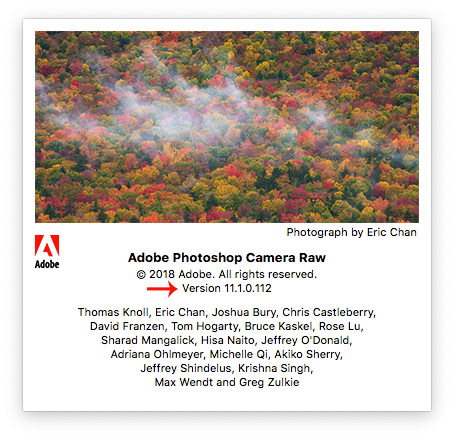
If in photoshop you go to Help>About Plug-Ins and click on Camera Raw, what version does it say?
Copy link to clipboard
Copied
Oh, and Jeff asked this before - have you used Nikon Transfer? There was an old version that corrupted NEFs so that ACR couldn't open them. That bug was later fixed by Nikon, but if you've been using an earlier version that could be it.
Copy link to clipboard
Copied
Cldnt use nikon transfer when it was first suggested.


Copy link to clipboard
Copied
Hi sandrac,
Please sign out and sign in from the Creative Cloud Desktop app and you should see the latest update of Lightroom Classic CC.
To check what's new in Lightroom Classic CC, please refer the following link: New features summary for the October 2018 release of Lightroom Classic CC
Regards,
Mohit

-
- 1
- 2

Find more inspiration, events, and resources on the new Adobe Community
Explore Now
 AdChoices