Inspiring
September 25, 2022
Answered

Patch Tool Selection Fade

  • September 25, 2022
  • 1 reply
  • 957 views

In my workflow, I use the patch tool selection to fix large pixel areas. 

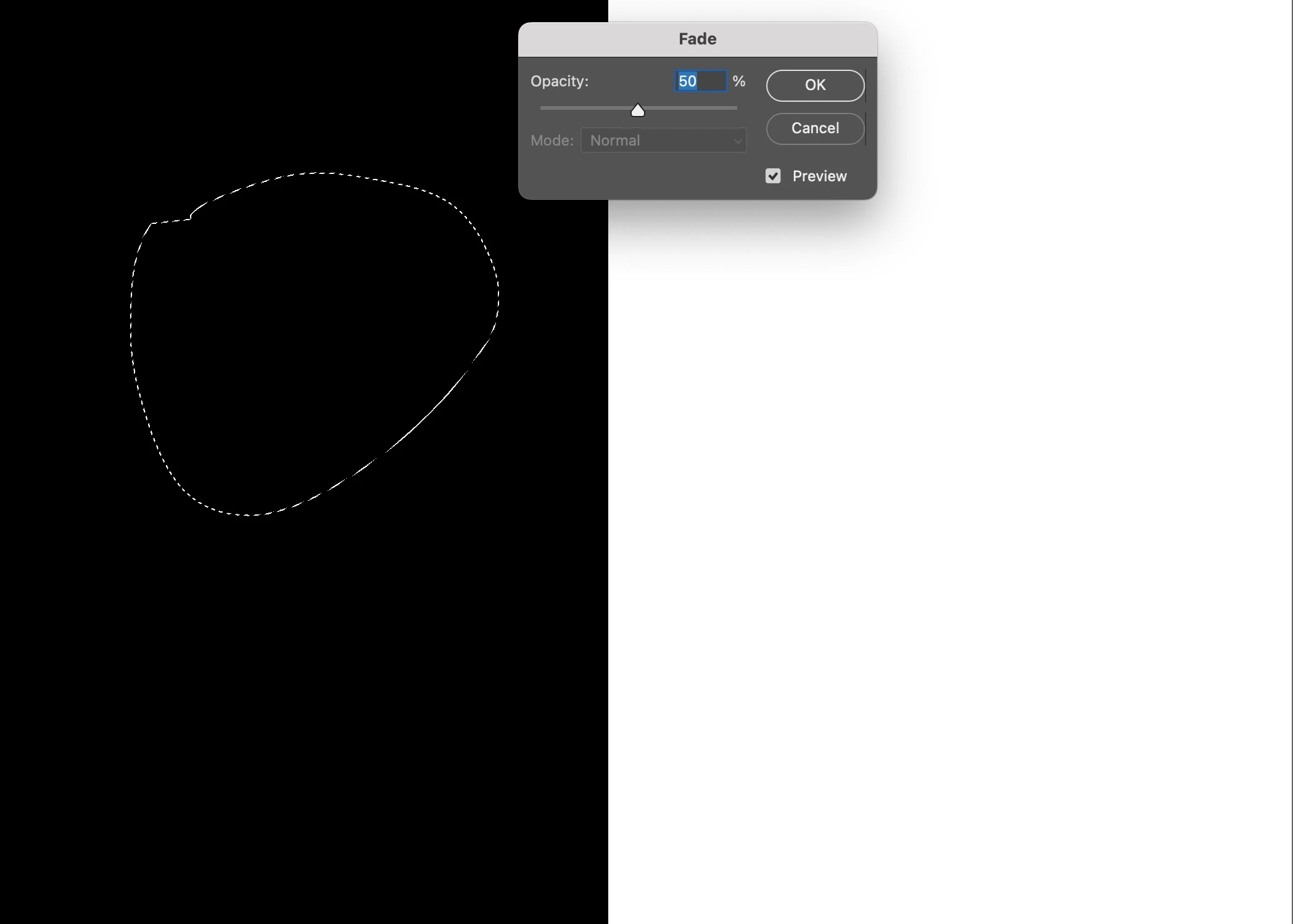
Immediately after the patch tool drag and drop gesture, I call the fade command to adjust the patch selection area.


The question is it possible to automatically add a constant fade value at the end of the drag and drop patch tool gesture? 


For example, after the patch tool drag and drop fade the selection area by 50%.

Please let me know if the question is clear


This topic has been closed for replies.
Correct answer jazz-y


/*
<javascriptresource>
<name>Patch selection tracking</name>
</javascriptresource>
*/
#target photoshop
var UUID = '74551bc6-6224-4437-a04d-17ea9b12728e',
    s2t = stringIDToTypeID,
    t2s = typeIDToStringID,
    cfg = new Config();
try {
    var evt = arguments[1];
    if (t2s(evt) == 'patchSelection') {
        var descriptor = new ActionDescriptor();
        descriptor.putUnitDouble(s2t("opacity"), s2t("percentUnit"), cfg.getScriptSettings());
        descriptor.putEnumerated(s2t("mode"), s2t("blendMode"), s2t("normal"));
        executeAction(s2t("fade"), descriptor, DialogModes.NO);
    }
} catch (e) { }
if (!evt) {
    dialogWindow();
}
function dialogWindow() {
    var w = new Window("dialog {text: 'Patch selection tracking',alignChildren:['fill','top']}"),
        stFade = w.add("statictext {text: 'Fade patch:'}"),
        gFade = w.add("group"),
        sl = gFade.add("slider {minvalue: 0, maxvalue: 100, preferredSize: [200,-1] }"),
        st = gFade.add("statictext {text: '000'}"),
        bnNotifier = w.add("button"),
        g = w.add("group {alignChildren:['center', 'center']}"),
        bnOk = g.add("button {text:'Ok'}"),
        evt = new Events();
    bnNotifier.onClick = function () {
        if (evt.checkEvents()) evt.removeEvents() else evt.addEvents()
        setEnabledButtonValue()
    }
    sl.addEventListener('keyup', handler)
    sl.addEventListener('changing', handler)
    function handler(evt) {
        sl.value = st.text = Math.round(sl.value)
    }
    bnOk.onClick = function () {
        cfg.putScriptSettings(sl.value)
        w.close()
    }
    w.onShow = function () {
        sl.value = cfg.getScriptSettings();
        sl.dispatchEvent(new UIEvent('changing'))
        setEnabledButtonValue()
    }
    function setEnabledButtonValue() {
        var enabled = evt.checkEvents()
        bnNotifier.text = enabled ? 'Disable patch selection tracking' : 'Enable patch selection tracking'
        bnNotifier.graphics.foregroundColor = enabled ? bnNotifier.graphics.newPen(bnNotifier.graphics.PenType.SOLID_COLOR, [1, 0, 0, 1], 1) : bnNotifier.graphics.newPen(bnNotifier.graphics.PenType.SOLID_COLOR, [0, 0.8, 0, 1], 1)
    }
    w.show()
}
function Config() {
    this.getScriptSettings = function () {
        var d = new ActionDescriptor();
        try { d = getCustomOptions(UUID) } catch (e) { }
        if (d.count) return d.getInteger(s2t('fade'));
        return 50
    }
    this.putScriptSettings = function (fade) {
        var d = new ActionDescriptor();
        d.putInteger(s2t('fade'), fade);
        putCustomOptions(UUID, d);
    }
}
function Events() {
    var f = File($.fileName);
    this.addEvents = function () {
        app.notifiersEnabled = true
        app.notifiers.add('patchSelection', f)
    }
    this.removeEvents = function () {
        for (var i = 0; i < app.notifiers.length; i++) {
            var ntf = app.notifiers[i]
            if (ntf.eventFile.name == f.name) { ntf.remove(); i--; }
        }
    }
    this.checkEvents = function () {
        for (var i = 0; i < app.notifiers.length; i++) {
            if (app.notifiers[i].eventFile.name == f.name) return true
        }
        return false
    }
}

 

1 reply

jazz-yCorrect answer
Legend
September 25, 2022


/*
<javascriptresource>
<name>Patch selection tracking</name>
</javascriptresource>
*/
#target photoshop
var UUID = '74551bc6-6224-4437-a04d-17ea9b12728e',
    s2t = stringIDToTypeID,
    t2s = typeIDToStringID,
    cfg = new Config();
try {
    var evt = arguments[1];
    if (t2s(evt) == 'patchSelection') {
        var descriptor = new ActionDescriptor();
        descriptor.putUnitDouble(s2t("opacity"), s2t("percentUnit"), cfg.getScriptSettings());
        descriptor.putEnumerated(s2t("mode"), s2t("blendMode"), s2t("normal"));
        executeAction(s2t("fade"), descriptor, DialogModes.NO);
    }
} catch (e) { }
if (!evt) {
    dialogWindow();
}
function dialogWindow() {
    var w = new Window("dialog {text: 'Patch selection tracking',alignChildren:['fill','top']}"),
        stFade = w.add("statictext {text: 'Fade patch:'}"),
        gFade = w.add("group"),
        sl = gFade.add("slider {minvalue: 0, maxvalue: 100, preferredSize: [200,-1] }"),
        st = gFade.add("statictext {text: '000'}"),
        bnNotifier = w.add("button"),
        g = w.add("group {alignChildren:['center', 'center']}"),
        bnOk = g.add("button {text:'Ok'}"),
        evt = new Events();
    bnNotifier.onClick = function () {
        if (evt.checkEvents()) evt.removeEvents() else evt.addEvents()
        setEnabledButtonValue()
    }
    sl.addEventListener('keyup', handler)
    sl.addEventListener('changing', handler)
    function handler(evt) {
        sl.value = st.text = Math.round(sl.value)
    }
    bnOk.onClick = function () {
        cfg.putScriptSettings(sl.value)
        w.close()
    }
    w.onShow = function () {
        sl.value = cfg.getScriptSettings();
        sl.dispatchEvent(new UIEvent('changing'))
        setEnabledButtonValue()
    }
    function setEnabledButtonValue() {
        var enabled = evt.checkEvents()
        bnNotifier.text = enabled ? 'Disable patch selection tracking' : 'Enable patch selection tracking'
        bnNotifier.graphics.foregroundColor = enabled ? bnNotifier.graphics.newPen(bnNotifier.graphics.PenType.SOLID_COLOR, [1, 0, 0, 1], 1) : bnNotifier.graphics.newPen(bnNotifier.graphics.PenType.SOLID_COLOR, [0, 0.8, 0, 1], 1)
    }
    w.show()
}
function Config() {
    this.getScriptSettings = function () {
        var d = new ActionDescriptor();
        try { d = getCustomOptions(UUID) } catch (e) { }
        if (d.count) return d.getInteger(s2t('fade'));
        return 50
    }
    this.putScriptSettings = function (fade) {
        var d = new ActionDescriptor();
        d.putInteger(s2t('fade'), fade);
        putCustomOptions(UUID, d);
    }
}
function Events() {
    var f = File($.fileName);
    this.addEvents = function () {
        app.notifiersEnabled = true
        app.notifiers.add('patchSelection', f)
    }
    this.removeEvents = function () {
        for (var i = 0; i < app.notifiers.length; i++) {
            var ntf = app.notifiers[i]
            if (ntf.eventFile.name == f.name) { ntf.remove(); i--; }
        }
    }
    this.checkEvents = function () {
        for (var i = 0; i < app.notifiers.length; i++) {
            if (app.notifiers[i].eventFile.name == f.name) return true
        }
        return false
    }
}


Inspiring
October 19, 2023

I would like to find out if it is possible to disable the dialog box, enable the script by hand, and input the fade amount manually.

After looking at the script, it seems that disabling the dialog box also disables the entire script.