Exit
  • Global community
    • Language:
      • Deutsch
      • English
      • Español
      • Français
      • Português
  • 日本語コミュニティ
  • 한국 커뮤니티
8

Photoshop images not centered after zoom

Explorer ,
Aug 02, 2021 Aug 02, 2021

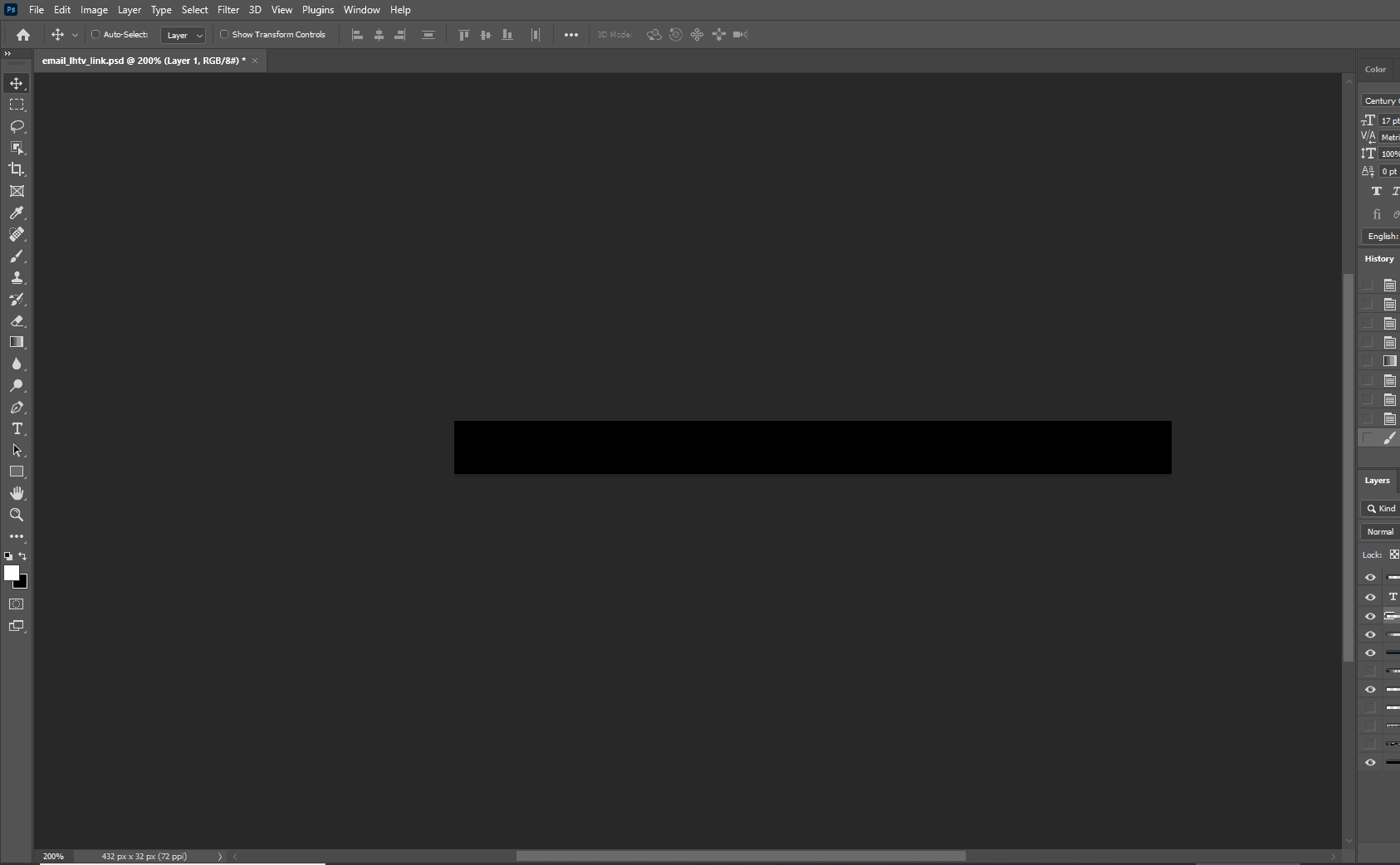
I have just installed the latest PS. As you can see in the attached image there is a bug where after zooming the image is not centered. Even when zooming back out to 100%, it stays off-center.

TOPICS
Windows
17.7K
Translate
Report
Community guidelines
Be kind and respectful, give credit to the original source of content, and search for duplicates before posting. Learn more
community guidelines

correct answers 1 Correct answer

Community Expert , Aug 03, 2021 Aug 03, 2021

See if that works. I might also suggest unchecking "Overscroll" in Preferences > Tools.

Translate
Adobe
Community Expert ,
Aug 02, 2021 Aug 02, 2021

Strange it seems you are in View > Screen Mode > Standard Screen Mode. It should not happen and nobody reported similar issue recently. Perhaps to reset preferences what is general advice for all things weird in Photoshop https://helpx.adobe.com/photoshop/using/preferences.html


It seems similar issue to this thread https://community.adobe.com/t5/photoshop-ecosystem/image-won-t-center/m-p/11911572#M523246

Translate
Report
Community guidelines
Be kind and respectful, give credit to the original source of content, and search for duplicates before posting. Learn more
community guidelines
Community Expert ,
Aug 03, 2021 Aug 03, 2021

See if that works. I might also suggest unchecking "Overscroll" in Preferences > Tools.

Translate
Report
Community guidelines
Be kind and respectful, give credit to the original source of content, and search for duplicates before posting. Learn more
community guidelines
Explorer ,
Aug 06, 2021 Aug 06, 2021

It was Overscroll. Weird I don't remember that being the default setting when I oroginally installed CC... anyway thanks!

Translate
Report
Community guidelines
Be kind and respectful, give credit to the original source of content, and search for duplicates before posting. Learn more
community guidelines
New Here ,
Sep 21, 2021 Sep 21, 2021

That works, thanks.


Translate
Report
Community guidelines
Be kind and respectful, give credit to the original source of content, and search for duplicates before posting. Learn more
community guidelines
Community Beginner ,
Dec 01, 2021 Dec 01, 2021

Installed the 2022 version and noticed right away that zoomed or cropped images didn't stay in center. Couldn't figure out why. But the uncheckning of the "overscroll" fixed it. Thanks! No idea why that was checked in the first place.

Translate
Report
Community guidelines
Be kind and respectful, give credit to the original source of content, and search for duplicates before posting. Learn more
community guidelines
New Here ,
Feb 17, 2022 Feb 17, 2022

Same, been using for over 10 years and just happened when I re-installed it a couple weeks ago

Translate
Report
Community guidelines
Be kind and respectful, give credit to the original source of content, and search for duplicates before posting. Learn more
community guidelines
New Here ,
Mar 16, 2022 Mar 16, 2022

I've been trying to figure this out for a week. Thanks for the answer don't know why Adobe has to change things that work.

Translate
Report
Community guidelines
Be kind and respectful, give credit to the original source of content, and search for duplicates before posting. Learn more
community guidelines
Explorer ,
Jun 08, 2023 Jun 08, 2023

It worked, thank you!

Translate
Report
Community guidelines
Be kind and respectful, give credit to the original source of content, and search for duplicates before posting. Learn more
community guidelines
New Here ,
Jan 22, 2024 Jan 22, 2024
LATEST

Yes overscroll is the answer

Translate
Report
Community guidelines
Be kind and respectful, give credit to the original source of content, and search for duplicates before posting. Learn more
community guidelines