Exit
  • Global community
    • Language:
      • Deutsch
      • English
      • Español
      • Français
      • Português
  • 日本語コミュニティ
  • 한국 커뮤니티
0

Problem with Batch Rename in Bridge

New Here ,
Jun 06, 2023 Jun 06, 2023

I am trying to batch rename several image files.

Desired is Tuckpointing WR Seqno Date Created


What I get is 

3 GEORGETOWN RR 181 Tuckpointing- WR ^SEQN^- 2023

Bridge version is 13.0.3.693

Using Macbook Pro Latest MacOS


TOPICS
macOS
337
Translate
Report
Community guidelines
Be kind and respectful, give credit to the original source of content, and search for duplicates before posting. Learn more
community guidelines
Adobe
Community Expert ,
Jun 06, 2023 Jun 06, 2023

@kerrye95969369 


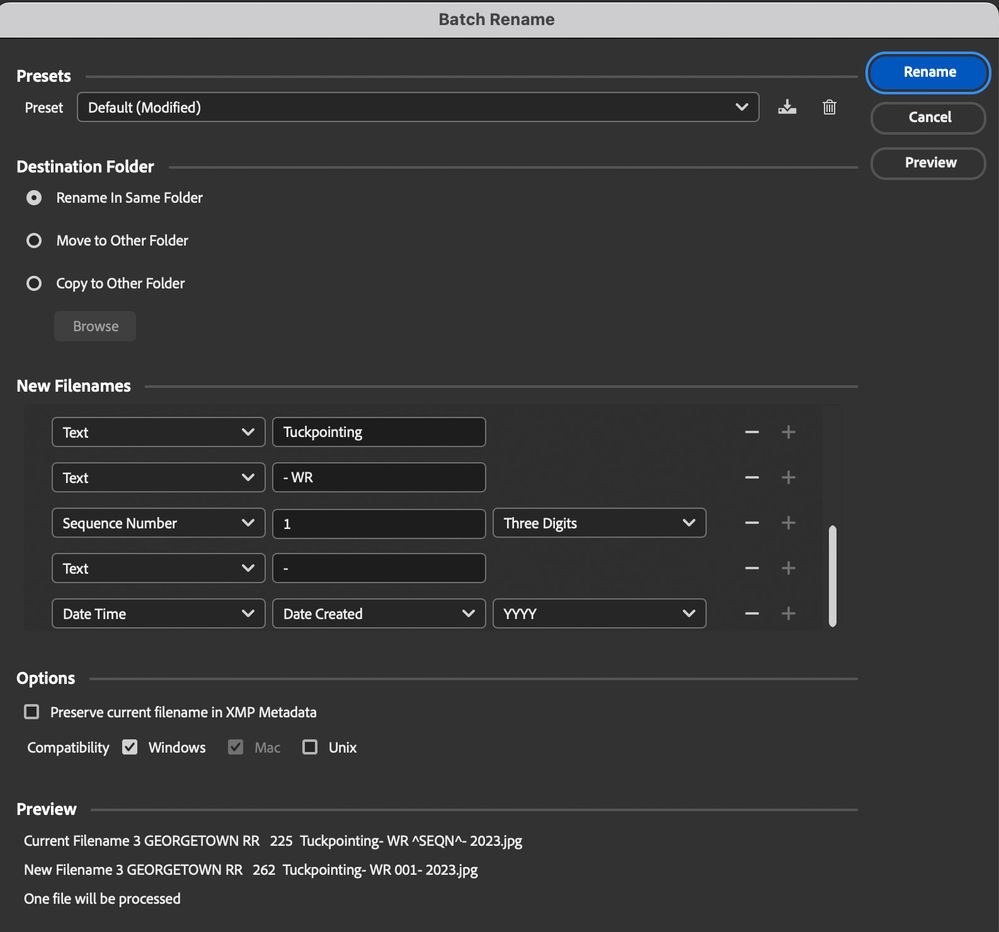
Please show a screenshot of the dialog with your settings.


Jane


Translate
Report
Community guidelines
Be kind and respectful, give credit to the original source of content, and search for duplicates before posting. Learn more
community guidelines
New Here ,
Jun 06, 2023 Jun 06, 2023

Screenshot 2023-06-06 at 1.18.14 PM.jpg

Translate
Report
Community guidelines
Be kind and respectful, give credit to the original source of content, and search for duplicates before posting. Learn more
community guidelines
New Here ,
Jun 06, 2023 Jun 06, 2023

Screenshot 2023-06-06 at 1.18.14 PM.jpg


Translate
Report
Community guidelines
Be kind and respectful, give credit to the original source of content, and search for duplicates before posting. Learn more
community guidelines
Community Expert ,
Jun 06, 2023 Jun 06, 2023

@kerrye95969369 


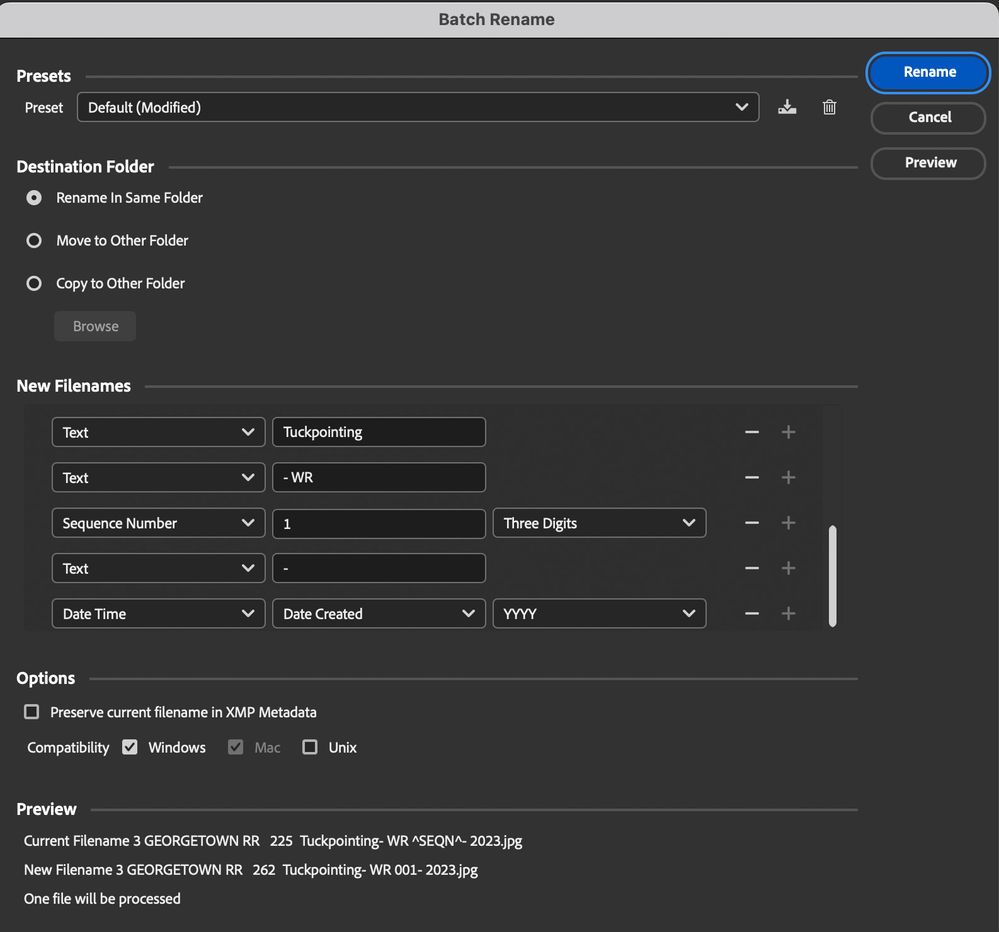
Thank you. Can you scroll up and show another screenshot?


janee_0-1686076131428.png


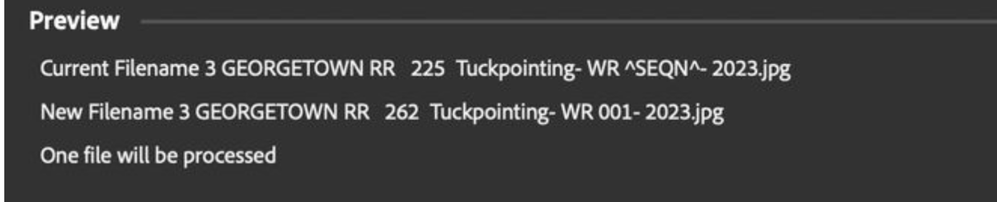
Note the Preview at the bottom. 

janee_0-1686076280517.png


Jane


Translate
Report
Community guidelines
Be kind and respectful, give credit to the original source of content, and search for duplicates before posting. Learn more
community guidelines
New Here ,
Jun 06, 2023 Jun 06, 2023

I see hte Georgetown after scrolling up.  THanks

Translate
Report
Community guidelines
Be kind and respectful, give credit to the original source of content, and search for duplicates before posting. Learn more
community guidelines
Community Expert ,
Jun 06, 2023 Jun 06, 2023

You're welcome, @kerrye95969369 , I'm glad it's working for you now. I always do a quick check and peek at the Preview on the bottom to check for dashes, spaces, and other things before proceeding.


Jane

Translate
Report
Community guidelines
Be kind and respectful, give credit to the original source of content, and search for duplicates before posting. Learn more
community guidelines
Community Expert ,
Jun 07, 2023 Jun 07, 2023
LATEST

The Preview *button* and the window that it opens is critical!

Translate
Report
Community guidelines
Be kind and respectful, give credit to the original source of content, and search for duplicates before posting. Learn more
community guidelines