Known Participant
September 27, 2023
Answered

Restore Water Damaged Photo

  • September 27, 2023
  • 3 replies
  • 9338 views

Hi Guys,


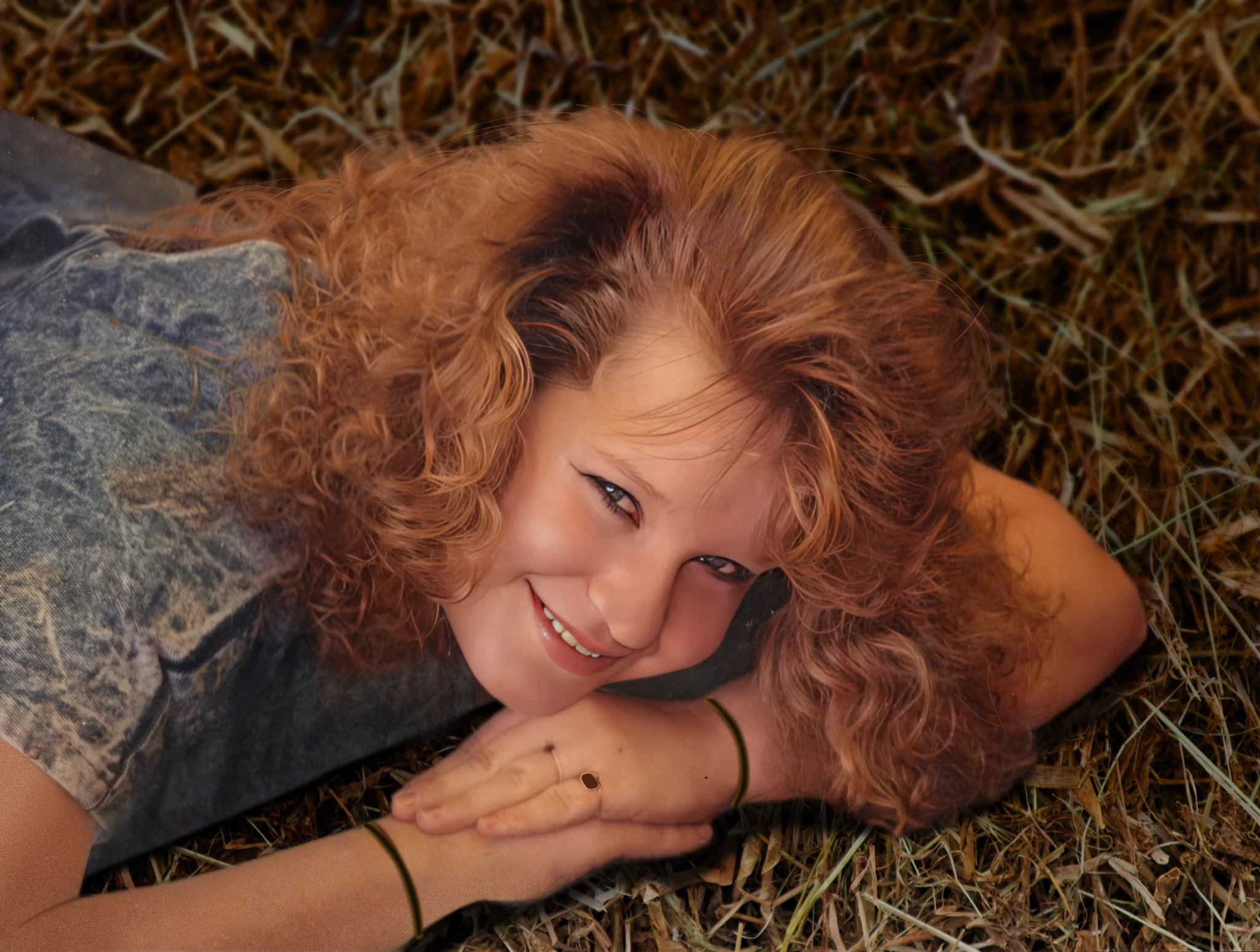
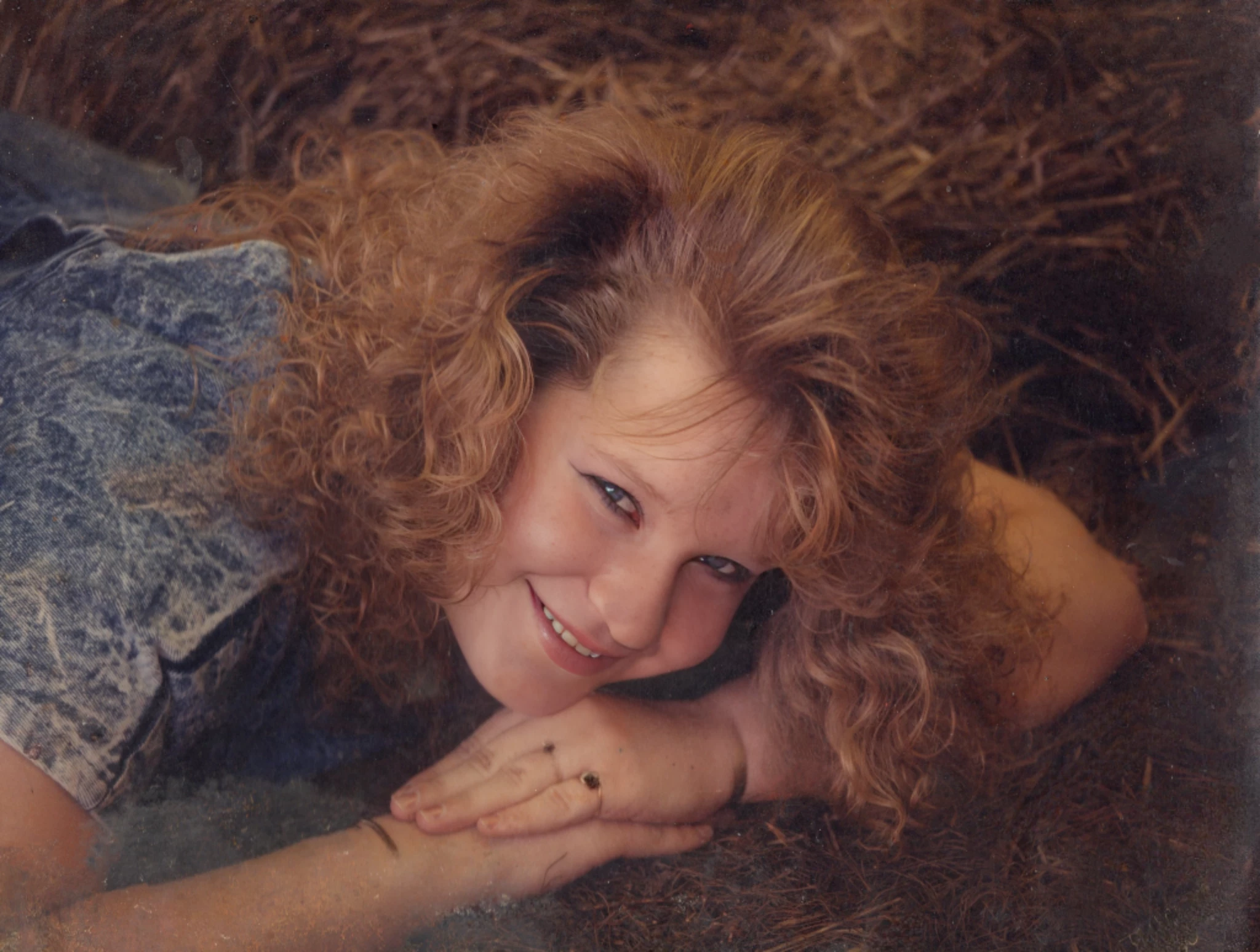
I am hoping that someone here would be kind enough to provide some guidance in restoring this photo of my girlfriend.  It is her Sr. Portrait and my favorite picture of her.  It was damaged when her Mother's basement was flooded.  I have been able to do some very basic touchups, but I am not very skilled with PS and my success has been limited.  I am not having much success in restoring the area on the right and at the bottom of the photo.  I would be grateful for any assistance you can provide.


Thanks


Correct answer Trevor.Dennis

Yes Sir, I completely understand how you feel.  I am the same way when it comes to using my skills a software engineer.  I love using those skills, solving problems, and pushing my skills to the limit.  I am not able to do this with PS because many of the tasks involved require a high degree of fine motor control which I do not have because of my disability.  My skills are limited and will probably never go beyond being that.  I do use PS for basic things and I have also used to combine images together and stitch them together.  I have attached Shabeimages that I created with PS by combining and stitching.  Witch Hunt is a single image comprised of multiple images extracted from a video. The video is a series of donward pans of the subject. She is never shown in full view, so I used the rosary as a point of reference and combined all the images where the rosary hung perfecrly straight.


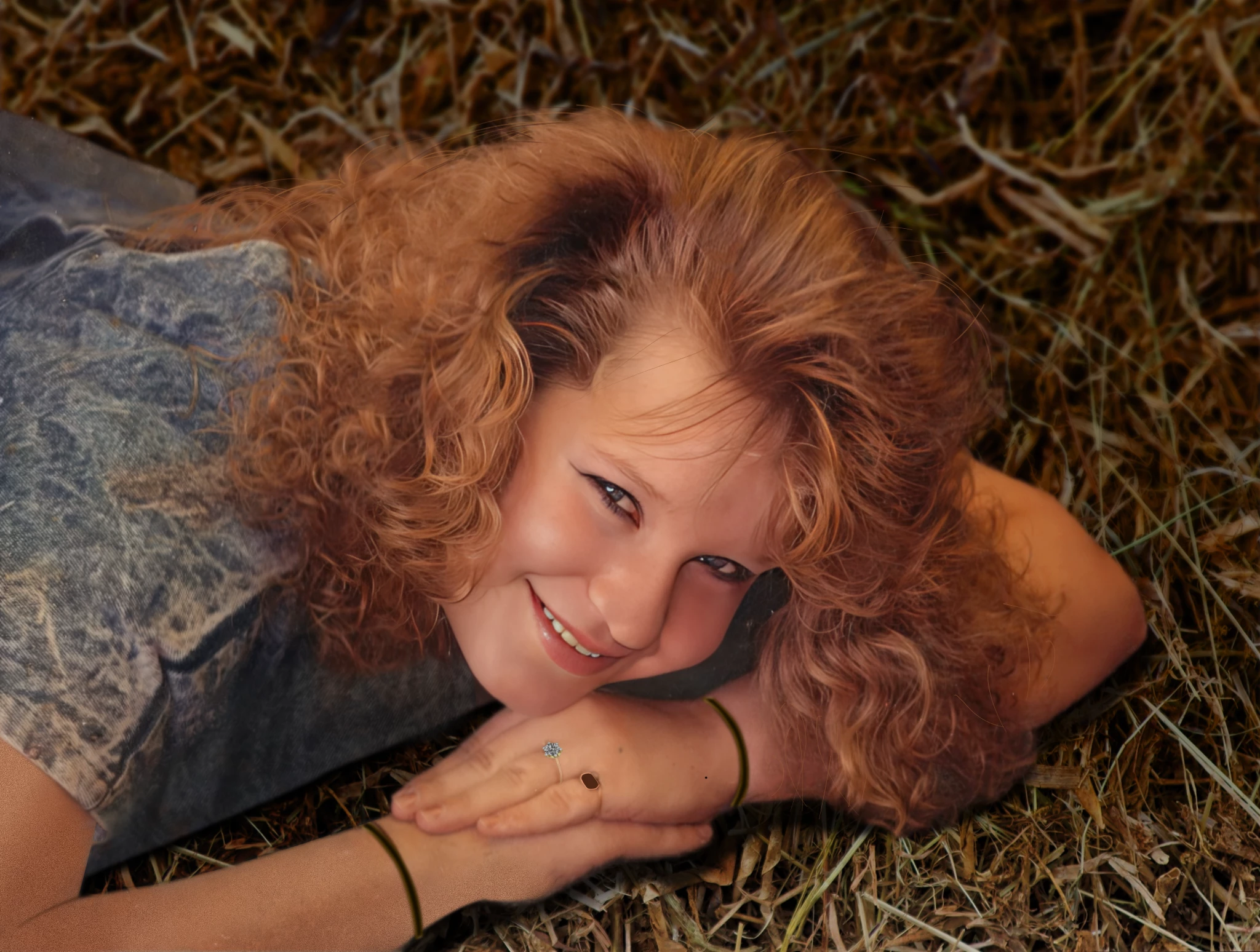
I do have one last question about her picture.  How would I go about "toning down" the ring to a normal level?  I would rather have it appear as it normally would.  I didn't put the ring on her finger.  Her ex husband did and he's not worth the breath required to tell the story.


Thank you again for your help, giving your valuable time and skills to help restore this picture.  She and I are very grateful.


Shane and Twila


Sorry about the flare.  I knew it was OTT but like I said, sometimes we can't help ourselves.  
 

3 replies

Known Participant
September 29, 2023

Hi Guys,


This is my attempt at restoring the small area near the right side of her face.  Not very good.  Anybody have any thoughts?

mglush
Community Expert
Community Expert
September 29, 2023

Hi Shane!

Great job--it is looking really good!

Can I make a suggestion? Along with Kevin's suggestion about putting the hay on a new layer, I would recommend that you darken the hay texture underneat her so that it doesn't compete with her. You could put a Color Overlay ontop of the hay and make it darker by using a Blending mode or even just decreasing the opacity of the color layer. that will make her stand out.

Again, Great Job!

Michelle

Known Participant
September 29, 2023

Do you remember the old saying, "give a man a fish, and he will eat for a day. Teach a man to fish and he will eat for a lifetime?" We all need to learn, and doing it is the best teacher. If we do it for you, how will you ever master Photoshop! 🙂 


One thing you could do is select her--go to the Select Menu and choose Subject. This will select her, then while the selection is still active, click on the new Layer Icon at the bottom of the Layers Panel. This will put her on a layer above your background. Then you can clean up the area around her without messing up her edges.


You can also turn the visibility of her layer off by clicking on the eye icon. That way you can use the stamp tool on the Background layer to clean up the area around her.


Then create a new Layer (click the New Layer icon at the bottom of the panel), fill it with a color (Click on the Foreground Color box in the Tools panel, and choose a color) and then fill the layer. (I think it is Control-Delete will fill with the Foregournd color and Alt-Delete will fill with the background color--forgive me is that is not correct--I work on a mac!)


Then once the layer is filled with color you can do a couple of things--adjust the Opacity at the Top of the Layers panel, and/or choose a Blending Mode from the Dropdown menu that is just to the left of Opacity.

Try that and let us know if you have any questions! We will be happy to help with more direction.

Michelle


Thanks... I guess I'm on my own from here

Trevor.Dennis
Community Expert
Community Expert
September 27, 2023

This is about 90 minutes work.  You could go on forever, but I have to be out in a while.


Nothing is cropped out.  Left arm fixed using sample colour with fully soft brush set to 10% and building up tone. changing colour to give it depth.  Texture added to new skin with Camera RAW > Effects > Grain.  Definitely make that layer a Smart object because I haad to tweak the grain value several times.  Bracelets illustrated, same thing with wedding ring.  New hair painted in to help transition to new background.  Not a bad start I'd say.


The forum is hiding some of the image, so crop to expand to see the whole thing.

Trevor.Dennis
Community Expert
Community Expert
September 27, 2023

I did think about adding the engagement ring, but that needs to be right.  You can do that yourself, or take a close up picture from the right angle, upload it and one of us/me will add it.

Known Participant
September 27, 2023

Not to worry about the ring.  She will be thrilled by your efforts. Thank you again

josantgomez
Legend
September 27, 2023

Solamente tienes que utilizar la herramienta tampón, de clonar.

Sitúas la herramienta, el circulo que te aparece tras pulsar Alt, sobre una similar a la que intentas arreglar. Haces click sobre la zona a copiar y vas copiando a lo largo de todo el margen derecho. Si te equivoca vas a Edición y deshaces, y vuelves a seguir. Precisamente porque puedes deshacer puedes intentarlo de prueba varias veces antes de decidirte a hacer el clonado en serio. Prefiero que lo aprendas porque es muy fácil  a hacértelo yo. Además la satisfación será mayor.

Known Participant
September 27, 2023

Thank you for your assistance.  I have tried several differnt methods without success. One of the reasons that I am having difficulty is because I am disabled and have dexterity issues that make it very difficult to do things with require a high degree of fine motor control.

josantgomez
Legend
September 27, 2023


¿Te gusta así? ¿Quieres cambiar algo?