Exit
  • Global community
    • Language:
      • Deutsch
      • English
      • Español
      • Français
      • Português
  • 日本語コミュニティ
  • 한국 커뮤니티
0

Wacom keeps selecting unwanted layers in photoshop

New Here ,
Oct 24, 2018 Oct 24, 2018

Normally, when I click from one layer to another layer, the previous clicked layer won't be selected. But now Wacom is selecting every layer I've clicked. Using a mouse doesn't have such a problem but I have to use Wacom Pen to select when drawing. I'm using the latest version: Photoshop CC 2018 and Wacom Intuos Pro drive on ios, and I've tried to restart photoshop/ unplug Wacom /turn off auto-selecting / adjust pen tip feel/change a nib... still doesn't work. How can I make Wacom work normally?

Thanks a lot for answering!
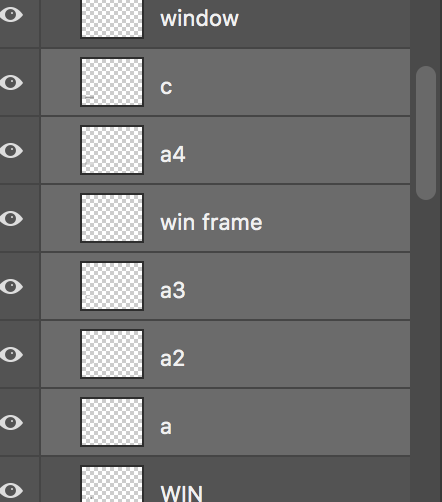
Screen Shot 2018-10-25 at 02.17.14.png

593
Translate
Report
Community guidelines
Be kind and respectful, give credit to the original source of content, and search for duplicates before posting. Learn more
community guidelines
Adobe
Community Beginner ,
Aug 04, 2022 Aug 04, 2022

Same here. It does it in Illustrator too. I assumed it was just because I have a Huion tablet which is quite cheap (!) and was wondering if I should have just spent more on a Wacom but sounds like that's not the problem... 

Translate
Report
Community guidelines
Be kind and respectful, give credit to the original source of content, and search for duplicates before posting. Learn more
community guidelines
Community Expert ,
Aug 04, 2022 Aug 04, 2022
LATEST

Hi. Have you checked if there is an available update for the Wacom software?


Marlon Ceballos
Translate
Report
Community guidelines
Be kind and respectful, give credit to the original source of content, and search for duplicates before posting. Learn more
community guidelines

