Exit
  • Global community
    • Language:
      • Deutsch
      • English
      • Español
      • Français
      • Português
  • 日本語コミュニティ
  • 한국 커뮤니티
0

Deactivate PE without computer

New Here ,
Apr 09, 2020 Apr 09, 2020

Hello,

I would like to deactivaze my PE 13 licence but I do not have the software installed anymore. I delete it without deactivation. But I see software in my adobe account. But I cannot deactivate there. Can you help?

Thanks.

TOPICS
How to , Problem or error
1.6K
Translate
Report
Community guidelines
Be kind and respectful, give credit to the original source of content, and search for duplicates before posting. Learn more
community guidelines

correct answers 3 Correct answers

Community Expert , Apr 09, 2020 Apr 09, 2020

On this page, there is a link to a chat room if you have lost access to your computer.

Translate
Community Expert , Apr 09, 2020 Apr 09, 2020

I believe a live response will be given.  But just state that you need to deactivate photoshop elements 13 from old computer.

Translate
Community Expert , Apr 09, 2020 Apr 09, 2020


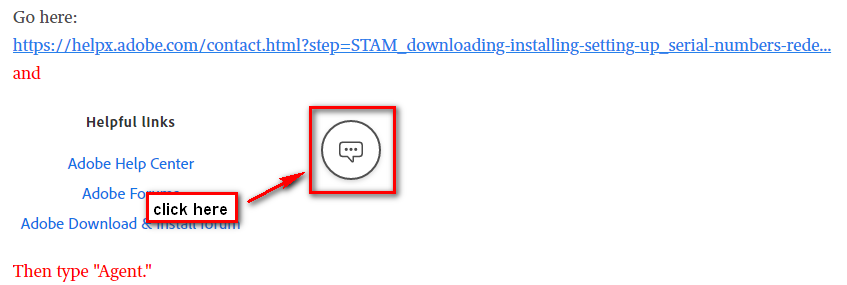
Go here and only ask to have your activations reset:
Chat and Agent.png

Translate
Community Expert ,
Apr 09, 2020 Apr 09, 2020

On this page, there is a link to a chat room if you have lost access to your computer.

Translate
Report
Community guidelines
Be kind and respectful, give credit to the original source of content, and search for duplicates before posting. Learn more
community guidelines
New Here ,
Apr 09, 2020 Apr 09, 2020

Thanks Greg,

looks like a chat bot. I cannot get it done. What do I have to type in? Thanks.

Translate
Report
Community guidelines
Be kind and respectful, give credit to the original source of content, and search for duplicates before posting. Learn more
community guidelines
Community Beginner ,
May 03, 2020 May 03, 2020
LATEST

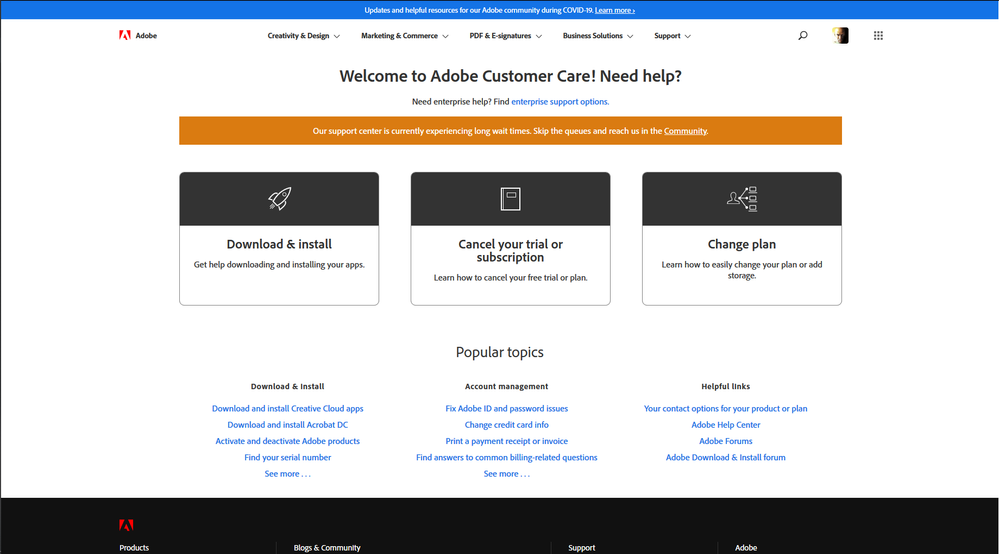
The link doesn’t work anymore. It leads to the page:

https://helpx.adobe.com/contact.html?step=CCSN

That currently shows like this:

Anotação 2020-05-03 173340.pngAnotação 2020-05-03 173341.png

No chat room anywhere, as you can see.

Really don’t know why there’s not a way to do this directly from the profile page of the user account.

Translate
Report
Community guidelines
Be kind and respectful, give credit to the original source of content, and search for duplicates before posting. Learn more
community guidelines
Community Expert ,
Apr 09, 2020 Apr 09, 2020

I believe a live response will be given.  But just state that you need to deactivate photoshop elements 13 from old computer.

Translate
Report
Community guidelines
Be kind and respectful, give credit to the original source of content, and search for duplicates before posting. Learn more
community guidelines
Community Expert ,
Apr 09, 2020 Apr 09, 2020


Go here and only ask to have your activations reset:

Chat and Agent.png

Translate
Report
Community guidelines
Be kind and respectful, give credit to the original source of content, and search for duplicates before posting. Learn more
community guidelines
New Here ,
Apr 10, 2020 Apr 10, 2020

Hello Adobe Team,

This is realy frustrating. I got in contact with your people at the support email I got from you. Unfortunately Adobe has deactivated the servers and cannot reset my PSE13 licence. They cannot help. The only offer I got is to buy an upgrade for $99. But this is not acceptable to me. I purchased the software some time ago and it still works even with latest Win 10. I do not consider this as customer friendly.

Translate
Report
Community guidelines
Be kind and respectful, give credit to the original source of content, and search for duplicates before posting. Learn more
community guidelines
Community Expert ,
Apr 10, 2020 Apr 10, 2020

I think you have received a scam email.  Please look at the announcement at the top of the forum.

Translate
Report
Community guidelines
Be kind and respectful, give credit to the original source of content, and search for duplicates before posting. Learn more
community guidelines
Community Expert ,
Apr 10, 2020 Apr 10, 2020

Excellent point: Adobe doesn't have a support email to reply.

Translate
Report
Community guidelines
Be kind and respectful, give credit to the original source of content, and search for duplicates before posting. Learn more
community guidelines
Community Beginner ,
May 03, 2020 May 03, 2020

I’m having the same problem with PE 14 ― and also a big trouble trying to find a solution.

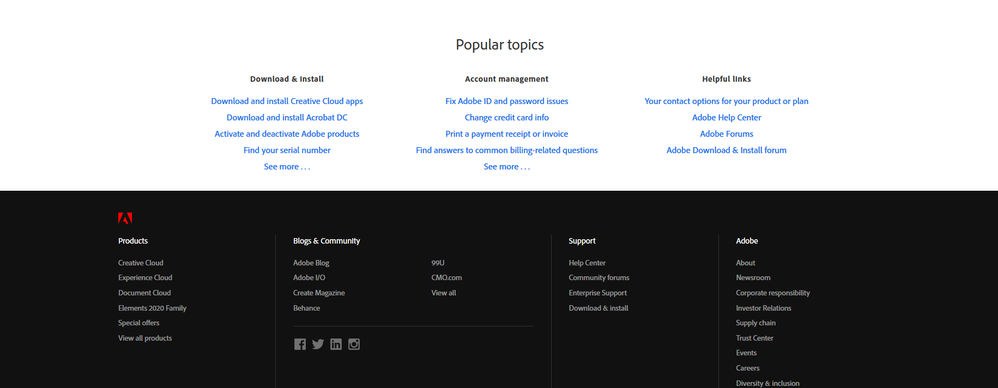
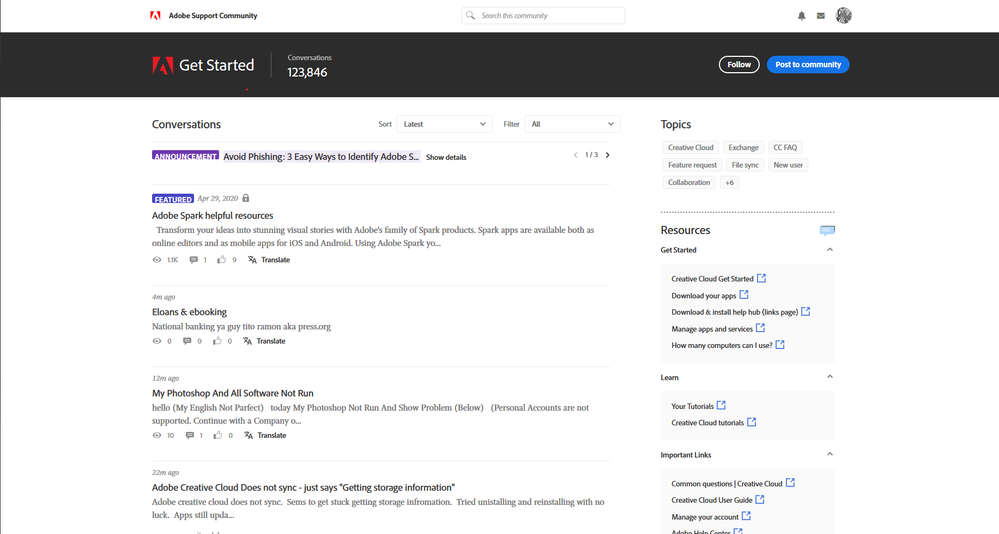
I followed the link that Peru Bob indicated, clicked on “Adobe Download & Install Forum”, and reached to the page:

https://community.adobe.com/t5/get-started/bd-p/get-started?page=1&sort=latest_replies&filter=all

That shows like this:
Anotação 2020-05-03 173226.pngAnotação 2020-05-03 173335.pngAnotação 2020-05-03 173336.png


Please, tell me, where exactly on this page I should type “Agent”?

I could see nowhere on this page the icon:


Anotação 2020-05-03 173340.png

Which, I suppose, should lead to a chat room.

Please give me specific instructions that work!

Translate
Report
Community guidelines
Be kind and respectful, give credit to the original source of content, and search for duplicates before posting. Learn more
community guidelines
Community Expert ,
Apr 10, 2020 Apr 10, 2020

Did you go to Adobe Chat as described in earlier posts?

Translate
Report
Community guidelines
Be kind and respectful, give credit to the original source of content, and search for duplicates before posting. Learn more
community guidelines
New Here ,
Apr 10, 2020 Apr 10, 2020

Hello,

I assume you are right. I got a private message and discussed with someone using an outlook.com email adress.

I will go back to the chat and use the "agent" keyword. Thanks.

Translate
Report
Community guidelines
Be kind and respectful, give credit to the original source of content, and search for duplicates before posting. Learn more
community guidelines
Community Expert ,
Apr 10, 2020 Apr 10, 2020

Can you please let us know the name of the person who sent you the private message so that we can get him/her banned from the forum.

Thanks.

Translate
Report
Community guidelines
Be kind and respectful, give credit to the original source of content, and search for duplicates before posting. Learn more
community guidelines
New Here ,
Apr 10, 2020 Apr 10, 2020

Hi Greg, sorry I deleted the email. The name was Stacy with a green avatar.

Translate
Report
Community guidelines
Be kind and respectful, give credit to the original source of content, and search for duplicates before posting. Learn more
community guidelines
Community Expert ,
Apr 11, 2020 Apr 11, 2020

Can you check your private messages on the forum website to see if it is still there.  Thanks.

Translate
Report
Community guidelines
Be kind and respectful, give credit to the original source of content, and search for duplicates before posting. Learn more
community guidelines
New Here ,
Apr 11, 2020 Apr 11, 2020

Hi Greg, I also deleted it there as well. Seems there is no trash I can use to recover...

However, I got a very friendly Adobe agent. She helped me to reset all licences. Very good serveice!!

Translate
Report
Community guidelines
Be kind and respectful, give credit to the original source of content, and search for duplicates before posting. Learn more
community guidelines