Snapper24
Participating Frequently
December 12, 2019
Answered

Display Problem

  • December 12, 2019
  • 3 replies
  • 551 views

PE.11.0 on Mac OS 10.14.6 :


This must be very simple, but I can't solve it !


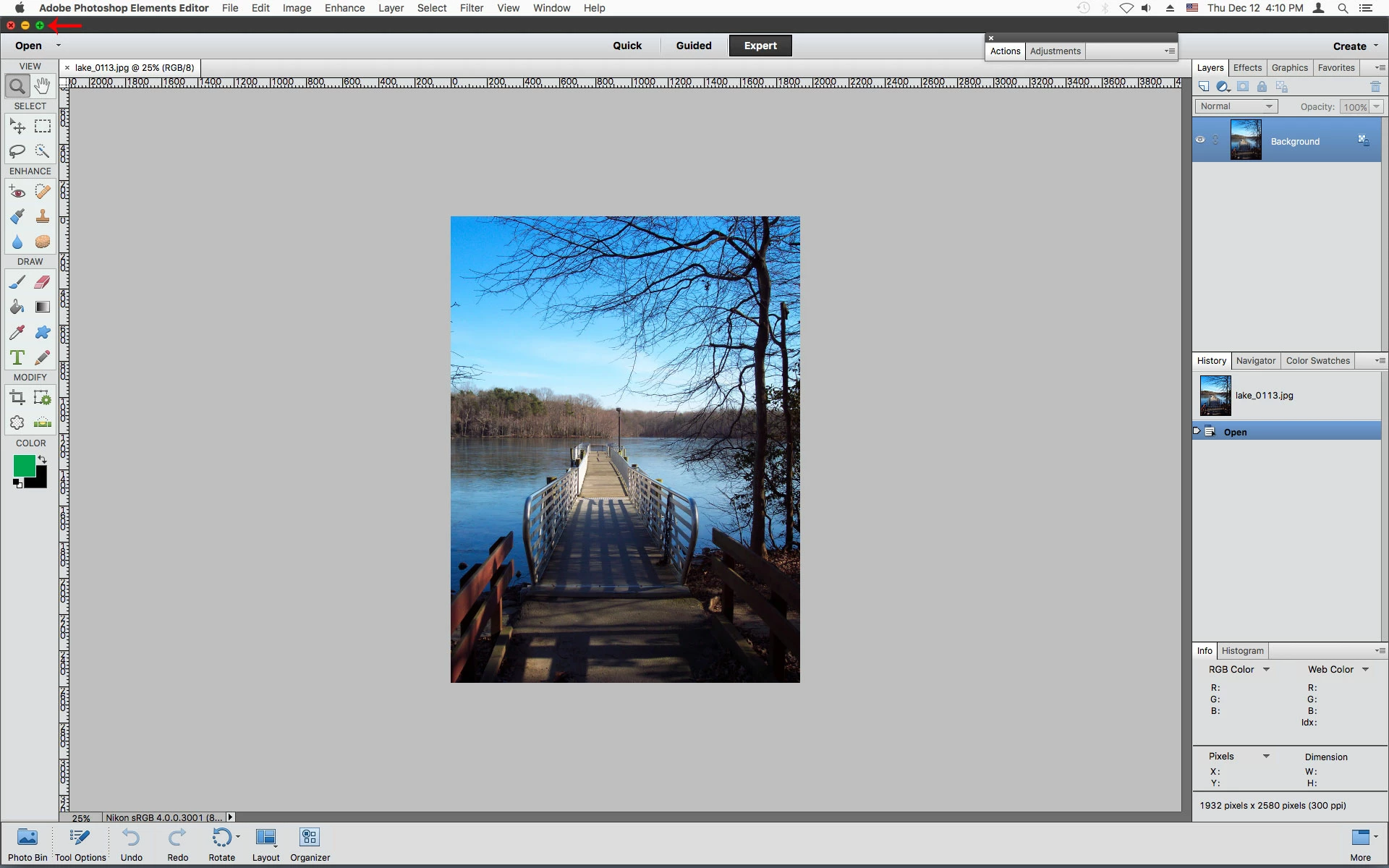
PE now displays for me with the bottom quarter lost below the screen.

In other words, I can only see the photo, and Tool choices at top left, but NOT the creative options I want to use below.

And as the bottom of the frame doesn't show, I can't get the cursor below the frame to make it smaller and 'pull' it upwards.


What have I done to cause this ?


Nigel
 

This topic has been closed for replies.
Correct answer Jeff Arola

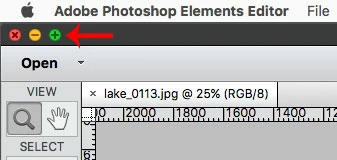
Click on the Green Maximize button to fit the pse 11 Editor to your screen.


3 replies

Legend
December 12, 2019

It looks like lake_01113.jpg is "floating" or hovering over top of your Photoshop Elements window and obscuring some of it from view.  As 99jon has suggested, dragging its lower right corner up and to the left should show more of everything being hidden behind it.  Have you tried this yet?

Jeff Arola
Community Expert
Jeff ArolaCommunity ExpertCorrect answer
Community Expert
December 12, 2019

Click on the Green Maximize button to fit the pse 11 Editor to your screen.


Snapper24
Snapper24Author
Participating Frequently
December 13, 2019

Thanks Jeff.

That Green Button (which I've never knowingly used before) solved the problem.

Thanks

99jon
Legend
December 12, 2019

Try minimising the window and then drag the bottom right corner of the application frame to fit your screen.

Snapper24
Snapper24Author
Participating Frequently
December 13, 2019

99jon,


Regret didn't work.

'Minimize' in 'Window' then 'Images' sent the file to the Dock, but on recovering nothing had changed.

Snapper24