


Layer Resolution

Copy link to clipboard
Copied
I have PSE8. How do I increase the resolution on a single layer? I have started a project from scratch (no photos, etc. added) and only the Text layers change when I go to ‘Image’, ‘Resize’, etc. and fix the pixels/inch. How come the other layers won’t change?
Thanks!


 8
Replies
8
8
Replies
8



Copy link to clipboard
Copied
alyssag37 wrote
I have PSE8. How do I increase the resolution on a single layer? I have started a project from scratch (no photos, etc. added) and only the Text layers change when I go to ‘Image’, ‘Resize’, etc. and fix the pixels/inch. How come the other layers won’t change?
Thanks!
The work flow is not appropriate for your purpose.
- Determine the resolution of the picture files that you wish to add. You can change the resolution of these files individually to the target value. Let us assume that you you settle on 240px/in for each one.
- Now, go to File>new>blank file and in the dialog that comes up enter the w&h, and resolution 240 px/in.
- Copy/paste the picture files (previously changed to 240px/in). Each one will come in on a separate layer. Activate the move tool and position the picture files.
- Add the text
Copy link to clipboard
Copied
Thank you so much for your reply. However, I am not adding anything from outside sources. Each of my layers are something created in PSE (ie. cookie cutter tool). Do you know how I can fix the resolution those layers?
Thanks,
Alyssa 
Copy link to clipboard
Copied
alyssag37 wrote
Thank you so much for your reply. However, I am not adding anything from outside sources. Each of my layers are something created in PSE (ie. cookie cutter tool). Do you know how I can fix the resolution those layers?
Thanks,
Alyssa
What is your concept of "resolution of those layers?" This syntax is foreign to me. What is it that you are trying to do? Where is the problem??
Copy link to clipboard
Copied
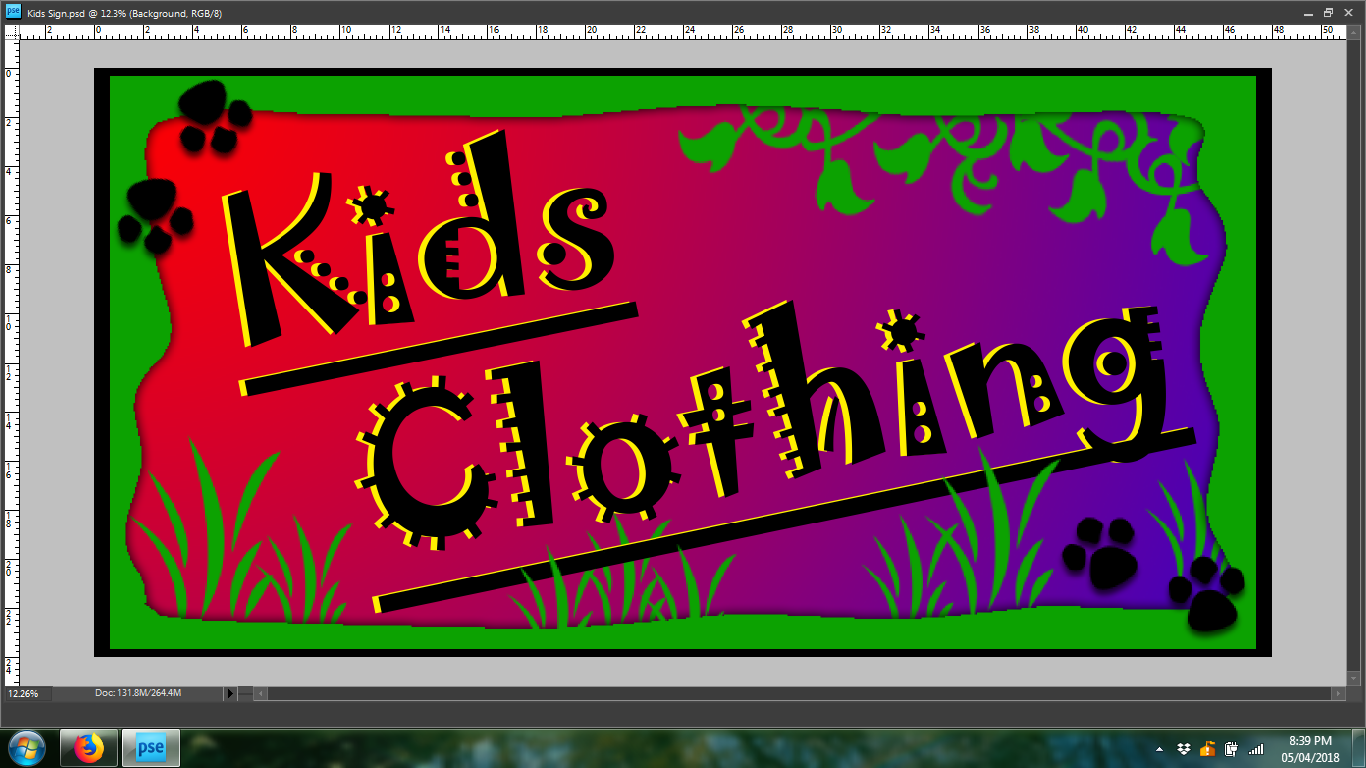
My cookie cutter layers are way more pixelated (or blurry looking) than my text layers.
Thanks,
Alyssa
Copy link to clipboard
Copied
What is the resolution of the file before you do anything to it?
Is this what you perceive on screen or when you print?
Please post a screen shot so that we may have a look at this.
Copy link to clipboard
Copied
Resolution before I started was about 118 pixels/inch. I changed it to 200 but only the text layer changed, not the other layers...
It is what I see on screen. Here is a screen shot:
Copy link to clipboard
Copied
Screen shot does not show up. You have to insert the image here on the forum via the icon at the top of the reply box.
Resolution of above referenced image is very low for printing.
Copy link to clipboard
Copied


Get ready! An upgraded Adobe Community experience is coming in January.
Learn more
 AdChoices