

PSE13 fills up the Windows10 TEMP folder with 64GB files until HDD is full
Using PSE13 on Windows 10 pro 64bit rig, 16GB RAM and a 500GB SSD as Operation disk (free space ?140GB). Data disks have also ample room (>200GB).
The catalog has 47,000 files, the thumb.5.cache file has a volume of 1.4 GB.
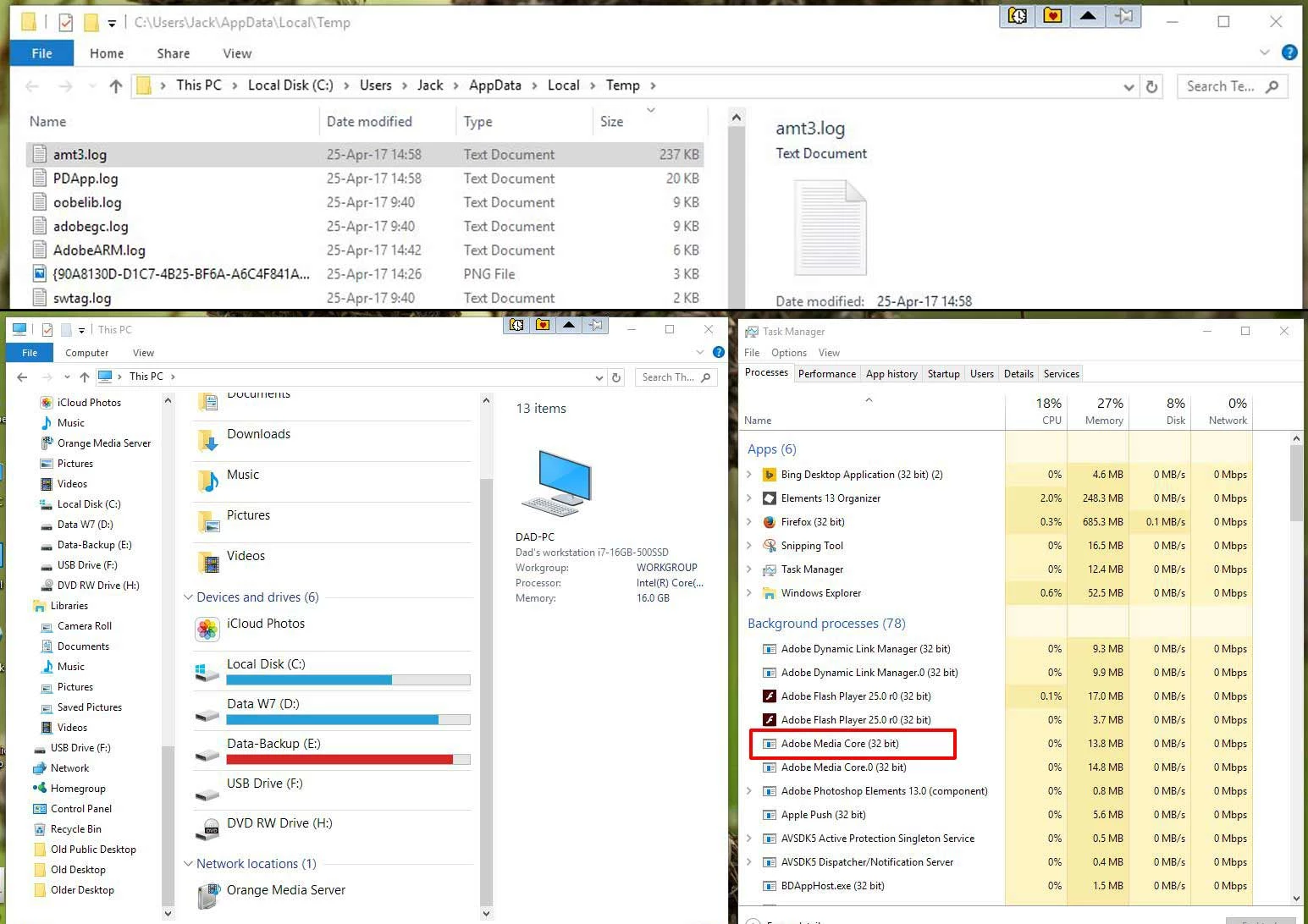
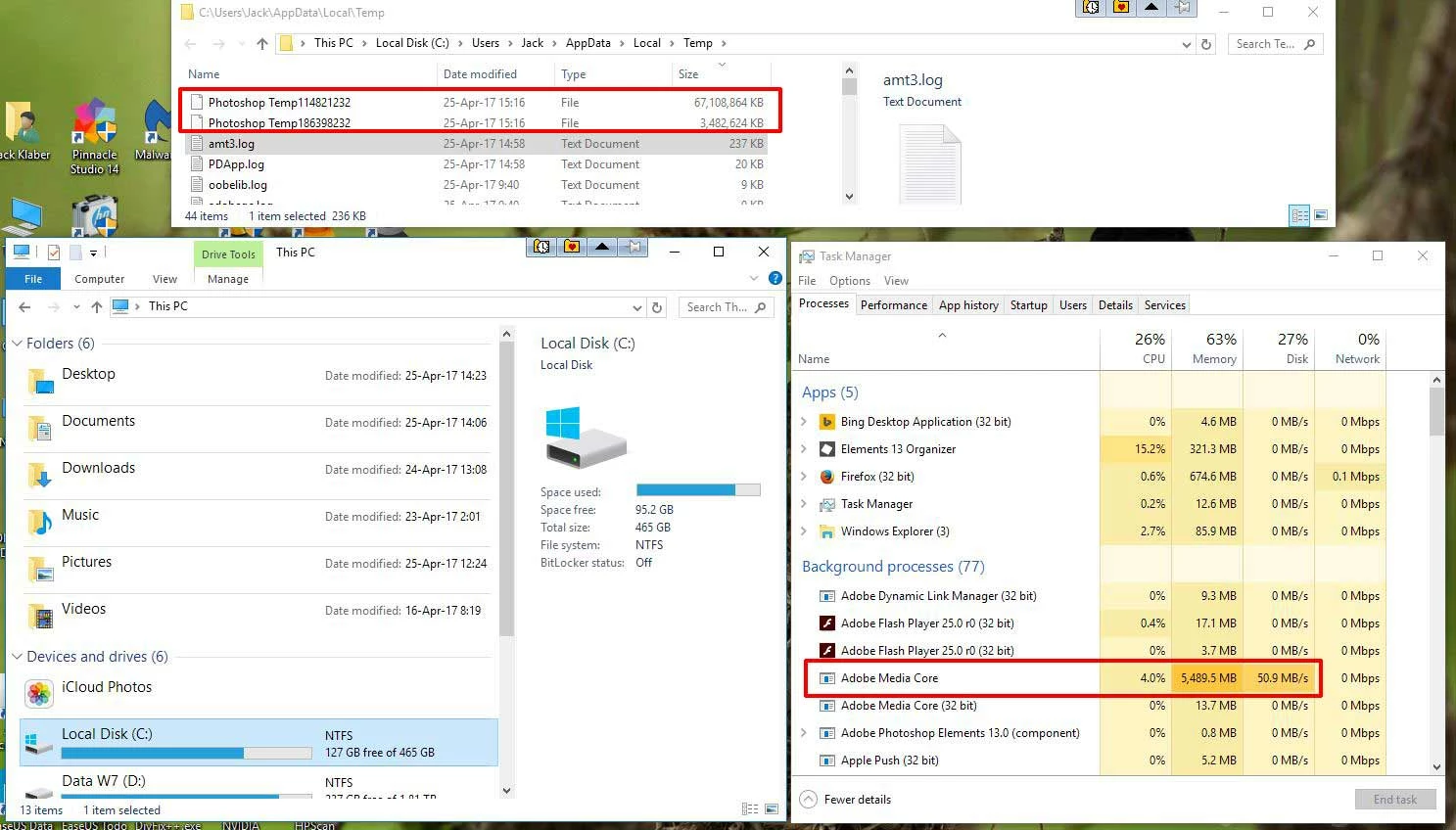
Several minutes after starting PSE13 in Organizer mode, as soon as service Adobe Media Core kicks in, the program starts opening TEMP files in the Windows TEMP directory (default: C:\Users\[name]\AppData\Local\Temp).
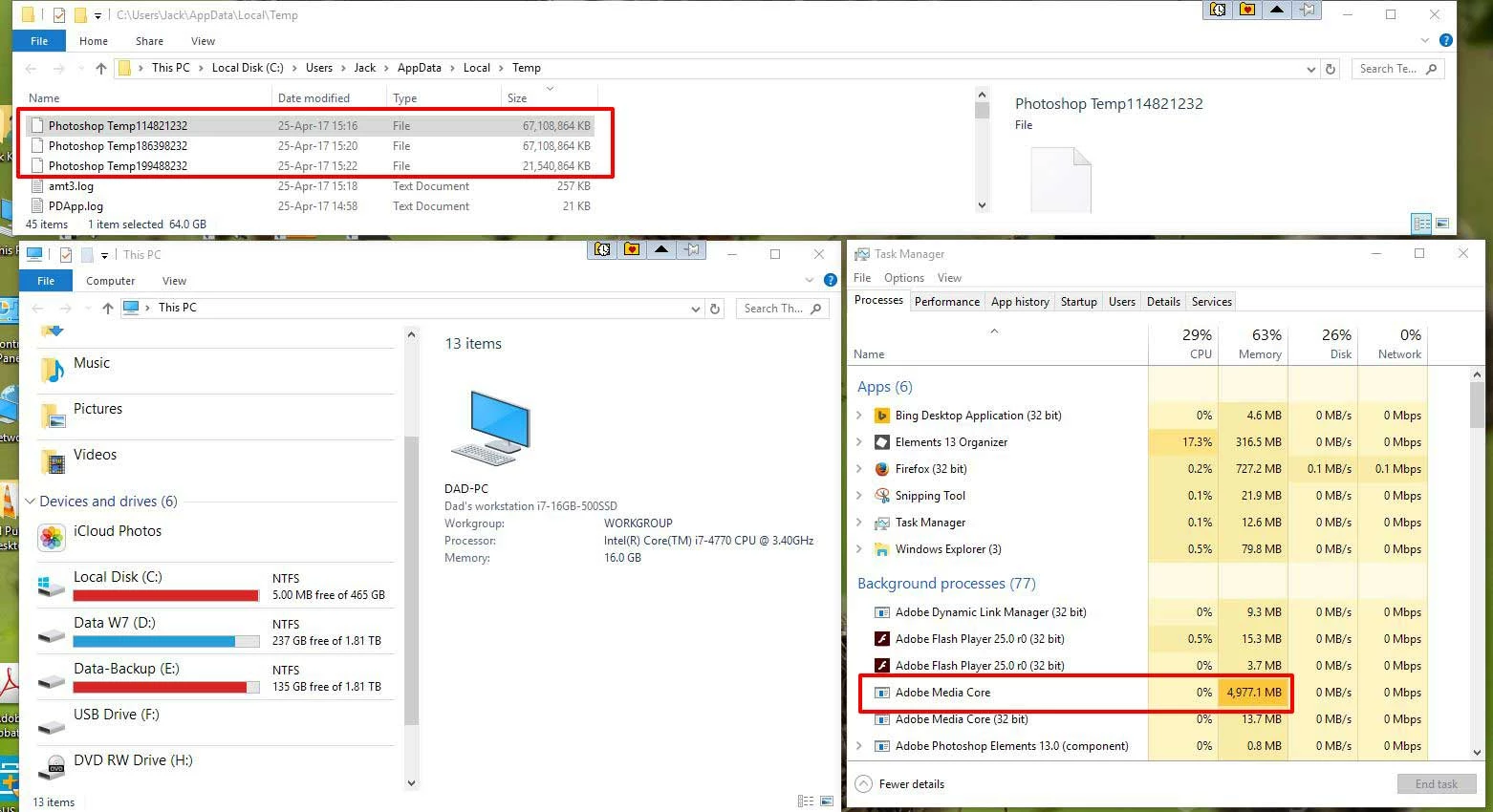
As soon as the first file reaches a volume of 64GB-!-, a second is opened, then a third as soon as the second reaches a volume of 64GB, etc. until the HDD reaches its total capacity and Windows becomes sluggish (no wonder...). Several PSE13 functions stop working, such as rotating an image.
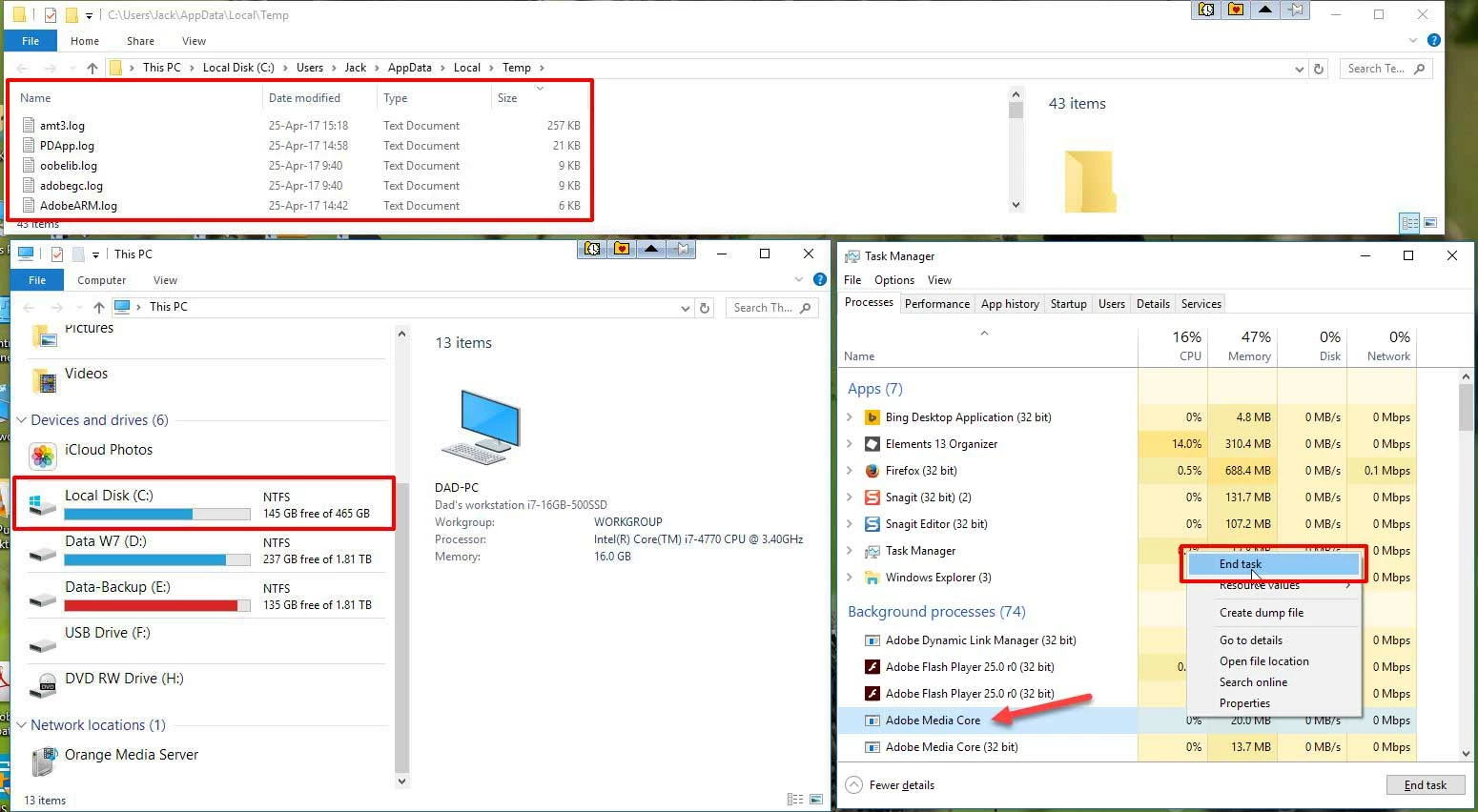
Workaround is to start the task manager and kill the Adobe Media Core service. Immediately all TEMP files are deleted and the Operation disk returns to its "normal" size. I can continue with organizing and working with the Organizer and Editor, but this should not be the way to solve problems.
1. What is going on here?
2. What is disabled by killing the task of the Adobe Media Core service? What functionality do I lose?
2. How to solve this problem?
Here are several screenshots showing the problem and its resolution by me:
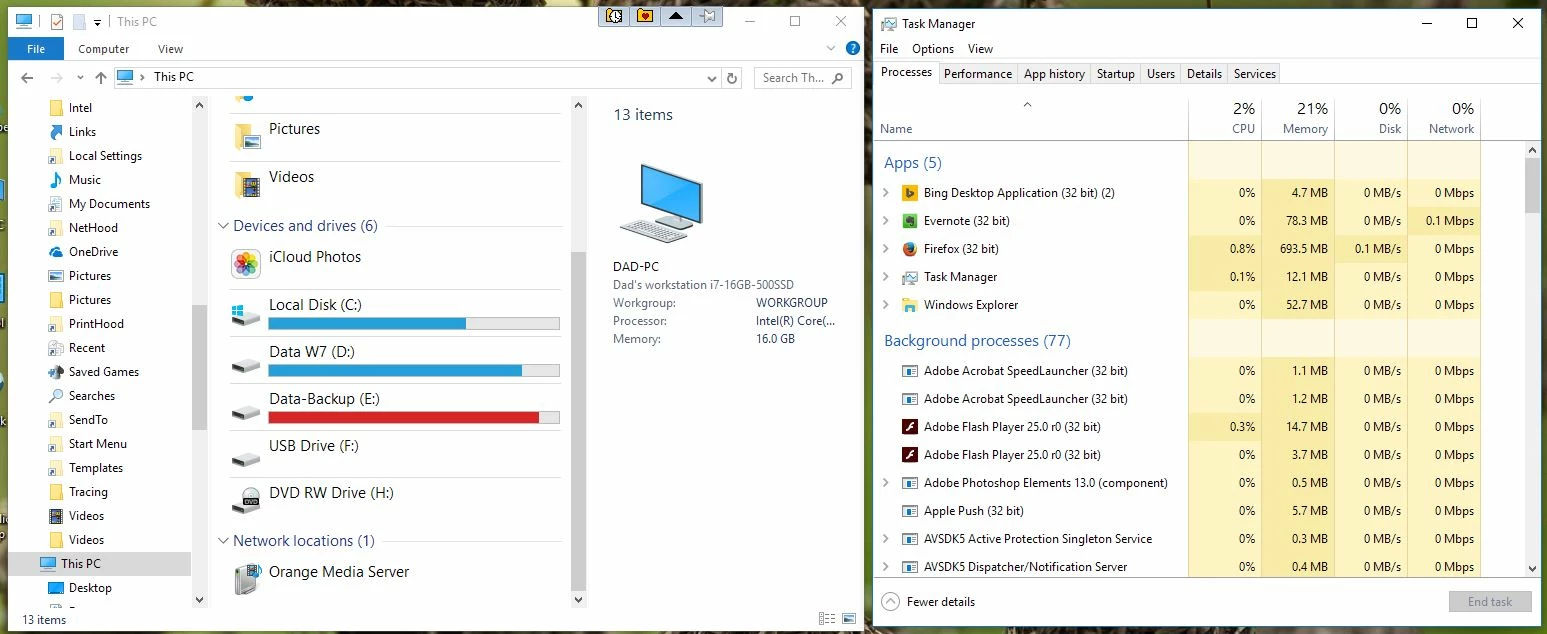
1. Begin situation when PSE13 is started:
2. Adobe Media Core service starts after a certain time, but not yet opening Photoshop Temp files:
3. Photoshop Temp files are being written in the TEMP directory:
4. Disk (C:) fills up until max. capacity has been reached:
5. Workaround - End task of the Adobe Media Core service using the Task Manager:
Operating disk (C:) is again back with free space as before starting PSE13:
 AdChoices