Exit
  • Global community
    • Language:
      • Deutsch
      • English
      • Español
      • Français
      • Português
  • 日本語コミュニティ
  • 한국 커뮤니티
0

Weird Cursor in Elements 9

New Here ,
Jun 05, 2020 Jun 05, 2020

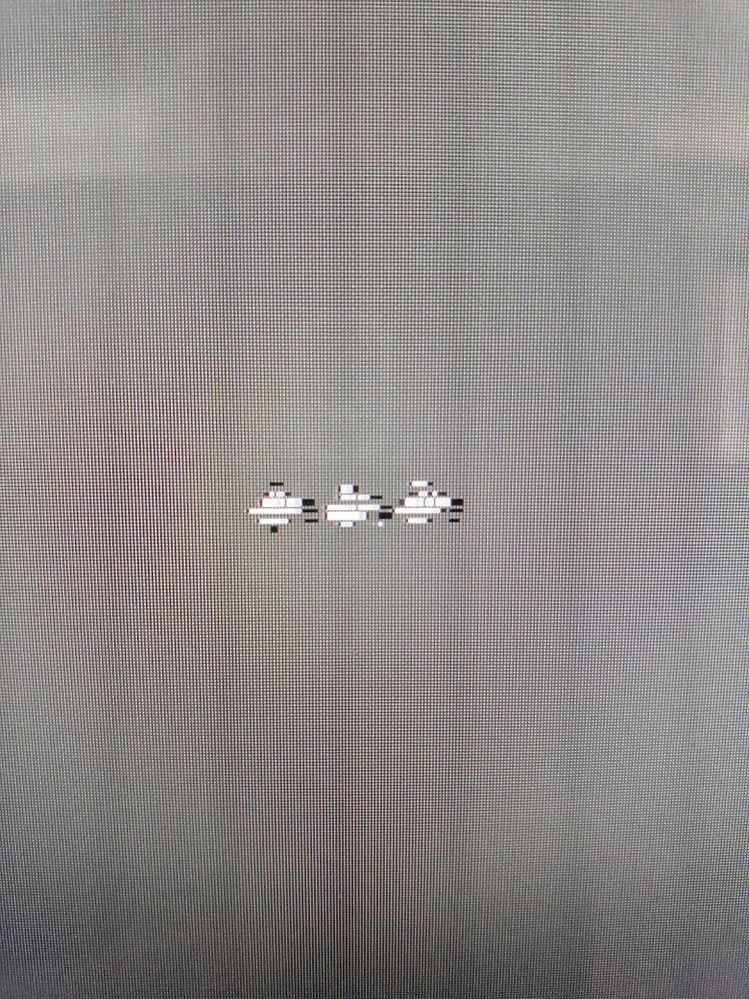
I have Photoshop Elements 9, and recently the cursor has displayed as a bizarre mishmash of marks, namely over the tools and work in progress. I've reinstalled it and upgraded, but this problem persists. The cursor behaves normally in all other applications, and doesn't improve if I fiddle with Elements Preferences.. I would love to get this resolved as I have no accuracy any more. Thanks!cursor.jpg
TOPICS
Bug
793
Translate
Report
Community guidelines
Be kind and respectful, give credit to the original source of content, and search for duplicates before posting. Learn more
community guidelines
Community Expert ,
Jun 05, 2020 Jun 05, 2020

What operating system are you using?


If your on windows that usually has to do with the settings in the windows scaling like explained in this KB:


https://helpx.adobe.com/photoshop/kb/three-cursors-display-photoshop-bridge.html

Translate
Report
Community guidelines
Be kind and respectful, give credit to the original source of content, and search for duplicates before posting. Learn more
community guidelines
New Here ,
Jun 06, 2020 Jun 06, 2020
LATEST

Thank you so much. I did enlarge the display, so very logical. All done now!

Translate
Report
Community guidelines
Be kind and respectful, give credit to the original source of content, and search for duplicates before posting. Learn more
community guidelines


