


- Home
- Photoshop Elements
- Discussions
- Color management Canon pixma MG5400 series
- Color management Canon pixma MG5400 series
Color management Canon pixma MG5400 series

Copy link to clipboard
Copied
Hi
I struggle to get the print colors to look like the color on the screen. I'm using mac, Adobe Photoshop Elements and I have a canon pixma mg5450. I don't have any printer preference dialogue that allows me to turn off printer color management.
Anyone have an idea on how to solve this?
- aibsen


 8
Replies
8
8
Replies
8




Copy link to clipboard
Copied
After you go to File>Print, click on More Options, then Color Management>Color Handling.

Copy link to clipboard
Copied
I tried that but no matter what I chose the result stays the same

Copy link to clipboard
Copied
Turning off the colour management of the printer can't be done from Elements, it's a feature of your particular printer driver. I have the same situation with my HP printer. I could not find a solution in the HP help forums, but you could try asking in Canon forums.
Copy link to clipboard
Copied
You're probably close to the answer. I can't find any places where I can turn off printer color management and I haven't been able to find any QA on Canon's forum.
Copy link to clipboard
Copied
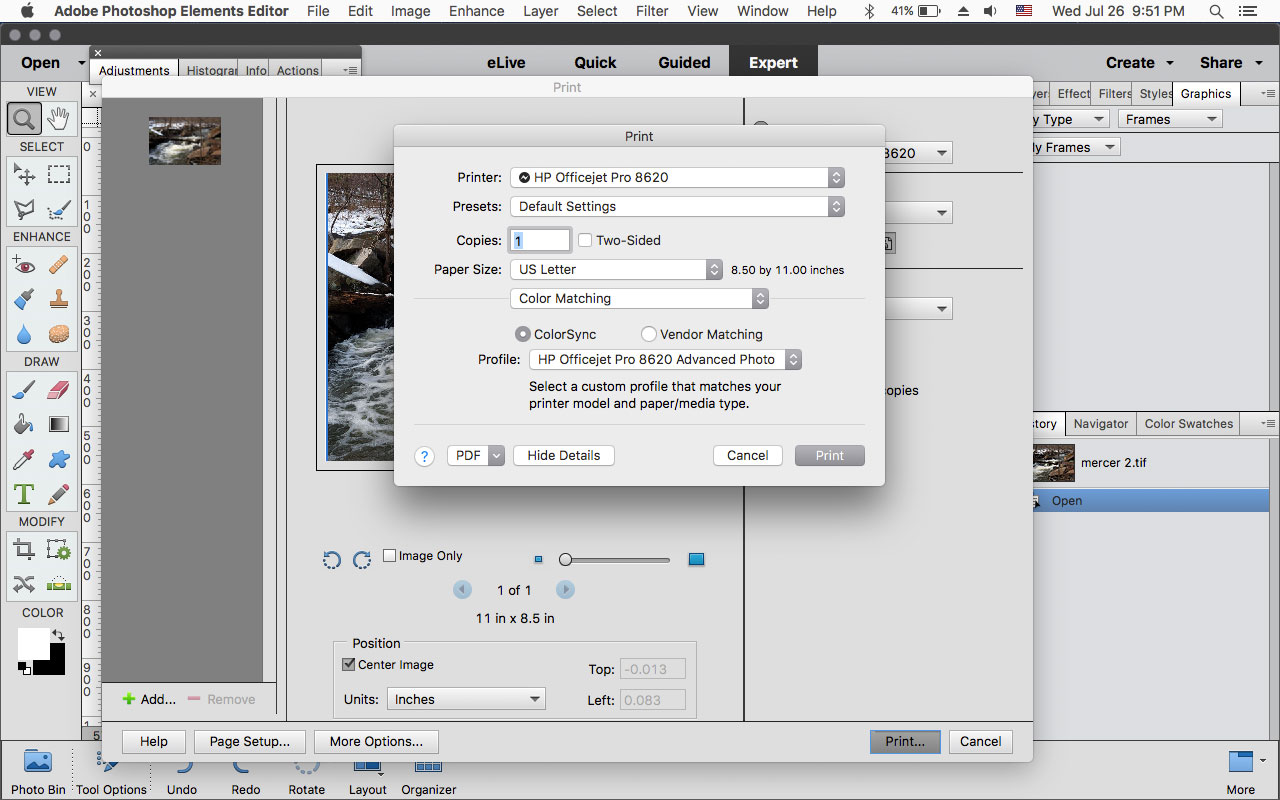
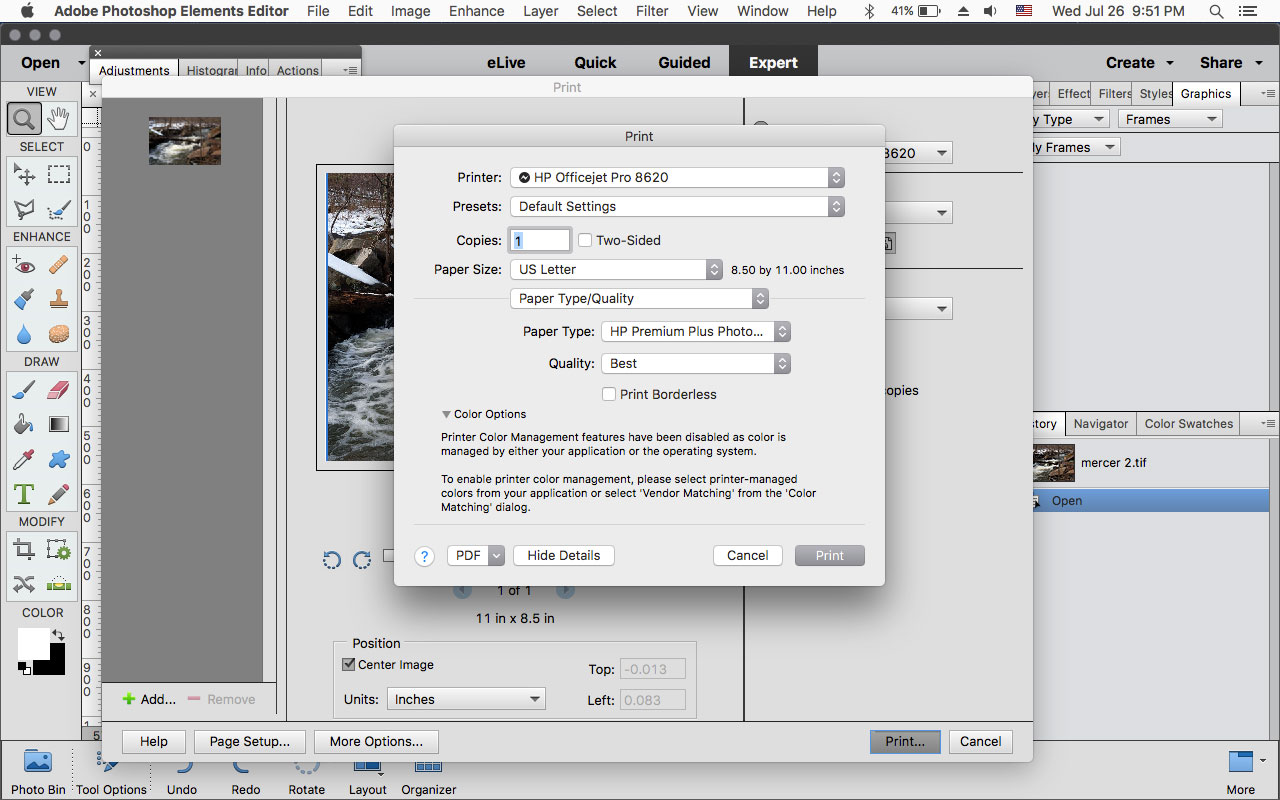
If in the pse print dialog you click on Page Setup and in the drop-down menu under Paper size, do you see Color Matching?
Our hp printers have this on mac os Sierra 10.12.6, so maybe the canon has some kind of similar settings.

Copy link to clipboard
Copied
aibsen wrote
I tried that but no matter what I chose the result stays the same
Have you calibrated your computer screen?
Are you using Canon ink & paper, rather than the less expensive refilled cartridges.
How do the prints look when you print at a kiosk, e.g. @CVS?
One of the salient variables as it relates to this issue is the brightness setting, but a global calibration may be in order.
Copy link to clipboard
Copied
yes for screen
Canon original ink and paper
Print looks okay when printing from kiosk
Copy link to clipboard
Copied
aibsen wrote
yes for screen
Canon original ink and paper
Print looks okay when printing from kiosk
I have printer manage colors both for my Epson and Lexmark printers. However, under Edit>Color Settings I have checked "Always manage Colors for Computer Screens." You don't want PSE & the printer manage colors concurrently.
Perhaps you can borrow a different make printer to see if it prints ok from your equipment. It's possible that the Canon printer is the problem.


Get ready! An upgraded Adobe Community experience is coming in January.
Learn more
 AdChoices