


- Home
- Photoshop ecosystem
- Discussions
- CC says Photoshop is installed but is not
- CC says Photoshop is installed but is not

Copy link to clipboard
Copied
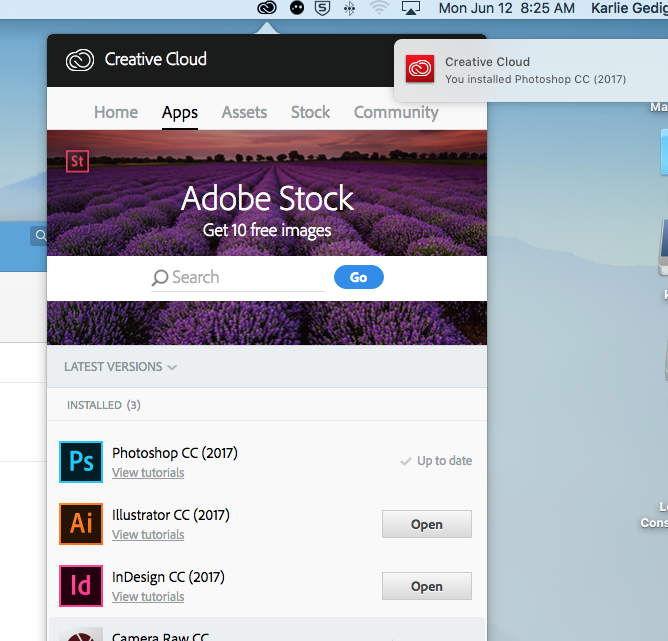
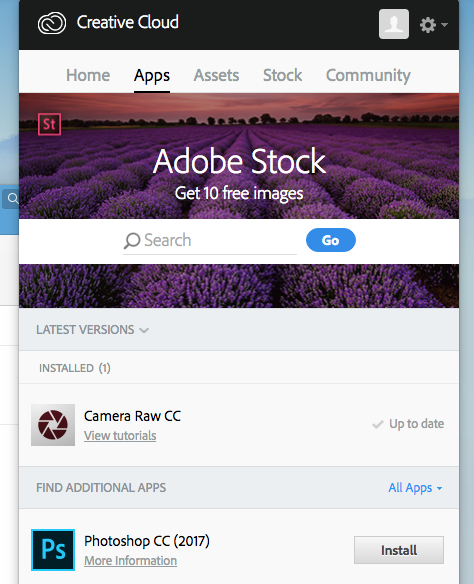
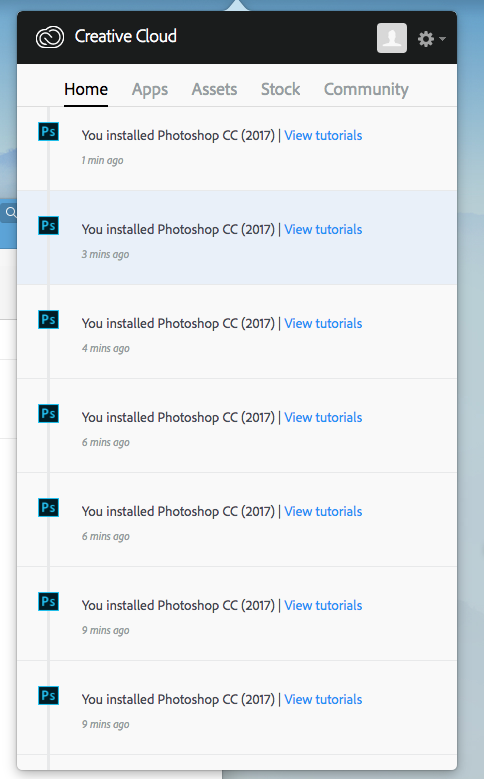
Below is the sequence of events when trying to install Photoshop through Creative Cloud. Photoshop seems to be the only app having issues. I have quit and relaunched, rebooted my computer, but cannot get Photoshop to work. There is no error message in installing Photoshop, but as soon as it's installed and says "up to date" the app jumps down to "find additional apps". The bottom image shows it has been installed a number of times, but it is not.
Thank you for the help!


 1 Correct answer

try downloading the full program executable from Adobe which by-passes the desktop application


Explore related tutorials & articles
 10
Replies
10
10
Replies
10


Copy link to clipboard
Copied
Have you tried a Search on Photoshop? Have you checked your Programs folder? What happens if you try to open a .psd by clicking on it? Are you getting any error messages? What type of system are you on? OS version?
Copy link to clipboard
Copied
Yes nothing comes up when searching Photoshop. Opening a .psd document will only open in a preview window, and will not prompt Photoshop.
Copy link to clipboard
Copied
No error messages, Installer says it has been completed but then bumps down. Nothing in programs folder, applications, downloads. I am on a Mac.
Copy link to clipboard
Copied
What version OS are you running? Have you completely rebooted your machine? Try logging out of CC manager, shutting down your system, restart and sign back in to CC Manager.
What version of CC manager are you on? Check this by clicking on the gear icon > preferences... Have you recently purchased the single app license? Are there any issues with your payment plan?
Copy link to clipboard
Copied
I have completely rebooted my machine, signing back into CC Manager and downloading Photoshop gives the same result. There are no issues with InDesign or Illustrator.
The payment plan seems to be working great, no issues with downloading other apps. CC version 4.1.1.202, Mac OS Sierra version 10.12.5
Thank you again for the help!
Copy link to clipboard
Copied
try downloading the full program executable from Adobe which by-passes the desktop application
Copy link to clipboard
Copied
That worked, THANK YOU!!
Copy link to clipboard
Copied
glad it worked
Copy link to clipboard
Copied
I would try cmgap suggestions first-if no joy try the following .
It does look as if something is wrong with the Desktop App, probably a corrupt xml file, but the following will be quicker than editing that file. I would suggest removing everything with the CC Cleaner tool.
Use the Creative Cloud Cleaner Tool to solve installation problems
Once you have done that, download the CC Desktop application
Download Adobe Creative Cloud apps | Free Adobe Creative Cloud trial
You will probably need to login to the desktop app to avoid having a trial status.
Finally install Photoshop from the desktop app.

Copy link to clipboard
Copied
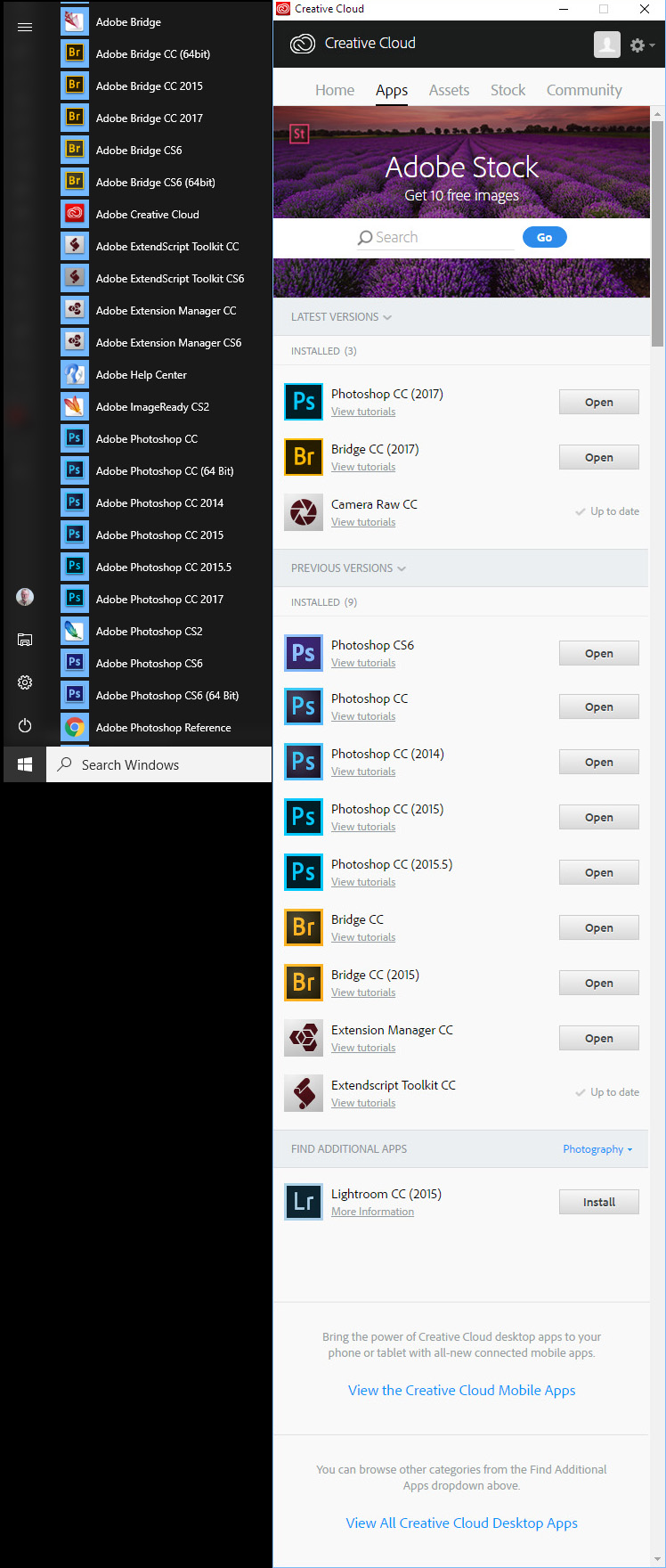
What OS are you using. I use Windows and have many versions of Photoshop and Bridge installed.


Find more inspiration, events, and resources on the new Adobe Community
Explore Now
 AdChoices