- Home
- Premiere Pro
- Discussions
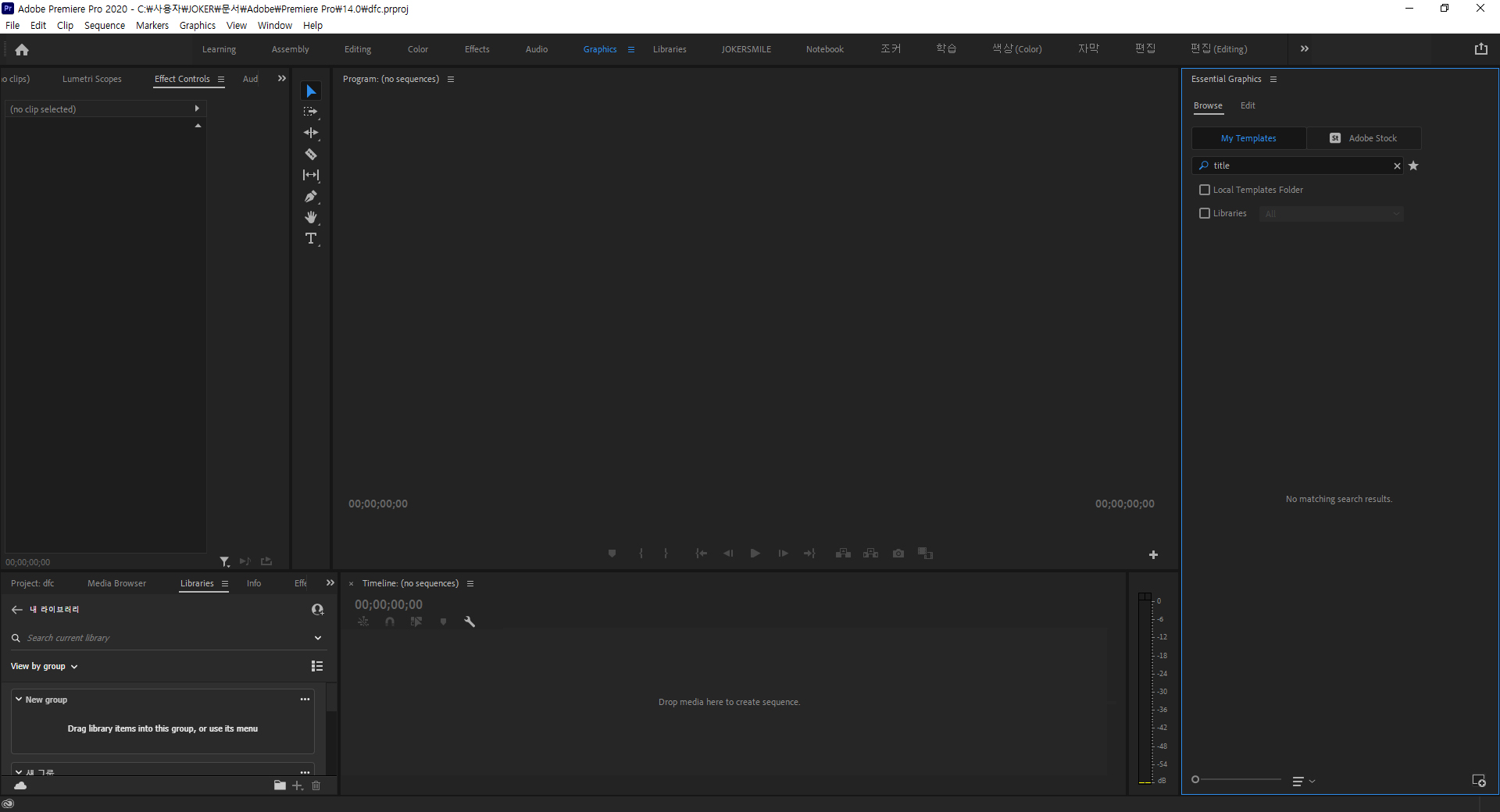
- i can't search anything in essential graphic panel
- i can't search anything in essential graphic panel

Copy link to clipboard
Copied


 1 Correct answer

I've fixed this by putting MOGRTs in a folder on desktop, clicking in the menu beside "essential graphics" name, clicling in "add", selecting that folder on desktop and selecting that folder on "local" dialogue box : )

 33
Replies
33
33
Replies
33


Copy link to clipboard
Copied
My only fix has been installing premiere on a different hard drive and running it from that. But inevitably, the same problem shows up again months later. This is just a bandaid and not a real fix. I'm going to try Enani's fix that he mentioned in 2022.


Copy link to clipboard
Copied
Hey @default4ngut48f7gps,
I read the post, but I am not seeing the issue. Is there something unusual about your licensing or subscription. For example, are you in an educational or enterprise environment? Or is this a standard Creative Cloud subscription?
Thanks,
Kevin
Copy link to clipboard
Copied
Standard Creative Cloud account. Basically every so often with my Premiere
Pro, I am unable to search for MOGRTS in the essential graphics panel. The
mogrts are there, and I can use them, and I can type letters in the search
bar, but the program shows no results when I hit "Enter". My only fix has
been to complete uninstall premiere and reinstall it on a different hard
drive. Then, when I open premiere again, my mogrts are all there and I can
search them. I also have to reinstall all of my effect presets whenever I
do this.
--
*Ryan Boivin*
Copy link to clipboard
Copied
Weird, Ryan. Give us your system specs. I am not seeing the problem on my M1 Mac. I'll see if I can verify on my PC.
Thanks,
Kevin
Copy link to clipboard
Copied
No, my Windows 10 version has all the templates. Very strange! Feel free to contact support here: https://helpx.adobe.com/contact.html
Hope they can assist.
Thanks,
Kevin

Copy link to clipboard
Copied
Just want to share what Adobe Support did when I had the same issue. I hope this helps.
First, please close the Premiere Pro and then go to these two locations and rename the "Premiere Pro” folders to "Premiere Pro.old". (if you want to remove the preferences for other Adobe apps, then look for that folder in the below location eg: After Effects, Photoshop)
- Open Finder/Explorer > Documents/ Adobe/
- Press Win +R > type %AppData% > Go to Roaming\Adobe\ rename the "Premiere Pro”.
Delete Media Caches: Press Win+R, type appdata > go to Roaming\Adobe\Common, and delete the folders "Media Cache Files" and "Media Cache" manually.
Copy link to clipboard
Copied
Thank you for sharing! And this solution worked for you?
Copy link to clipboard
Copied
Yes it did. I contacted Adobe Support for this and gave the instructions. Downside is of course your preferences won't be linked but it can be relinked if you want. Honestly, I'll just reinstall them all rather than not be able to search my mogrts. According to the agent, my preference was corrupted.

Copy link to clipboard
Copied
Hi -
Search in the local template uses 3 files called metadatacache.prmdc2, metadatacache.prmdc2-shm, and metadatacache.prmdc2-wal. These are located in your Profile directory in you Documents/Adobe/Premiere Pro folder. Try deleting all 3 and see if that fixes the problem.
Mike

-
- 1
- 2

Find more inspiration, events, and resources on the new Adobe Community
Explore Now
 AdChoices