 Adobe Community

- Home
- Premiere Pro
- Discussions
- problem with hdr iphone12 upload blurrs colors whe...
- problem with hdr iphone12 upload blurrs colors whe...

Copy link to clipboard
Copied

when exporting my video after cutting it with premiere pro it blurrs the colors. the ones that teach me how to make youtube-videos told me that this problem can be solved by just disabling the standard-settings of my iphone12 for hdr which I now did. However I want to save the hours of created content yet.

this is the original color.
I also found another fix here which I also do not understand.
https://www.youtube.com/watch?v=0Z_-nnfrPnE
I found this guys fix here but cant bring it to work because I cant open the project as him:
https://www.youtube.com/watch?v=cIgnyx5KXQM
generellay speaking I am a noob in premiere pro: I really need a help via teamviewer or a simple solution step by step to save my files / make them usable for export.



 1 Correct answer

It's right-clicking the clips in the bin, not using the menu system.
So right-click the clips in the bin, Modify/Interpret Footage ... and you find the CM controls at the bottom.
In the Public Beta, the controls have changed to the Lumetri panel. Which in the public beta has a Color tab at the top now.
Neil

 9
Replies
9
9
Replies
9

Copy link to clipboard
Copied
some additional info:
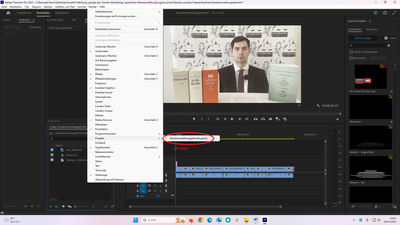
when I click left here there is no new window opening in which i could right click and then find a modify option.
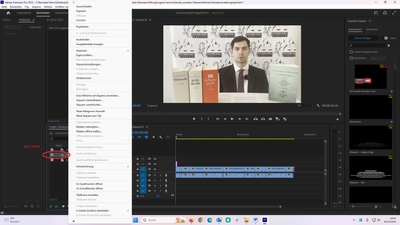
when I select the clip with right click as on this screenshot I do also not find a modify option.
Copy link to clipboard
Copied
It's right-clicking the clips in the bin, not using the menu system.
So right-click the clips in the bin, Modify/Interpret Footage ... and you find the CM controls at the bottom.
In the Public Beta, the controls have changed to the Lumetri panel. Which in the public beta has a Color tab at the top now.
Neil
Copy link to clipboard
Copied
may I have a screenshot please. English is not even my mother language.
What does "in the bin" mean? Where do I find it?
Thank you for your effort.
Copy link to clipboard
Copied
Right-click the clip itself. In the Project panel.
Neil
Copy link to clipboard
Copied
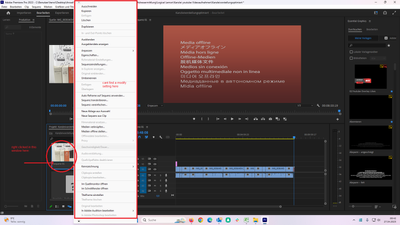

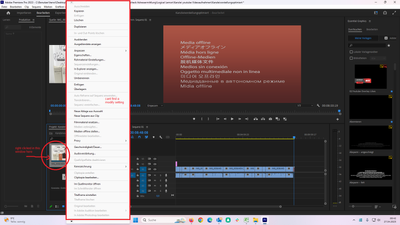

I am sorry but wherever I make right click the bar/menu is always with the same options and I cant find an option with "modify" althought its in my own (german) language.


Copy link to clipboard
Copied
Anpassen?
Try and use the English version.
Copy link to clipboard
Copied
yes. its true. "Anpassen" is actually "modify" but it doesnt help. The menu is completely different from what it should be.
it has only "Audio channels" and "timecode"... other non-clickable.

Copy link to clipboard
Copied
You need to select a clip as Neil pointed out, not the sequence in the Project Panel
Copy link to clipboard
Copied
Thank you it helped. I have another problem now which I will post in different topic for research reasons.


 AdChoices