- Home
- Premiere Pro
- Discussions
- What happened to the Hue Shift effect?
- What happened to the Hue Shift effect?

Copy link to clipboard
Copied
I saw a video a while ago that showed how to use an effect called hue shift to make text flash in different colors and now I can find it, I think they disconitinued it or something. If this is the case, does anyone have an alternative for the effect or something?
Also I am using Premiere Pro 15.0 and I dont have after effects. (Although I remember that you didn't need AE in the first place to do the effect)


 2 Correct answers


Hey Mark,
Might be one of those not supported on M1. I just checked: it's not available on my M1 either. If you are also on a M1 machine, then that is probably the issue.
Thanks,
Kevin

Yep, that is definetely the issue.
My Mac has an M1 and it is not appearing. However, there is a silver lining, because you mentioned the lack of the effect on M1, I opened it's Intel version, (using the 3 dots on the side) and it was there. (Still launching the same verison.)
Thank you so much! It's also good to know for future reference when following a windows tutorial if an effect not appearing on the M1 version.
 11
Replies
11
11
Replies
11


Copy link to clipboard
Copied
There is no effect called Hue Shift.
Some effects have Hue in their properties.
Might want to show an example on how the text is flashing.
Copy link to clipboard
Copied
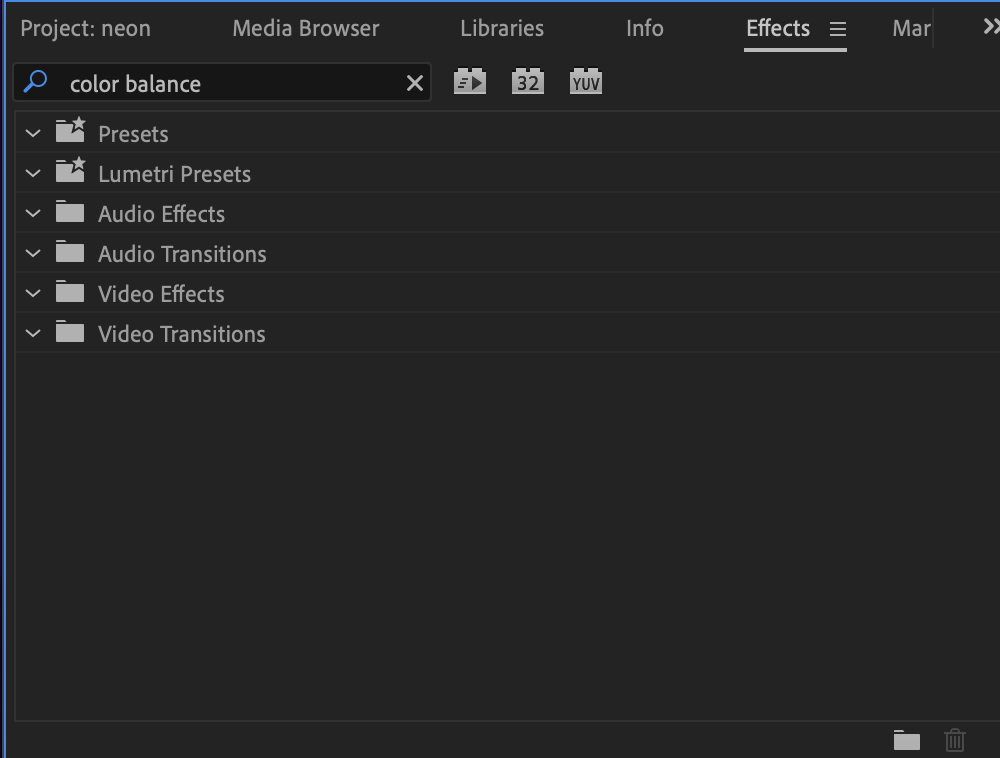
Hi, my apoligies the effect isn't called Hue Shift, it;s called color balance. However it is still not available in 15.0.
I also found the original tutorial: https://www.youtube.com/watch?v=n--G5zUPYbk
Copy link to clipboard
Copied
In version 22 the effect is now obsolete.
Are you on a mac?
Copy link to clipboard
Copied

Hi,
It is appearing on my Mac. FWIW:
Thanks,
Kevin
Copy link to clipboard
Copied
Copy link to clipboard
Copied
also here is the color correction tab, reffering to @Kevin-Monahan's reply.
Copy link to clipboard
Copied
Hey Mark,
Might be one of those not supported on M1. I just checked: it's not available on my M1 either. If you are also on a M1 machine, then that is probably the issue.
Thanks,
Kevin
Correct answer by
markmosco
AUTHOR
Copy link to clipboard
Copied
Yep, that is definetely the issue.
My Mac has an M1 and it is not appearing. However, there is a silver lining, because you mentioned the lack of the effect on M1, I opened it's Intel version, (using the 3 dots on the side) and it was there. (Still launching the same verison.)
Thank you so much! It's also good to know for future reference when following a windows tutorial if an effect not appearing on the M1 version.

Copy link to clipboard
Copied
You can use the proc amp and adjust the hue using key frames like in the video.
Copy link to clipboard
Copied
Spin the wheel of fortune! Proc Amp to me is a knob on some outboard video gear. Andy remembers!
Kevin
Copy link to clipboard
Copied
When Premiere Pro 1.0 launched in 2003 it was the main color correction filter. It lets you know how long I have been using Premiere Pro not to mention I started with Premiere 5.0.


Find more inspiration, events, and resources on the new Adobe Community
Explore Now
 AdChoices