Exit
  • Global community
    • Language:
      • Deutsch
      • English
      • Español
      • Français
      • Português
  • 日本語コミュニティ
  • 한국 커뮤니티
1

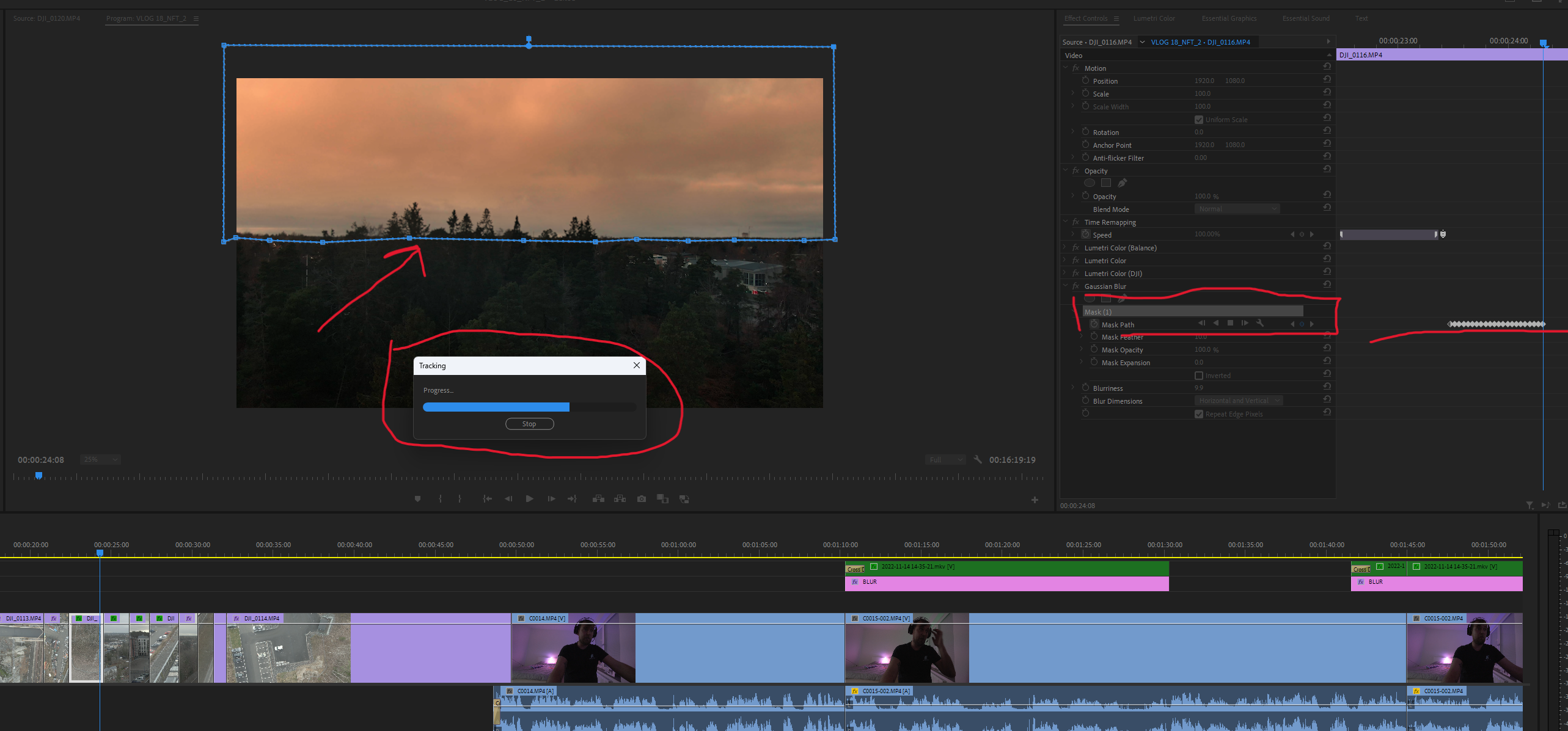
❗MASK TRACKING Failed | PrPro v. 23

Advisor ,
Jan 24, 2023 Jan 24, 2023
When working with mask tracking in PrPro v. 23 when using tracking in a frame, its mode of operation fails every other time. There are times when tracking does not start and then does not work at all. There are times when tracking stops in the middle and that's it. You have to exit the program and log in again. And there is no chance that tracking will not collapse again. The most surprising thing is that if tracking is up at the time of its operation, then you cannot use the navigation buttons to re-work it. Screenshots are attached. This behavior with masks is also observed when there are effects on the clip. This is unacceptable for such an important tool.
Idea No status
TOPICS
Performance or Stability
553
Translate
Report
Community guidelines
Be kind and respectful, give credit to the original source of content, and search for duplicates before posting. Learn more
community guidelines
2 Comments
Adobe Employee ,
Jan 24, 2023 Jan 24, 2023
What kind of footage is this? Can you try a ProRes version of the clip? What happens? Thx!
Kevin Monahan - Sr. Community & Engagement Strategist – Pro Video and Audio
Translate
Report
Advisor ,
Jan 24, 2023 Jan 24, 2023
LATEST
Kevin, footage from a DJI drone. In version 22, I did not observe this. Masks began to work disgustingly. Kevin, footage from a DJI drone. In version 22, I did not observe this. Masks began to work disgustingly. Previously, there was no need to change the format. If you do this, it's a disaster. It's one thing to use a proxy for complex codecs, another is to work with a common tool that should work with your frames. Pay attention to this.
Translate
Report