 Adobe Community

- Home
- RoboHelp
- Discussions
- How Do I Turn Off Search on Glossary Definitions
- How Do I Turn Off Search on Glossary Definitions
How Do I Turn Off Search on Glossary Definitions

Copy link to clipboard
Copied
RH11 WebHelp. Novice/Intermediate Search Experience. Large Merged Project. I do not want the user search to pick up terms in a glossary definition. Seems to give certain pages too many hits and elevates topics in the Search Results that should not be elevated. Confuses my users and I do not see how to turn it off anywhere.


 10
Replies
10
10
Replies
10



Copy link to clipboard
Copied
I don't believe this is possible. When creating output, the glossary definitions are converted to regular text. So the search doesn't know the difference.
Copy link to clipboard
Copied
Bummer…
ELLEN BITTNER Senior Technical Writer
Copy link to clipboard
Copied
Rats. Thanks!

Copy link to clipboard
Copied
Hi there
One way you could achieve this would be to ignore the built in RoboHelp glossary function. Then create a normal topic that contains Glossary Terms and Definitions and link to that topic as needed.
Benefits are:
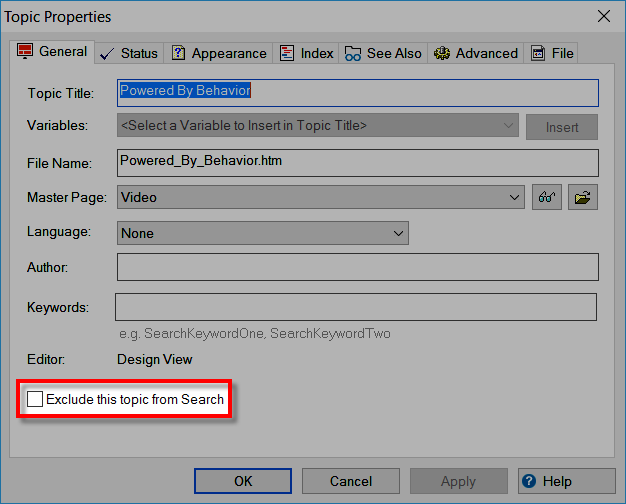
From the Topic Properties you are able to tell RoboHelp to exclude this topic when searching.
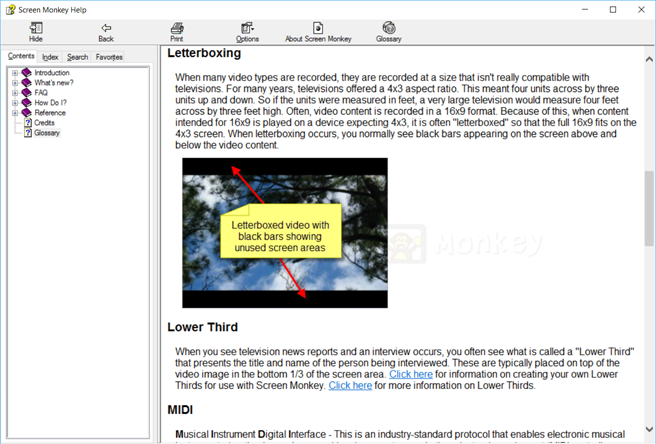
In a topic that functions as a Glossary, you would also have the ability to include supporting images as well as hyperlinks.
Cheers... Rick 
Copy link to clipboard
Copied
Thanks – that’s a possibility both for restricting search and the whole images ability (very attractive). Still… shoot. Was hoping to make use of built-in functions. Good food for thought though – awesome!
ELLEN BITTNER Senior Technical Writer

Copy link to clipboard
Copied
This is a very good idea.
Is it then possible to make a Topic display on the Robohelp tool bar at the top?


Copy link to clipboard
Copied
rwrich21 - not quite sure what you mean by that - can you add a screenshot to illustrate what you're talking about?
Copy link to clipboard
Copied
Hi there
Totally depends on the output type.
In WebHelp you have the option of adding buttons to the main toolbar. And you can easily configure a button added that way to point to a topic.
In CHM (Microsoft HTML Help) you have two "custom" buttons that may be added. Again, you just point your button to a topic.
If it's Responsive HTML 5 or FlashHelp, you are likely in a bit of a pickle, as those output types aren't all that easy to customize and add buttons to.
Cheers... Rick
Copy link to clipboard
Copied
Man, Rick, your crystal psychic ball must be fine-tuned to figure that one out (LOL)!
Copy link to clipboard
Copied
LOL, I dunno. I mean, the thread seemed to provide all the information. Basically I had replied showing how to make a glossary page using a simple topic. So it seemed to me that the person was wanting to know if one could then have a toolbar button that would open the Glossary topic. At least, that's what I interpreted. Maybe I'm wrong. LOL Only rwrich21 can say for certain. 
Cheers... Rick


 AdChoices