


Table borders offset in PDF output

Copy link to clipboard
Copied
I am using RoboHelp HTML, version 9 and I need to deliver two outputs for my documentation: WebHelp and PDF.
My table borders look the way I want them to in WebHelp and Word, single line and thin (1px).
But when we go to PDF, I get two sets of lines, one all the way around my cells, another with gaps of white space.
I think its something to do with 3d borders not getting totally eliminated.
I've added "table-collapse: collapse;" to all my table styles.
Any ideas?
Note: If I create a table originally in Word with thin single line borders, it looks fine in PDF.
Here's how it looks in WebHelp and Word...
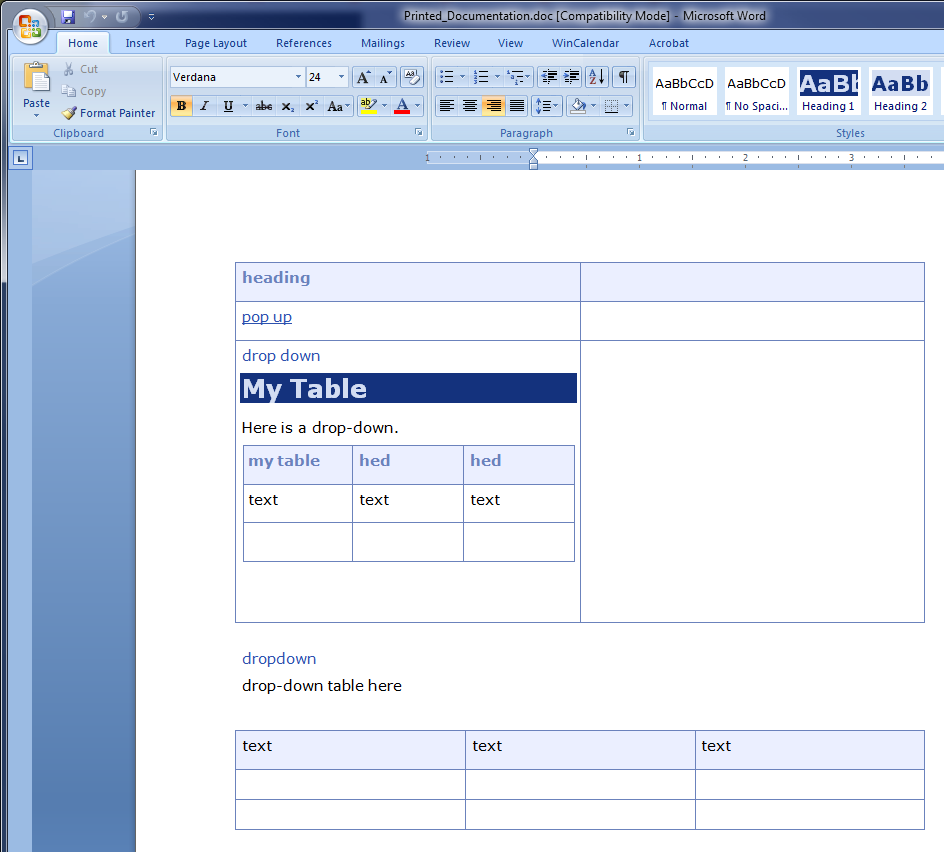
And then in PDF...



 3
Replies
3
3
Replies
3


Copy link to clipboard
Copied
That looks remarkably like the CSS from my website. If it is, then I have experienced problems when using Adobe products to create the PDF. Try a freebie PDF generator.
See www.grainge.org for RoboHelp and Authoring tips

Copy link to clipboard
Copied
Peter,
Yes, as I mentioned in an earlier post, I really like the help design on your web site. I researched many looks in preparing for a new stylesheet project. Ended up emulating a lot of your elements rather than reinvent the wheel.
Hope you are OK with that. Imitation is the sincerest form of flattery (definitely in my case).
Anyhow, I figured out my problem. The CSS for my original tables was using 5px padding all around. In Word output, this gets converted to table cell margins.
And that's what the PDF conversion doesn't like. Take out the original CSS padding--or the converted Word cell margins--and the problem goes away, leaving clean unbroken table lines in the PDF.
Best regards.
Copy link to clipboard
Copied
No problem with using the CSS or copying bits of it. Glad you fixed it.
See www.grainge.org for RoboHelp and Authoring tips


Get ready! An upgraded Adobe Community experience is coming in January.
Learn more
 AdChoices