Exit
  • Global community
    • Language:
      • Deutsch
      • English
      • Español
      • Français
      • Português
  • 日本語コミュニティ
  • 한국 커뮤니티
0

Unable to Create Preview Window Error when Clicking View Item Robohelp 2015

New Here ,
Jun 21, 2018 Jun 21, 2018

When I click the View Item button in RoboHelp to generate a preview of a topic, the following error message appears:
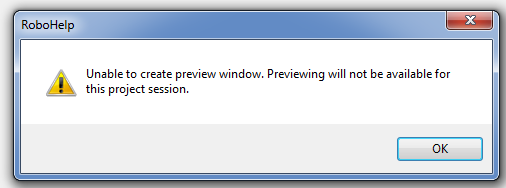
It persists through all topics, projects, and even after restarting the program and the computer. Not sure what is causing it because just a few weeks ago, I was able to use this button without issue.

Any help is appreciated, thanks!

331
Translate
Report
Community guidelines
Be kind and respectful, give credit to the original source of content, and search for duplicates before posting. Learn more
community guidelines
Community Expert ,
Jun 21, 2018 Jun 21, 2018
LATEST

That's not a message I have seen reported.

First check that you have all updates applied.

Then try with one of the sample projects. Click Open on the RoboHelp Starter page and then click Samples in the ribbon on the left.

If that has the same result, try this link and see if that fixes it. It's a different error but I am wondering if it is the same underlying cause.

The Logical Blog by IconLogic: ADOBE ROBOHELP: Getting Around Preview Errors


See www.grainge.org for free RoboHelp and Authoring information.

@petergrainge

Help others by clicking Correct Answer if the question is answered. Found the answer elsewhere? Share it here. "Upvote" is for useful posts.
Translate
Report
Community guidelines
Be kind and respectful, give credit to the original source of content, and search for duplicates before posting. Learn more
community guidelines
Resources
RoboHelp Documentation
Download Adobe RoboHelp