 Adobe Community

- Home
- RoboHelp
- Discussions
- Unable to generate Abode AIR Help: certificate err...
- Unable to generate Abode AIR Help: certificate err...
Unable to generate Abode AIR Help: certificate error

Copy link to clipboard
Copied
Hello,
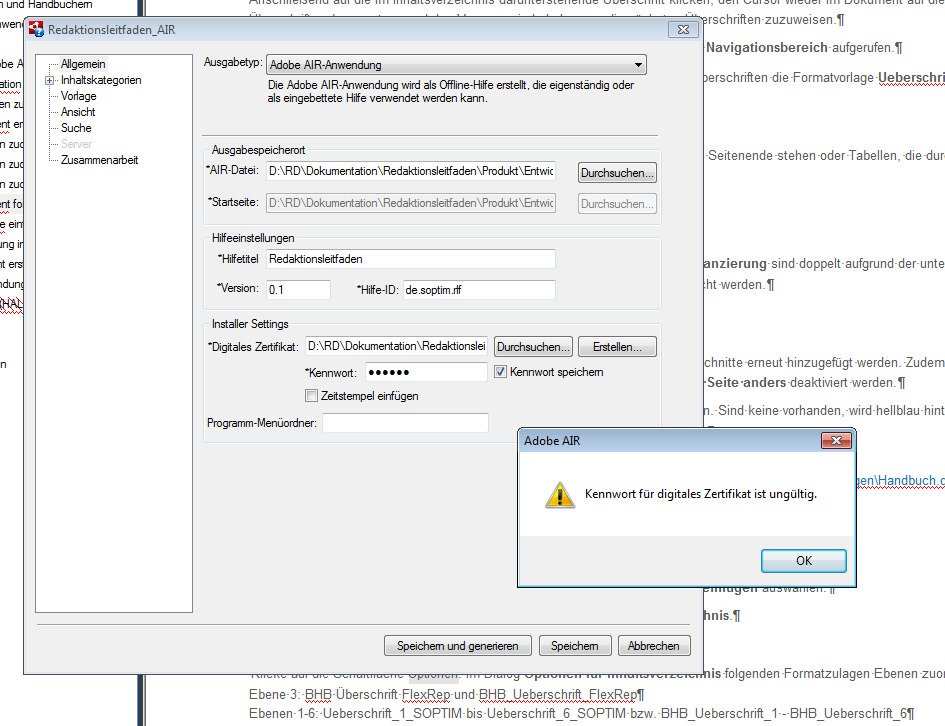
for some users it is not possible to generate Adobe AIR Help anymore because of a certificate error: Password for digital certificate is invaldid. For other users everything is fine.
We are using the certificate for a time now and didn't change anything. The SSL is also the same.
Does somebody have an idea?
Thanks
Melanie


 11
Replies
11
11
Replies
11




Copy link to clipboard
Copied
Did you create one of those self-signed certificates? Turns out they have an expiry baked into them – you need to create a new one
Copy link to clipboard
Copied
Yes, it's a self-signed certificate. I thougt they expire after 5 years - we use it for 4 years now. And not all users are affected.
Generated and installed AIR Help Applications based on this certificate also work.
Copy link to clipboard
Copied
You *are* creating AIR Help from the RoboHelp application aren't you? If you're not, then you're looking in the wrong forum.
Copy link to clipboard
Copied
Yes, I try 😉 RoboHelp V11
Copy link to clipboard
Copied
You'll have to create a new certificate - keep everything the same & your users won't see any difference when they install a new version of your help.
Copy link to clipboard
Copied
I created a new certificate. On my PC everything is fine (as with the old certificate). One the other PCs it still doesn't work. I tried to create a new certificate on one of the PCs with that error. Trying to do this another error appears:
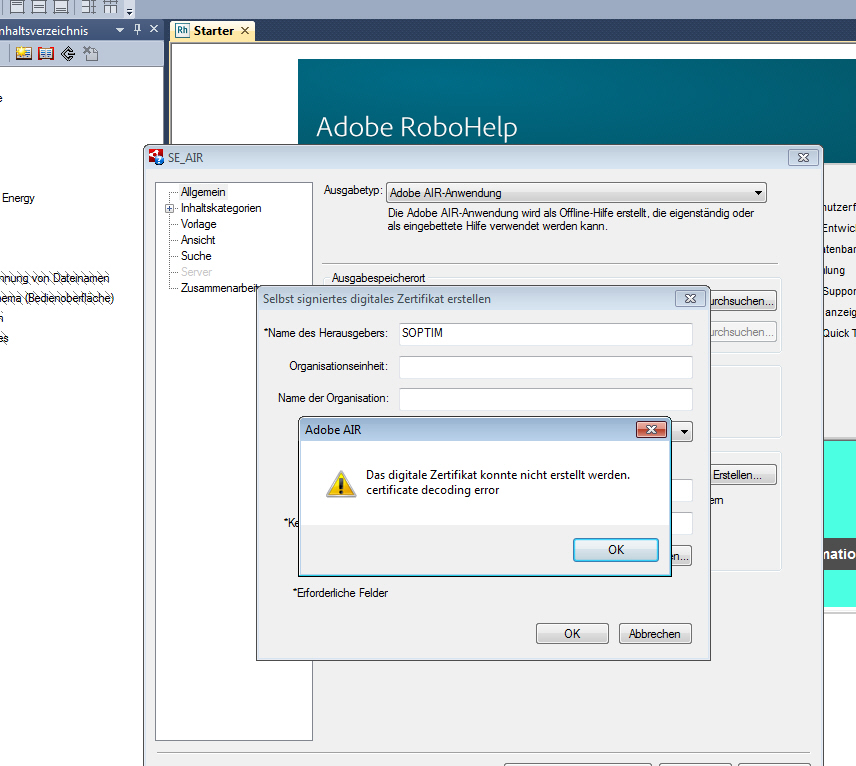
It's the same error as described here?!?: https://forums.adobe.com/thread/2274303#access_token=eyJ4NXUiOiJpbXNfbmExLWtleS0xLmNlciIsImFsZyI6IlJ...
We are delivering Adobe AIR Help for 4 years now. We are thinking about changing to HTML5 - but I need a bit more time to do this ...

Copy link to clipboard
Copied
Difficult, especially as you said earlier that the problem started on some PCs and not others.
Could admin rights be the key here? To update the logged in user must have admin rights?
Beyond that the only thing I can suggest trying on one PC is a complete uninstall and reinstall of the help. It shouldn't be necessary but it might fix it.
After that I think it will be Adobe Support. They have always said that not withstanding any further development, AIR Help is still supported.
I'll be interested to learn how this goes.
See www.grainge.org for RoboHelp and Authoring information


Copy link to clipboard
Copied
Hi,
I'm running into this same issue. Can you please let me know if the issue was resolved, and if so, what fixed it?
Just as above, the password and certificate haven't changed. But it fails to generate and displays: "Password for digital certificate is invalid."
Thanks for your help!
Gabe
Copy link to clipboard
Copied
You have asked in the correct forum but there are also forums for developers who use AIR. This post might be relevant but I am not sure. I am trying to find out if there is a link.
Re: Adobe AIR 25.0.0.134 ... Digital Certificate EXPIRED on 2017/05/07 !!!
It would help if you added your version of RoboHelp.
See www.grainge.org for RoboHelp and Authoring information
Copy link to clipboard
Copied
I realised after posting that the AIR forum thread is about Adobe's certificate rather than the one you create. Apologies but in the absence of any other replies, I think it is time to call Support.
For what it is worth, AIR Help did not prove popular and HTML5 Help is the way forward to consider.
See www.grainge.org for RoboHelp and Authoring information
Copy link to clipboard
Copied
@gabe_adoff - according to that other thread, playing around with the country and encryption level seemed to work, but if you're not getting anywhere with it, contact Adobe Support like Peter suggests. Then let us know how you made out so that future users hitting this thread will know the answer.


 AdChoices