


- Home
- RoboHelp
- Discussions
- Bulleted/numbered lists with multiple bullets/numb...
- Bulleted/numbered lists with multiple bullets/numb...
Bulleted/numbered lists with multiple bullets/numbers

Copy link to clipboard
Copied
I have been working on a project in RH 7 for Word for several releases, over several years. The problem is that quite often when I open the project, I see that any bulleted/numbered lists in the Word document have suddenly multipled the number of bullets/numbers. For example, the items in a numbered list will suddenly be 1 (tab) 1 (tab) 1 (tab), 2 (tab) 2 (tab) 2 (tab), etc. The extra numbers are not autonumbers--they can be deleted manually. I go through the project, deleting all the extra numbers and bullets. Everything looks good for this release. Then six months later, I open the project again, only to see it's happened again. I've tried changing all the bulleted and numbered lists to styles Topic Text Bulleted and Topic Text Numbered (somewhere I read that would solve the problem), but it doesn't work. Any ideas?


 3
Replies
3
3
Replies
3



Copy link to clipboard
Copied
Hello DShahraki,
Open your project and in Microsoft word try this workaround
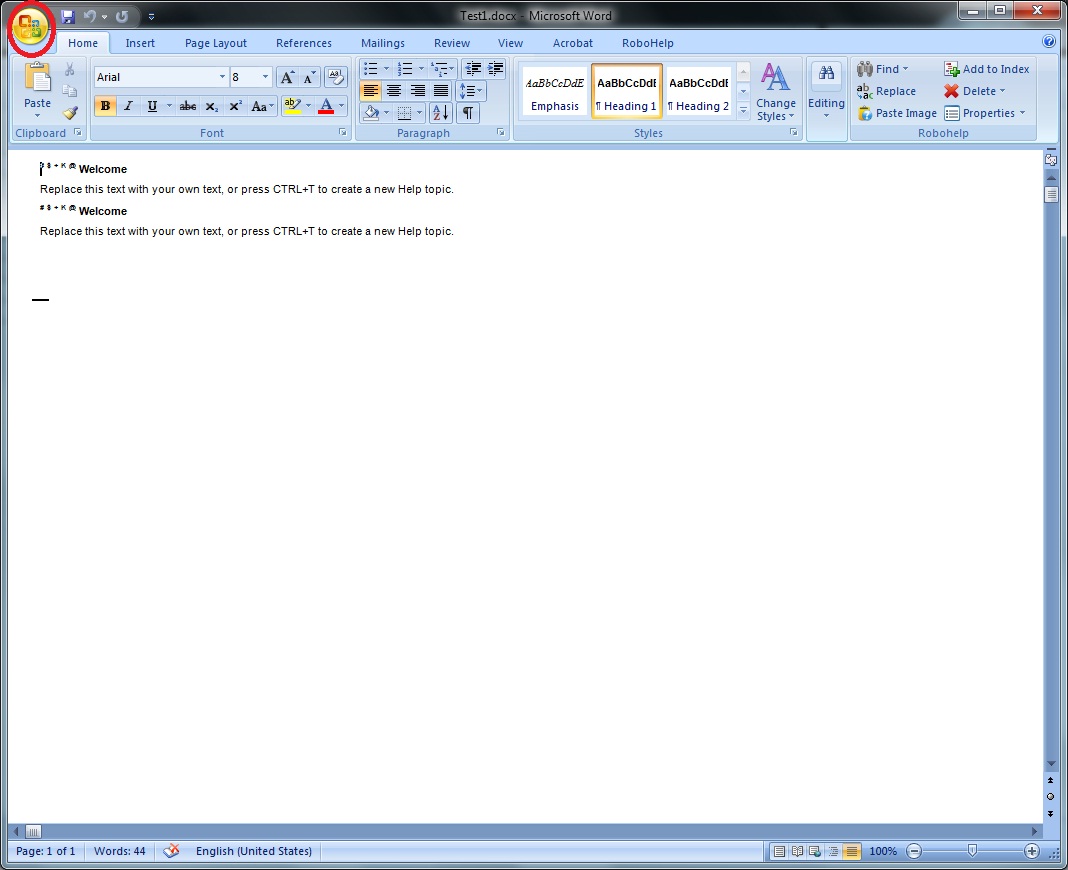
Click on the office Icon in the left most corner
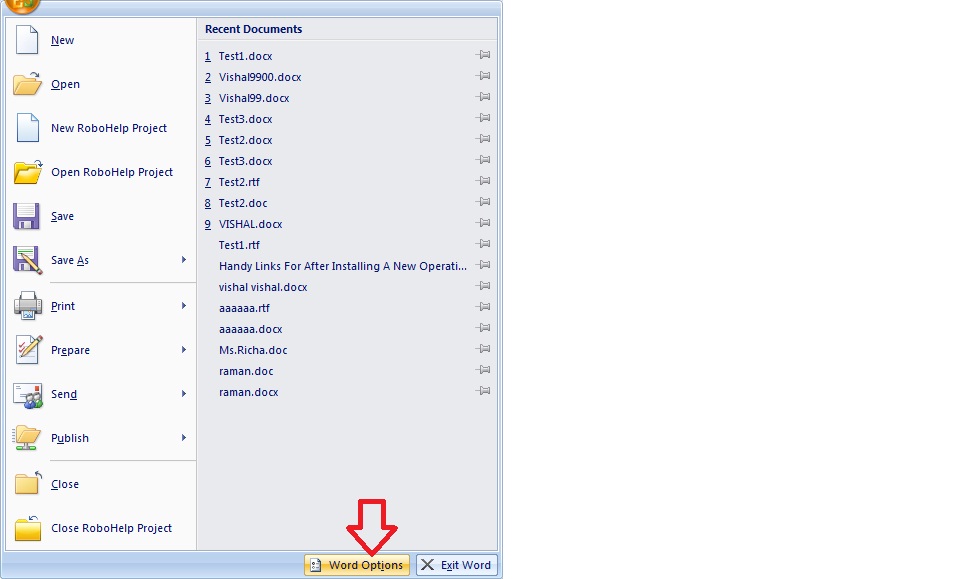
Then click on Word options
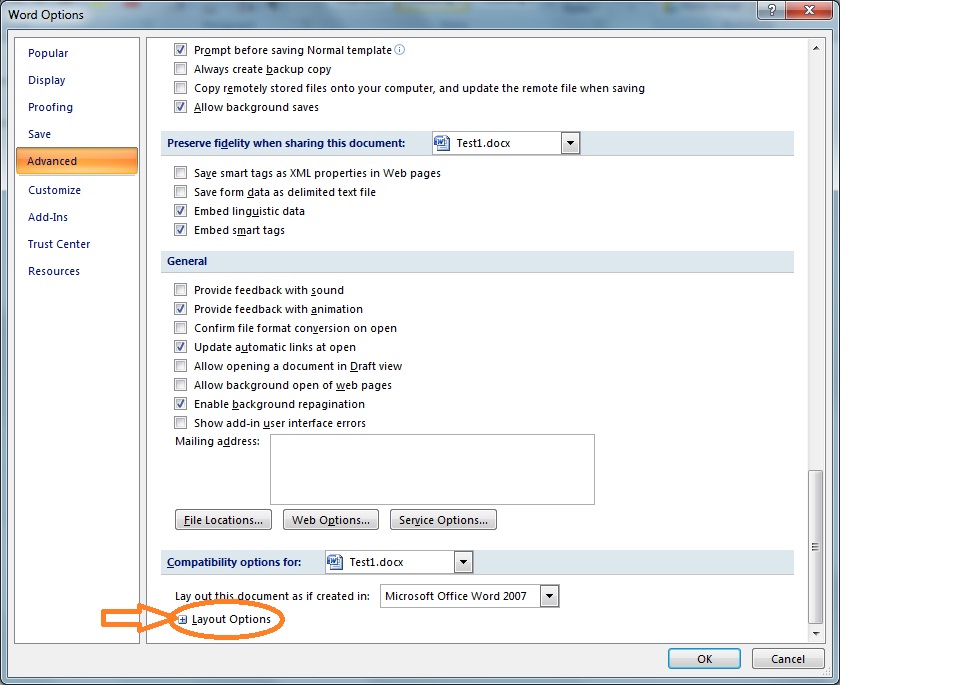
Then In the left side click Advanced and scroll down to bottom on the right pane expand layout Options
Now you need to check this box
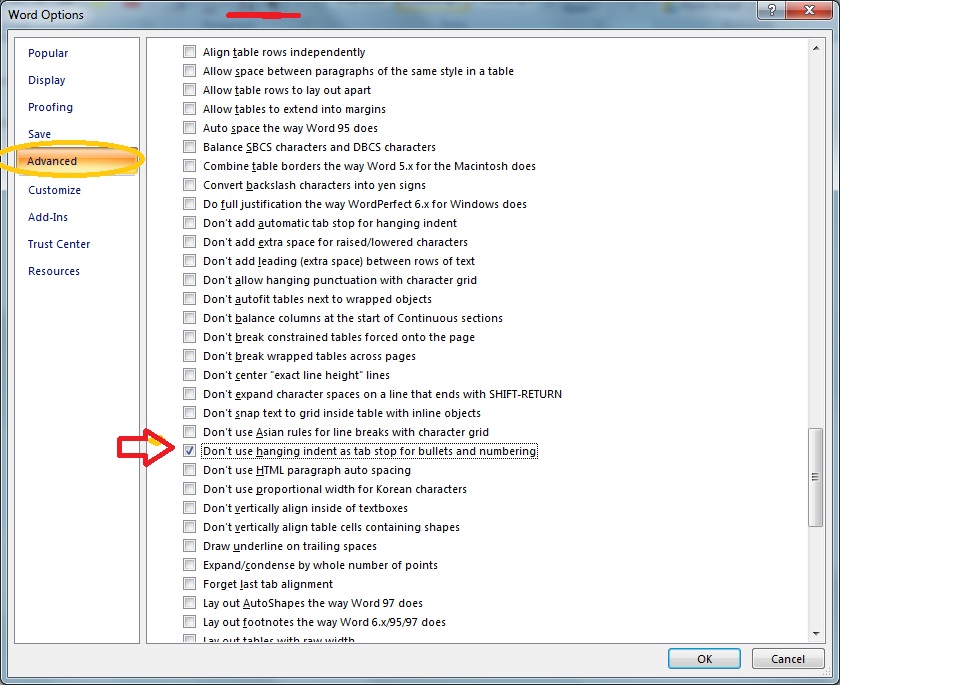
Also make sure that if you facing any similar issues in your project when open in word you can select/choose other appropraite options as well.
Hope it helps!!!
Thank you
Copy link to clipboard
Copied
Thanks, Vishal, it seems that fixed the problem.
Copy link to clipboard
Copied
Oh dear. Your method did fix it . . . for a little while. The next time I opened the file, the lists and steps were back to multiple bullets and numbers. I checked and that item was still selected in the Word options. Any more ideas?


Find more inspiration, events, and resources on the new Adobe Community
Explore Now
 AdChoices