Exit
  • Global community
    • Language:
      • Deutsch
      • English
      • Español
      • Français
      • Português
  • 日本語コミュニティ
  • 한국 커뮤니티
0

My product is not accepted.

Community Beginner ,
Aug 04, 2021 Aug 04, 2021

Hello everyone,

My product has dimensions 6245 x 4415 with a pixel density of 534ppi. But it has been declined because for some of those reasons below: 

  • Your vector file contains a raster/bitmap image, and vector files must not contain raster elements.
  • Your JPEG preview file has been compressed too much, so textural problems have occurred in the file.
  • Your JPEG preview resolution must not be less than 5,000 X 3,000 (15 million pixels)
  • You didn't use anti-aliasing when exporting your vector file to JPEG, so there are problems with lines on the JPEG file.

So I don't know what I did wrong. I hope the community helps.


Thank you! 
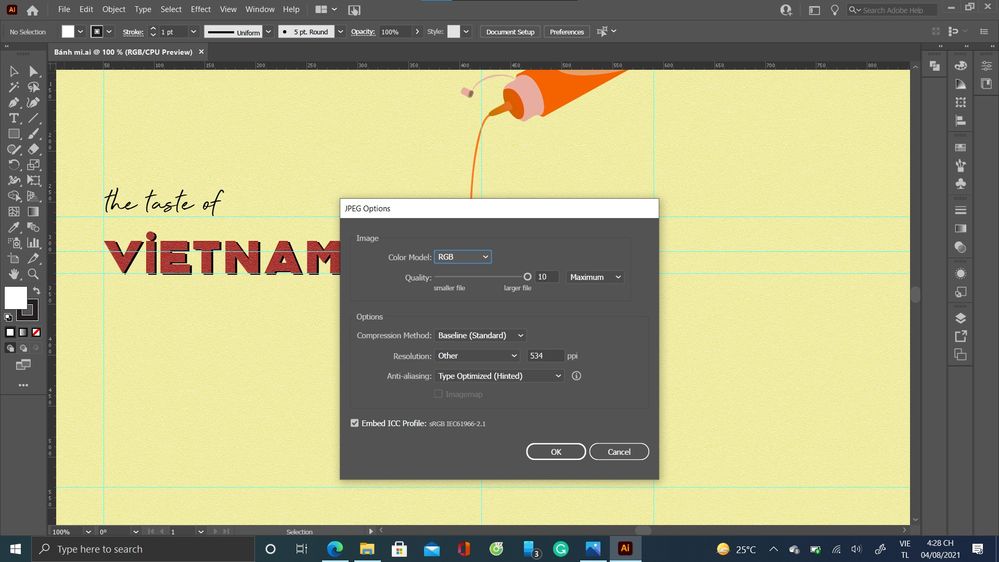
Screenshot 2021-08-04 162811.jpg

TOPICS
Contributor critique , Contributors
1.8K
Translate
Report
Community guidelines
Be kind and respectful, give credit to the original source of content, and search for duplicates before posting. Learn more
community guidelines
Community Expert ,
Aug 04, 2021 Aug 04, 2021

Don't use any fancy special effects. When you make this compatible for Illustrator 10, those special effects might be giving your files issues.

Translate
Report
Community guidelines
Be kind and respectful, give credit to the original source of content, and search for duplicates before posting. Learn more
community guidelines
Community Beginner ,
Aug 04, 2021 Aug 04, 2021

I only used the notepaper texture to overlap the layer.

 

Translate
Report
Community guidelines
Be kind and respectful, give credit to the original source of content, and search for duplicates before posting. Learn more
community guidelines
Community Expert ,
Aug 05, 2021 Aug 05, 2021

Did you submit the vector file?


If so, take out all raster images and submit again. Vector files should contain only vector elements.

ABAMBO | Hard- and Software Engineer | Photographer
Translate
Report
Community guidelines
Be kind and respectful, give credit to the original source of content, and search for duplicates before posting. Learn more
community guidelines
Community Beginner ,
Aug 05, 2021 Aug 05, 2021

Yes. I submitted both vector files and jpeg images.

Translate
Report
Community guidelines
Be kind and respectful, give credit to the original source of content, and search for duplicates before posting. Learn more
community guidelines
Community Expert ,
Aug 05, 2021 Aug 05, 2021

You submitted both vector and JPEG files as independent submissions or in one zip to submit a vector file with a preview?

ABAMBO | Hard- and Software Engineer | Photographer
Translate
Report
Community guidelines
Be kind and respectful, give credit to the original source of content, and search for duplicates before posting. Learn more
community guidelines
Community Beginner ,
Aug 05, 2021 Aug 05, 2021

I submitted both files independently.

Translate
Report
Community guidelines
Be kind and respectful, give credit to the original source of content, and search for duplicates before posting. Learn more
community guidelines
Community Expert ,
Aug 05, 2021 Aug 05, 2021

So, you got 2 independent refusals. What was the refusal on the Illustrator file?


As a side note, you should not send in a Vector file and the JPEG for it (except as a ZIP to generate the preview). The potential buyer has the choice to download your picture either as vector or JPEG. Your payout will be the same.


The other way, you risk a refusal because of a similar picture submitted.

ABAMBO | Hard- and Software Engineer | Photographer
Translate
Report
Community guidelines
Be kind and respectful, give credit to the original source of content, and search for duplicates before posting. Learn more
community guidelines
Community Beginner ,
Aug 05, 2021 Aug 05, 2021

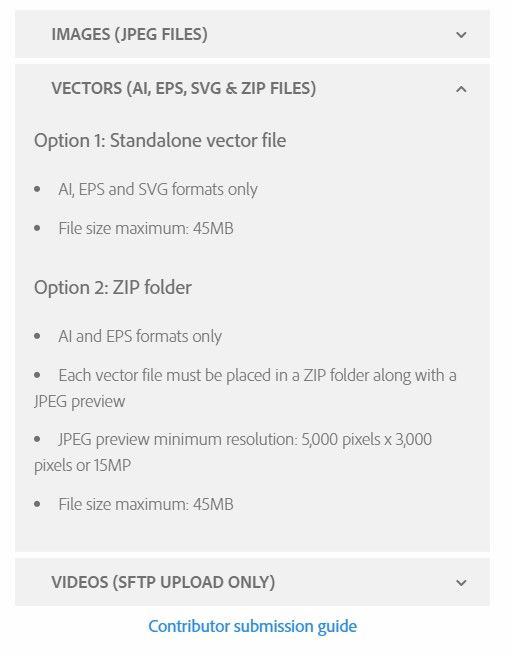
When I saw that we have three options, I submitted both vector file and JPEG file. Then after that in the In Review section, I saw 2 files at the same time and after that they are not accepted.

Screenshot 2021-08-05 155531.jpgScreenshot 2021-08-05 155501.jpg

Translate
Report
Community guidelines
Be kind and respectful, give credit to the original source of content, and search for duplicates before posting. Learn more
community guidelines
Community Beginner ,
Aug 05, 2021 Aug 05, 2021

I think the main reason could have occurred when I try to upload 2 files(vectors and JPEG) simultaneously.

Translate
Report
Community guidelines
Be kind and respectful, give credit to the original source of content, and search for duplicates before posting. Learn more
community guidelines
Community Expert ,
Aug 06, 2021 Aug 06, 2021

(Re)Submit both files in a Zip. The JPEG will be used as a preview so that Adobe stock does not generate the preview. They have a known issue with colours when generating the preview on their own.

https://helpx.adobe.com/stock/contributor/user-guide.html/stock/contributor/help/vector-requirements...


ABAMBO | Hard- and Software Engineer | Photographer
Translate
Report
Community guidelines
Be kind and respectful, give credit to the original source of content, and search for duplicates before posting. Learn more
community guidelines
Community Beginner ,
Aug 06, 2021 Aug 06, 2021

Oh, I see.


Thank you!

Translate
Report
Community guidelines
Be kind and respectful, give credit to the original source of content, and search for duplicates before posting. Learn more
community guidelines
Community Expert ,
Aug 06, 2021 Aug 06, 2021

Let's see what happens…!

ABAMBO | Hard- and Software Engineer | Photographer
Translate
Report
Community guidelines
Be kind and respectful, give credit to the original source of content, and search for duplicates before posting. Learn more
community guidelines
Community Beginner ,
Aug 06, 2021 Aug 06, 2021

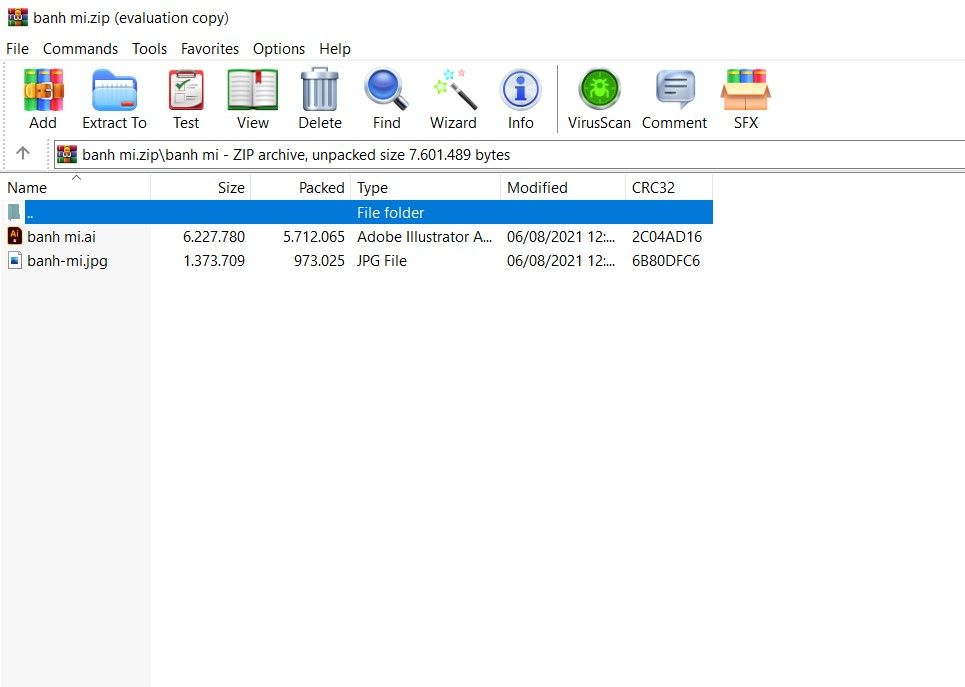
I just put my jpeg file and vector file together in a folder and zipped it. Then I uploaded that file to Adobe Stock.

Translate
Report
Community guidelines
Be kind and respectful, give credit to the original source of content, and search for duplicates before posting. Learn more
community guidelines
Community Beginner ,
Aug 06, 2021 Aug 06, 2021

Screenshot 2021-08-06 165012.jpgScreenshot 2021-08-06 164943.jpg

Translate
Report
Community guidelines
Be kind and respectful, give credit to the original source of content, and search for duplicates before posting. Learn more
community guidelines
Community Beginner ,
Aug 10, 2021 Aug 10, 2021

I uploaded my product 2 days ago, and today when I checked it, I didn't see my product in the In review section and Not accepted section. I'm not sure when they will release my product.
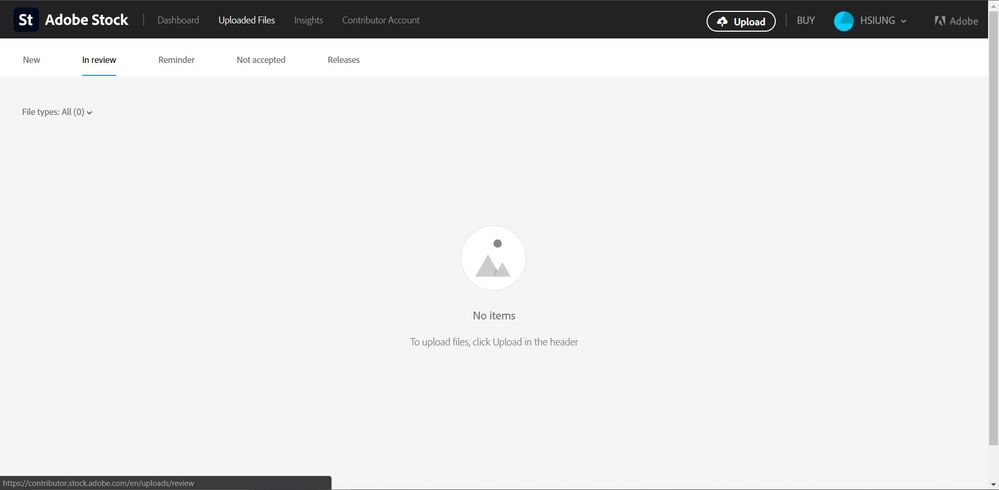
Screenshot 2021-08-10 111552.jpg 

Translate
Report
Community guidelines
Be kind and respectful, give credit to the original source of content, and search for duplicates before posting. Learn more
community guidelines
Community Expert ,
Aug 10, 2021 Aug 10, 2021

Look in the “Dashboard” (sort by date) or look into “Reminder” and “Not accepted”. You will find your asset either in one or the other repositories.

ABAMBO | Hard- and Software Engineer | Photographer
Translate
Report
Community guidelines
Be kind and respectful, give credit to the original source of content, and search for duplicates before posting. Learn more
community guidelines
Community Beginner ,
Aug 10, 2021 Aug 10, 2021

I found it in Dashboard.Screenshot 2021-08-10 115209.jpg

Translate
Report
Community guidelines
Be kind and respectful, give credit to the original source of content, and search for duplicates before posting. Learn more
community guidelines
Community Expert ,
Aug 11, 2021 Aug 11, 2021

So, it's accepted and open for sales. Congratulations. Now submit the next ones… 😉 .

ABAMBO | Hard- and Software Engineer | Photographer
Translate
Report
Community guidelines
Be kind and respectful, give credit to the original source of content, and search for duplicates before posting. Learn more
community guidelines
Community Beginner ,
Aug 11, 2021 Aug 11, 2021
LATEST

Thank you very much!

Have a nice day!

Translate
Report
Community guidelines
Be kind and respectful, give credit to the original source of content, and search for duplicates before posting. Learn more
community guidelines