Adobe Community

- Home
- Stock Contributors
- Discussions
- Re: Someone please help me out about "REJECTION" d...
- Re: Someone please help me out about "REJECTION" d...

Copy link to clipboard
Copied
A BIG Hello to this lovely community. I'm very much new to this family.
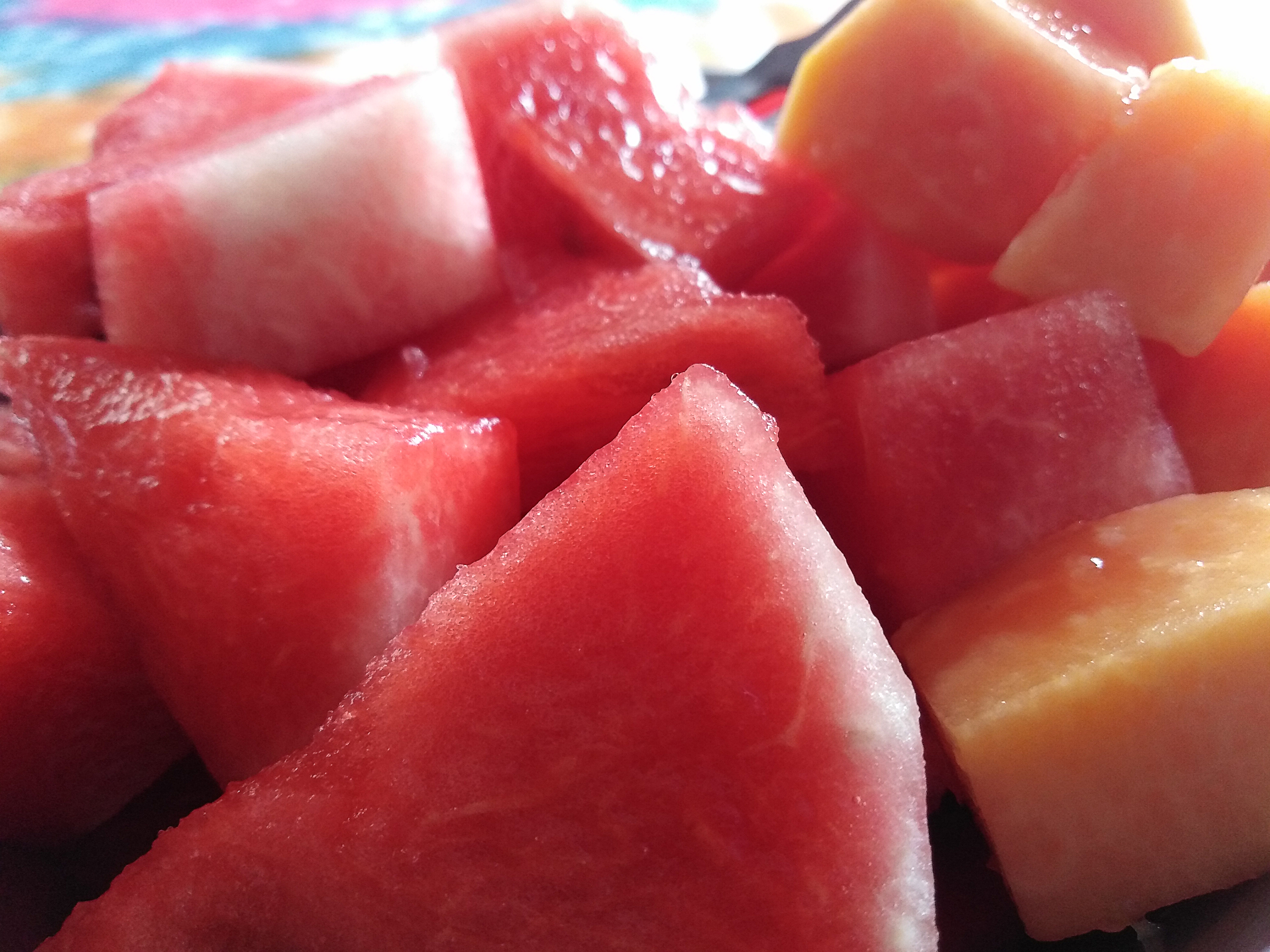
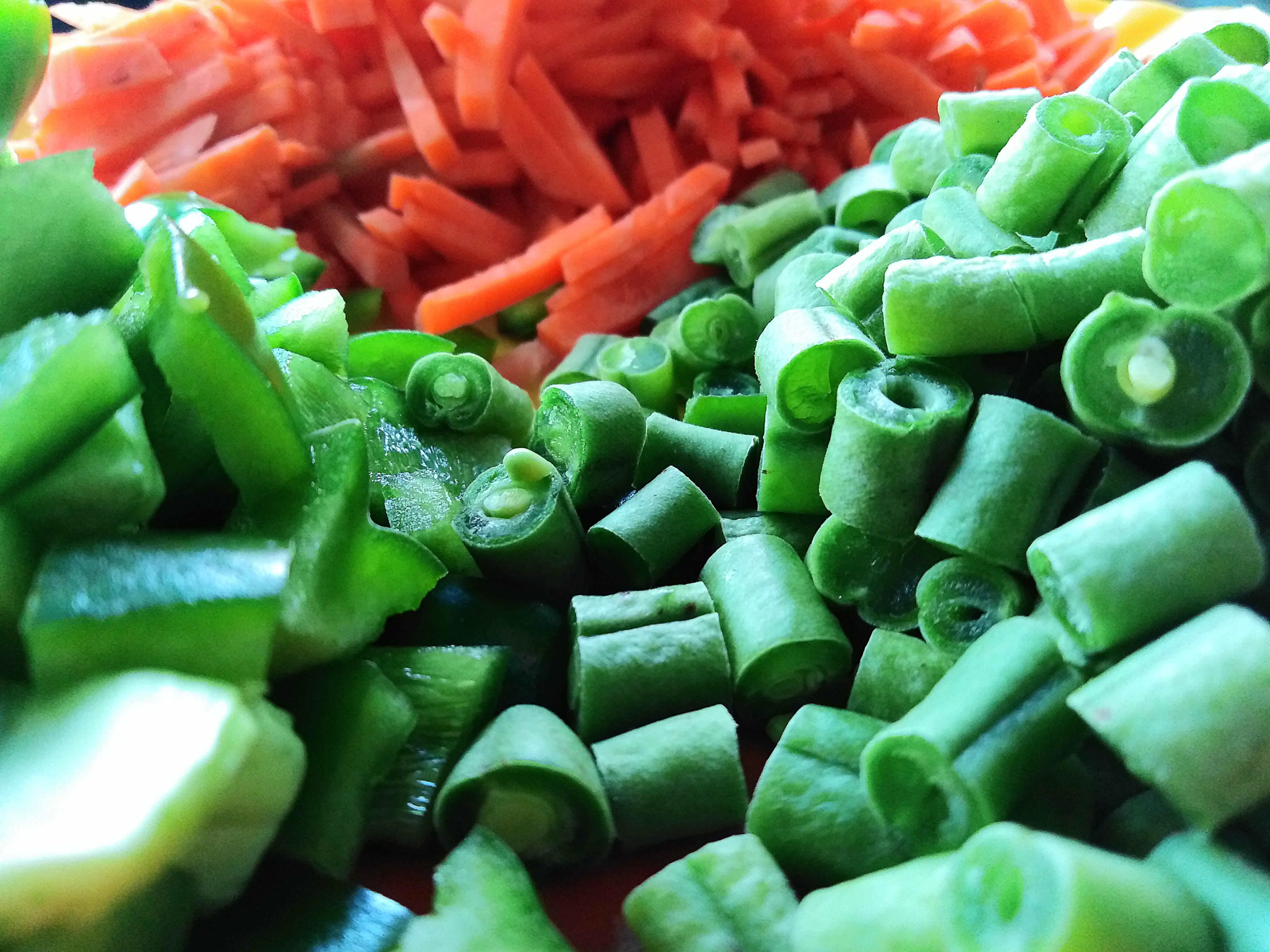
Very recently I've uploaded three (3) images, out of which two (2) are Rejected due to the "TECHNICAL ISSUES". I'm a bit depressed and confused about the rejection, as I can't figure out the exact reason for the "TECHNICAL ISSUES".
So, it would be great to have some guidance/suggestions from the experts...please.
I'm attaching the rejected images and a normal image for your convenience.
Thanks in advance.


 1 Correct answer


Hello,
I'm afraid the focus and lighting aren't that good. Secondly, To me, it looks like these were taken from a smartphone, so smartphone photos generally aren't good for stock. They don't enlarge so well. When you enlarge them to 100% or more, you begin to see the pixels and JPEG compression artifacts.
Since you're new, take a look at these guides to get you started.
Image quality:
https://helpx.adobe.com/stock/contributor/help/quality-and-technical-issues.html
Have a read of this from Adobe a
...
 15
Replies
15
15
Replies
15

Copy link to clipboard
Copied
Hello,
I'm afraid the focus and lighting aren't that good. Secondly, To me, it looks like these were taken from a smartphone, so smartphone photos generally aren't good for stock. They don't enlarge so well. When you enlarge them to 100% or more, you begin to see the pixels and JPEG compression artifacts.
Since you're new, take a look at these guides to get you started.
Image quality:
https://helpx.adobe.com/stock/contributor/help/quality-and-technical-issues.html
Have a read of this from Adobe about how to create better photos:
https://helpx.adobe.com/stock/how-to/tips-stock-image-acceptance.html?set=stock--fundamentals--adobe...
https://helpx.adobe.com/content/dam/help/en/stock/contributor/Adobe_Stock_Contributor_Guide.pdf
https://helpx.adobe.com/stock/contributor/help/photography-illustrations.html
https://helpx.adobe.com/stock/contributor/help/reasons-for-content-rejection.html
Copy link to clipboard
Copied
Hello, thank you so much for your suggestions and helpful links.
One thing I forgot to mention is that I modified the original images to Sharpen them, and adjusted the Hue/Saturation a bit.
Yes, you're absolutely right...these were taken from a smartphone (Now again I'm a bit confused that whether the smartphone images are accepted? Even though the following image was accepted:
https://stock.adobe.com/in/search?k=chopped+capsicum&search_type=usertyped&asset_id=512119445
Anyways, thanks again for your great help, and any further suggestions will be highly appreciated...Stay safe and healthy.

Copy link to clipboard
Copied
As far as I know, photos are accepted regardless of the camera used and this includes smartphone photos. But all photos are held to the same high standard and smartphones have a harder time overcoming some of the technical hurdles for stock photography. Like @ricky336 said, they don't enlarge well and tend to present a lot of technical flaws when zooming in to 100%.
I wish you success!
George F, Fine Art Landscape Photographer
Copy link to clipboard
Copied
Hi George, thanks for your detailed explanation.
Yeah, I've observed the flaws, the images became something jittery as well as pixelated (compared to the images captured in professional cameras) when zoomed-in to 100%, and have been wondering still today if this can be overcome in smartphones, as I don't have any professional cameras right now. Is there any way out to overcome it to some extent?
Thanks again.

Copy link to clipboard
Copied
Be sure - as with any camera - to use a tripod for all shots. This gives exposure flexibility (whether manual or automatic) and might improve the quality. Also good lighting (not just bright lighting).
Copy link to clipboard
Copied
Hi, thanks for your guidance...surely, I'll take care of it.
Copy link to clipboard
Copied
If you can and the smartphone allows it, try to save the file in DNG. The file size is bigger, but you can do a lot more with it. However, you then need to post-process the file in Lightroom/Adobe Photoshop or other such software that deals with raw files. This way avoids using the built-in camera software. You can get a cleaner image this way.
If you modify the JPEG file from the camera and then resave it, you get more JPEG compression. Each time you save the same JPEG file, the quality deteriorates.
Copy link to clipboard
Copied
Hello again, my smartphone doesn't allow me to save the file in DNG format, it only saves in JPEG/JPG format. I usually use Adobe Photoshop to modify them...Thank you.
Copy link to clipboard
Copied
I agree with the other suggestions of using a tripod, making sure the lighting is good, and shooting in a non-compression file format like .dng or .raw, which only a select few phones allow for currently.
The small sensor of the camera is part of the limiting factor, but it's also the software that comes along with it that also limits its capability. Smartphone cameras in general are optimized to look good on smartphone screens, designed to be easy to use, and optimized for photos to not take up a lot of storage space. The sacrifice is high quality and customizable controls unfortunately.
If you have manual controls as an option, shooting on a tripod at iso 100 or a low iso might help with the pixelation some.
I wish you success 🙂
George F, Fine Art Landscape Photographer
Copy link to clipboard
Copied
Hello George. Yes, now I can understand that the small sensor of the smartphone camera is the main limiting factor, and in some cases, unfortunately, I've to compromise with the quality.
Anyways, will try to do my best with all of your suggestions. Take care.

Copy link to clipboard
Copied
You may find this information on smartphone photography helpful:
Rob R, Photographer
Copy link to clipboard
Copied
Hello, thank you so much for sharing such a great article, I found it really helpful.

Copy link to clipboard
Copied
Too much of your watermelon is out of focus and it's also noisy.
Also too much of the vegetables is out of focus, it's noisy and there is a section that details are lost due to overexposure.
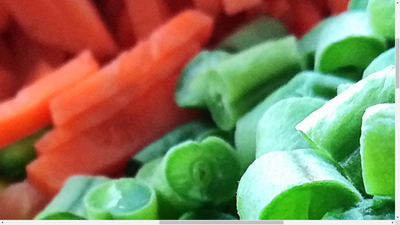
Overall your files are slightly underexposed. You need to zoom to between 100 and 200% to inspect for flaws.
In addition to the guidelines given by @ricky336 here are some additional tips that will help you to get your files accepted. Also this this link will show you some of the limitatins of smartphones cameras.
Best wishes
Jacquelin
Copy link to clipboard
Copied
Hi, thanks for pointing out the flaws...will certainly take care of them. Take care and stay safe.
Copy link to clipboard
Copied

 AdChoices