


Why my photos get denied ?

Copy link to clipboard
Copied


 20
Replies
20
20
Replies
20




Copy link to clipboard
Copied
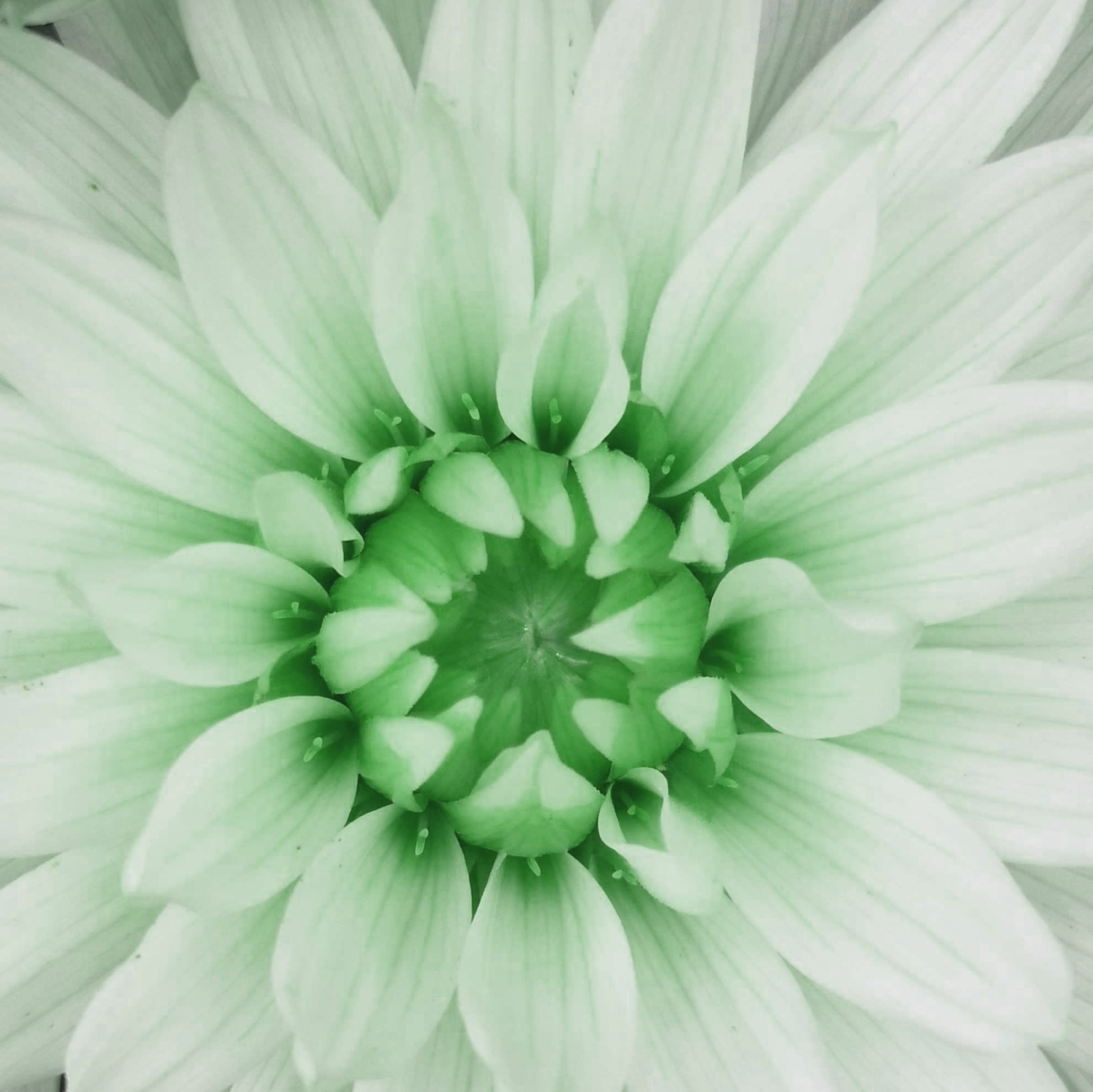
Out of focus, lacks contrast, artifacts. You used the same soft image and applied multiple filters to change the color. Filters & effects are desirable in Adobe Stock.
Copy link to clipboard
Copied
- It didn't look blurry to me when I sent it. Regarding the filters I had the idea when I saw https://stock.adobe.com/fr/contributor/208679269/olena?load_type=author&prev_url=detail and it seemed like a good idea.
Copy link to clipboard
Copied
It's possible that the other Adobe Stock contributor that you referenced did not submit all of the flower images simultaneously, so the Moderators didn't notice that they were alternate versions of the same image. If you compare hers side by side with yours, the differences in image quality, specifically sharpness, are quite apparent.

Copy link to clipboard
Copied
@Akata , After looking through your previous posts I'm left wondering how you inspect your images before submitting them? Although it's no trouble to tell you why they were rejected, the goal is that over time you learn to spot these flaws yourself so you don't go through the work of taking and submitting photos only for them to be rejected.
It would also be helpful to include the exit data when you submit photos, it helps pinpoint a solution sometimes.
Good luck 🙂
Copy link to clipboard
Copied
I have some approved photo and when I submit them it is what seems good to me.
What do you call exit data?
Copy link to clipboard
Copied
Exit data is the shutter speed, aperture, iso, etc.
Do you zoom in on the details to check for sharpness and noise, etc? That's where we are spotting most of the technical flaws, and Adobe reviewers are definitely doing that as well.

Copy link to clipboard
Copied
It's actually EXIF (ending F) not Exit.
You need to examine the files at 100%-200%, looking for absolute sharpness on the main focus. This is what the moderators will do every time. So, if you aren't doing this, exactly how do you inspect a photo? If you zoom it down to fit on the screen (or just open it in a simple photo viewer) you won't see the detail that Adobe check.
Copy link to clipboard
Copied
Haha, how did I mistype that several times. Yes, exif data.
Edit - autocorrect changes it to exit instead of exif. Thanks guys!

Copy link to clipboard
Copied
I think you mean EXIF data / camera metadata.
https://photographylife.com/what-is-exif-data
Copy link to clipboard
Copied
Why the rejections? Because you're not following Adobe Stock's submission guidelines.
Read the DOs and DON'Ts again.
Don’t: Send the same file cropped in different ways.
Don’t: Send the same file flipped or rotated.
Don’t: Submit color or black & white variations of same files.
https://helpx.adobe.com/stock/contributor/help/editing-dos-and-dont.html
Examine images at 100-300% magnification to see the problems.
Fix the problems if you can. Otherwise, discard or set-aside the image.
Compare your work with current Stock Inventory. Adobe Stock contains 26 million flowers in every size, shape and color. Is yours really better than what's represented?
https://stock.adobe.com/search?k=flower
Copy link to clipboard
Copied
Copy link to clipboard
Copied
The edges of these appear blurry at 100% view in Lightroom.
Copy link to clipboard
Copied
So I presume my phone is not enough to take photos or I do something wrong.
I use Huawei p20
Copy link to clipboard
Copied
Cell phone cameras present some unique challenges that make it much harder to get photos suitable for stock in my opinion.
Adobe accepts photos regardless of camera as far as I know, but all photos are held to the same high standards during the review process.
As an example: Normally I would suggest stopping down the aperture for these two photos which you can't do with a smart phone camera.
Good luck 🙂
Copy link to clipboard
Copied
I can change aperture between 0.95 to 16
Copy link to clipboard
Copied
It's my understanding this aperture mode is simulated in software instead of actually changing the lens aperture. I'm not sure this will be helpful in this situation.
Copy link to clipboard
Copied
These are most definitely not in sharp focus. The attached image is zoomed in to ~100%, which is exactly what the Moderators do, and it is clear that the center of the flower is not sharply focused. Camera phones are not well suited to such close-up photography since you cannot control the aperture or focal point. It's also possible that camera motion, or even subject motion was the culprit. Flowers are frequently moving in the breeze, and even the slightest motion when you are shooting a close-up will affect focus.
Copy link to clipboard
Copied
Copy link to clipboard
Copied
Your phone camera is not a good tool for Stock Photography.
Start saving now for a good entry level DSLR camera -- used or new.
Take some digital photography classes to learn how to use it.
Practice, practice, practice.
Copy link to clipboard
Copied
Well, step 1, if you want to try to use your camera to get good photographs, is to study what every single one of those controls does and experiment with each.

Find more inspiration, events, and resources on the new Adobe Community
Explore Now
 AdChoices






.jpg)
