Participant
August 9, 2023
Answered

I would like to have a sci fi panel with differen colors

  • August 9, 2023
  • 1 reply
  • 150 views

I would like to make a sci fi panel with multiple colors in substance designer. I would like the screws to be one color, the panels another color, the holes another color, the cutouts another color and so on, is this possible. I have seen timelapse videos where this is done but it is going too fast for me to follow. Any help would be appreciated.


thank you
This topic has been closed for replies.
Correct answer Cyril Dellenbach

Hi @circus clown,


Thanks for the question.


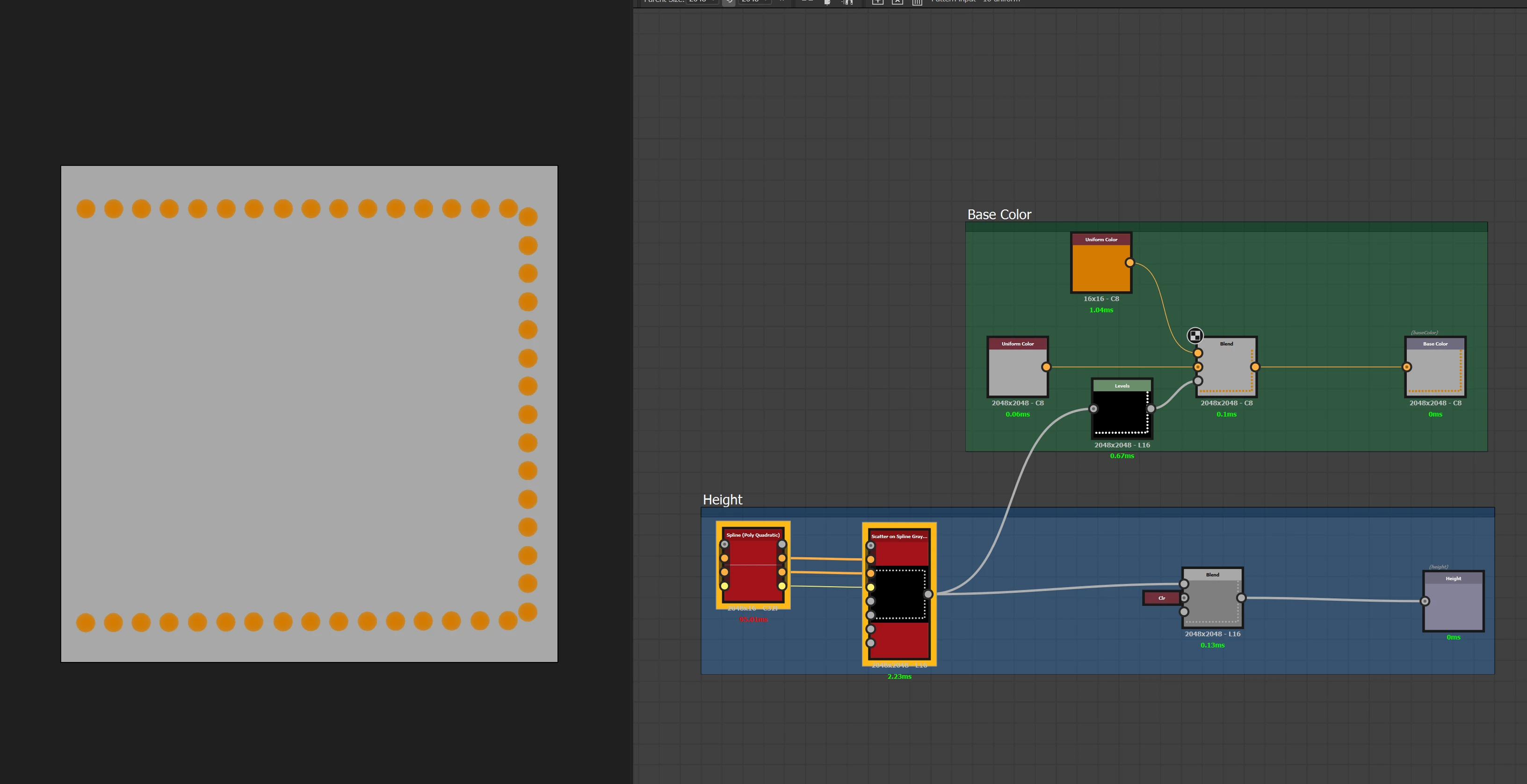
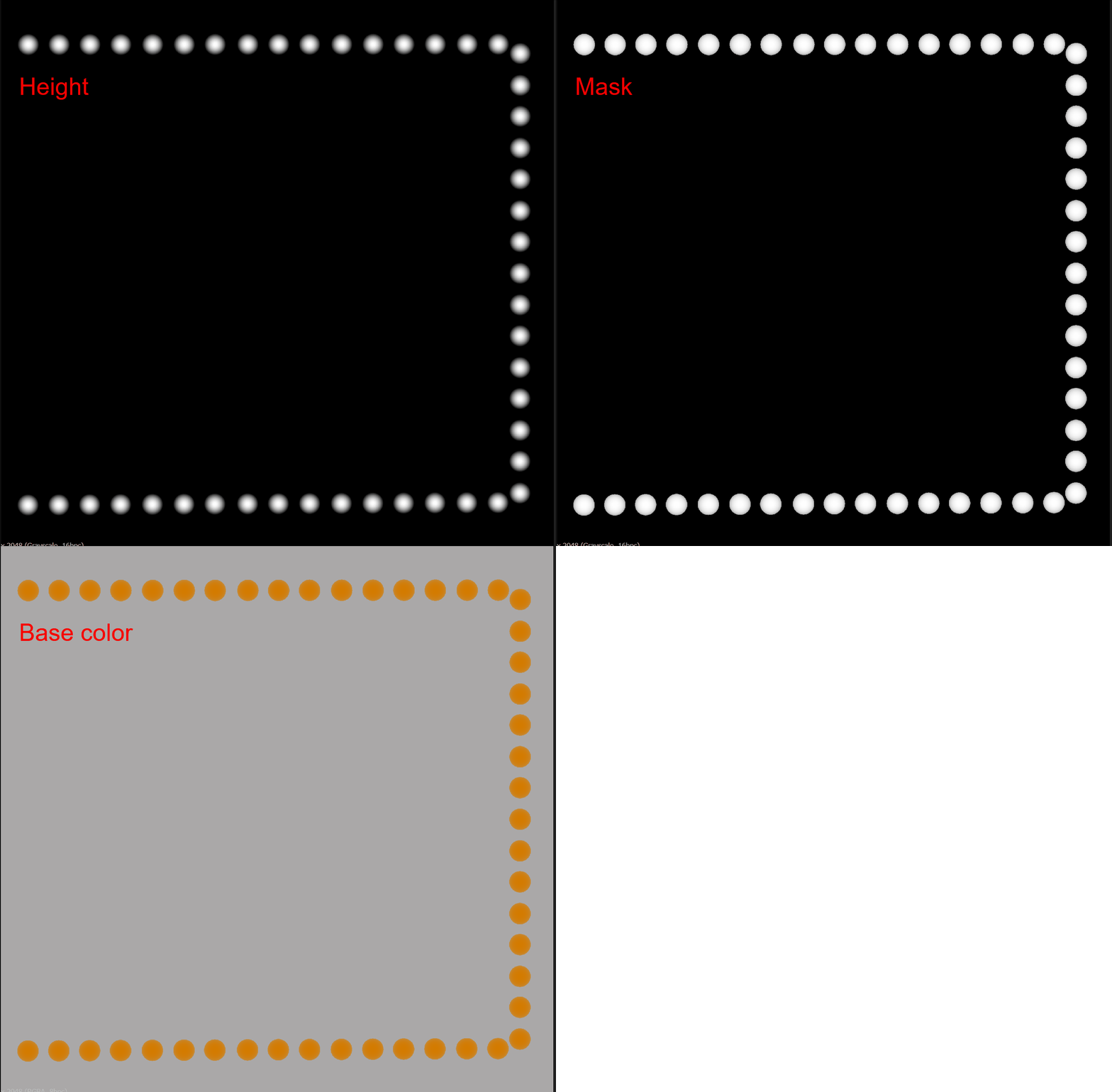
The common workflow in Substance Designer is to work with the Height map before starting to work on the color/roughness/etc. Usually, we use the nodes made for the Height to create masks for the rest.


I.e. you splatter the screws for your Sci-fi panel, so you can now reuse the nodes form the screws in order to build a clean mask, and plug it to the opacity of a blend (which will be linked to the Base Color output).


Let me know if this helps.


1 reply

Cyril Dellenbach
Community Manager
Cyril DellenbachCommunity ManagerCorrect answer
Community Manager
August 9, 2023

Hi @circus clown,


Thanks for the question.


The common workflow in Substance Designer is to work with the Height map before starting to work on the color/roughness/etc. Usually, we use the nodes made for the Height to create masks for the rest.


I.e. you splatter the screws for your Sci-fi panel, so you can now reuse the nodes form the screws in order to build a clean mask, and plug it to the opacity of a blend (which will be linked to the Base Color output).


Let me know if this helps.


Cyril Dellenbach (Micro) | QA Support Artist | Adobe
Participant
August 10, 2023

Thank you I will give it a try!