Exit
  • Global community
    • Language:
      • Deutsch
      • English
      • Español
      • Français
      • Português
  • 日本語コミュニティ
  • 한국 커뮤니티
0

Tiling texture without resampling

New Here ,
Apr 09, 2022 Apr 09, 2022

I have a 128x128 pixel texture that I need to tile 8 times over a 1024x1024 pixel output without changing any pixel.

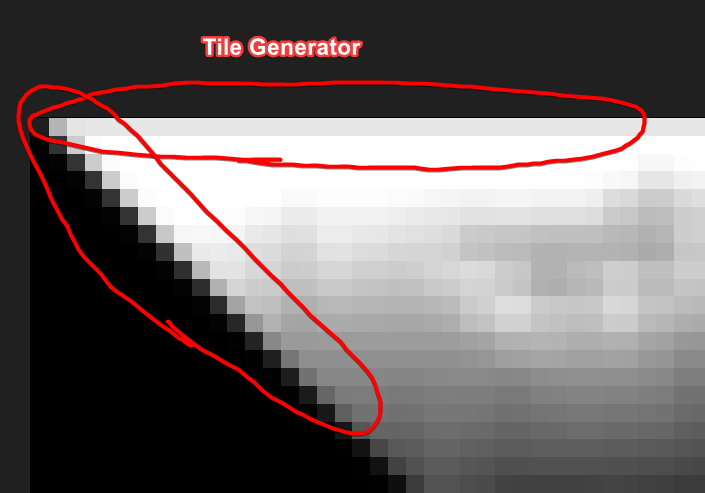
The tile generator node resamples the texture. I have tried to set the sampling to "Nearest" but I'm still getting this antialiased result.

Is there any other way to do this and get a perfect tiled output with the exact pixels from the input?


20220409_7053_Adobe_Substance_3D_Designer.png20220409_7054_Adobe_Substance_3D_Designer.png

TOPICS
General , How to
421
Translate
Report
Community guidelines
Be kind and respectful, give credit to the original source of content, and search for duplicates before posting. Learn more
community guidelines

correct answers 1 Correct answer

Community Expert , Apr 09, 2022 Apr 09, 2022

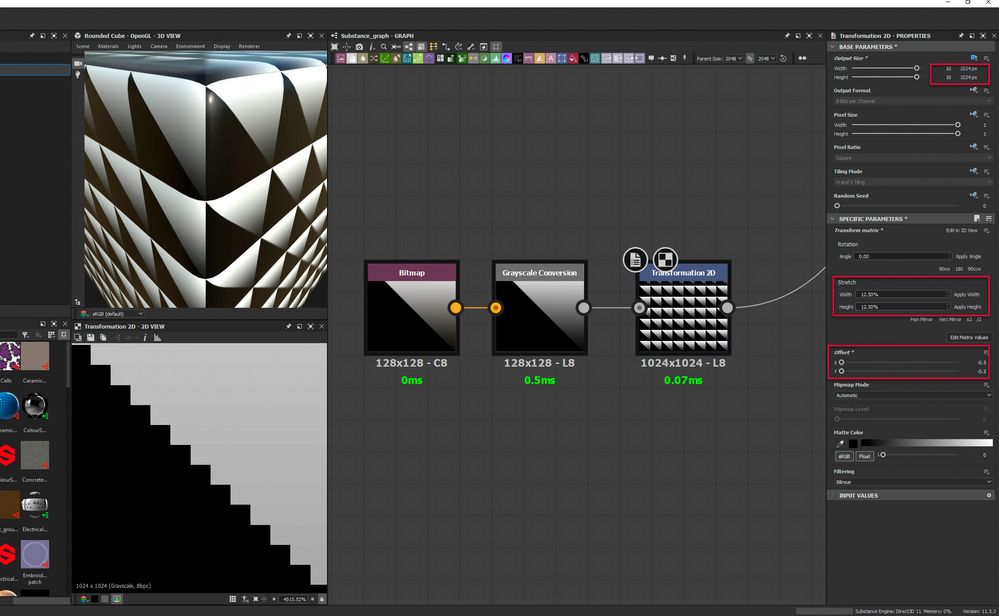
Use a transformation 2D node.

Set output size to Absolute at 1024 x 1024 px

Set stretch to Width 12.50% and height 12.50% and apply both.

Set Offset to X -0.5 and y -0.5


That will give you an 8x8 grid of your original image mapped onto the new larger image without any anti-aliasing
2022-04-09_17-07-26.jpg


Dave


Translate
Community Expert ,
Apr 09, 2022 Apr 09, 2022

Use a transformation 2D node.

Set output size to Absolute at 1024 x 1024 px

Set stretch to Width 12.50% and height 12.50% and apply both.

Set Offset to X -0.5 and y -0.5


That will give you an 8x8 grid of your original image mapped onto the new larger image without any anti-aliasing

2022-04-09_17-07-26.jpg


Dave


Translate
Report
Community guidelines
Be kind and respectful, give credit to the original source of content, and search for duplicates before posting. Learn more
community guidelines
New Here ,
Apr 09, 2022 Apr 09, 2022
LATEST

That's exactly what I need, thanks Dave 🙂

Translate
Report
Community guidelines
Be kind and respectful, give credit to the original source of content, and search for duplicates before posting. Learn more
community guidelines