


Participant
December 3, 2021
Question

Use an image to drive x/y amount in tile sampler

  • December 3, 2021
  • 1 reply
  • 354 views

Is it possible to have an input drive the x/y amount of instances in the tile sampler?
As my instances get smaller, i want to increase the density/amount
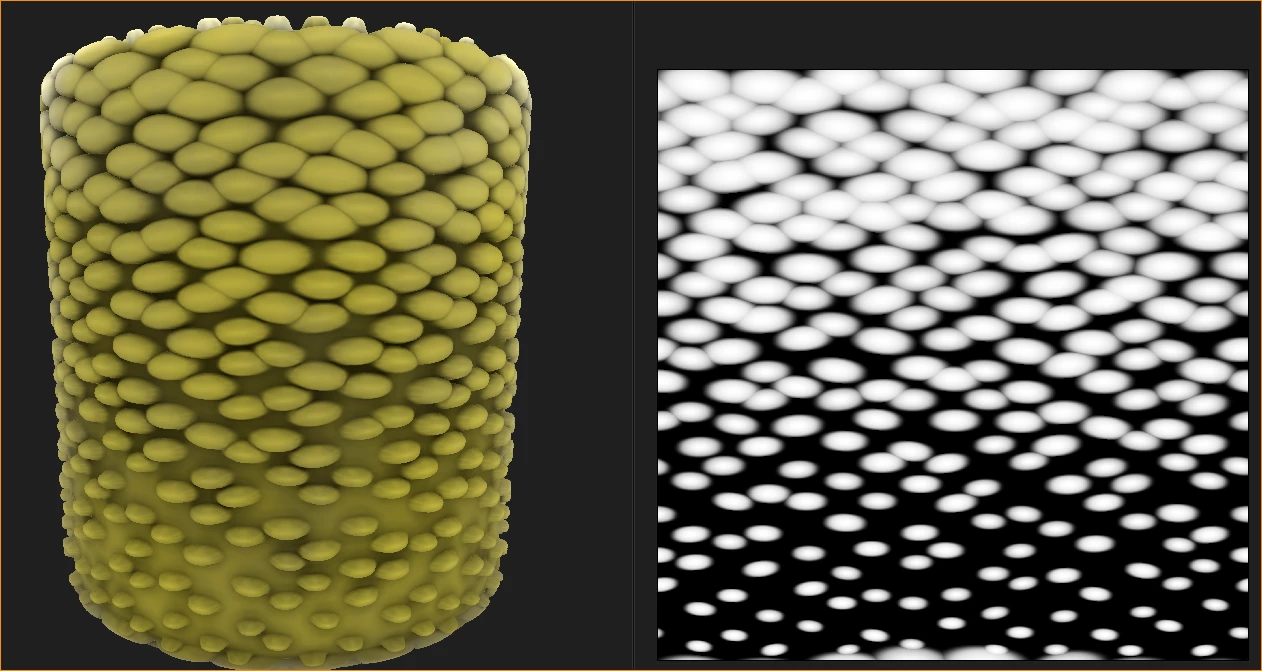

Do I need to use a pixel processor function and some fancy math for this?

Thanks!

This topic has been closed for replies.

1 reply

Luca Giarrizzo
Community Manager
Community Manager
December 6, 2021

Hello David,


You may set the Amount parameter to the value matching the highest density in the map, then use a combination of the Scale map and Mask to control the number and size of shapes along the map.


I hope this is helpful!


Best regards.


Luca Giarrizzo | Quality Engineer - Substance 3D Designer | Adobe
Participant
December 6, 2021

Thanks Luca!
That makes sense, but I must be missing something...

I tried to recreate your example setup, but not sure what I am missing.


Luca Giarrizzo
Community Manager
Community Manager
December 7, 2021

Hello @David Conlon,


Increase the X/Y Amount values, then increase the Mask Map Threshold value. The latter value determines the level of gray in the mask below which shapes should be masked.
Currently, the value of 0 means no shapes are masked since none fall into a value of exactly 0 in the mask.


From there, tweak the Scale and Scale Map Multiplier values to control the size decrease and prevent gaps.


Best regards.


Luca Giarrizzo | Quality Engineer - Substance 3D Designer | Adobe