Participant
September 28, 2022
Answered

Distortion when rotating texture

  • September 28, 2022
  • 2 replies
  • 720 views

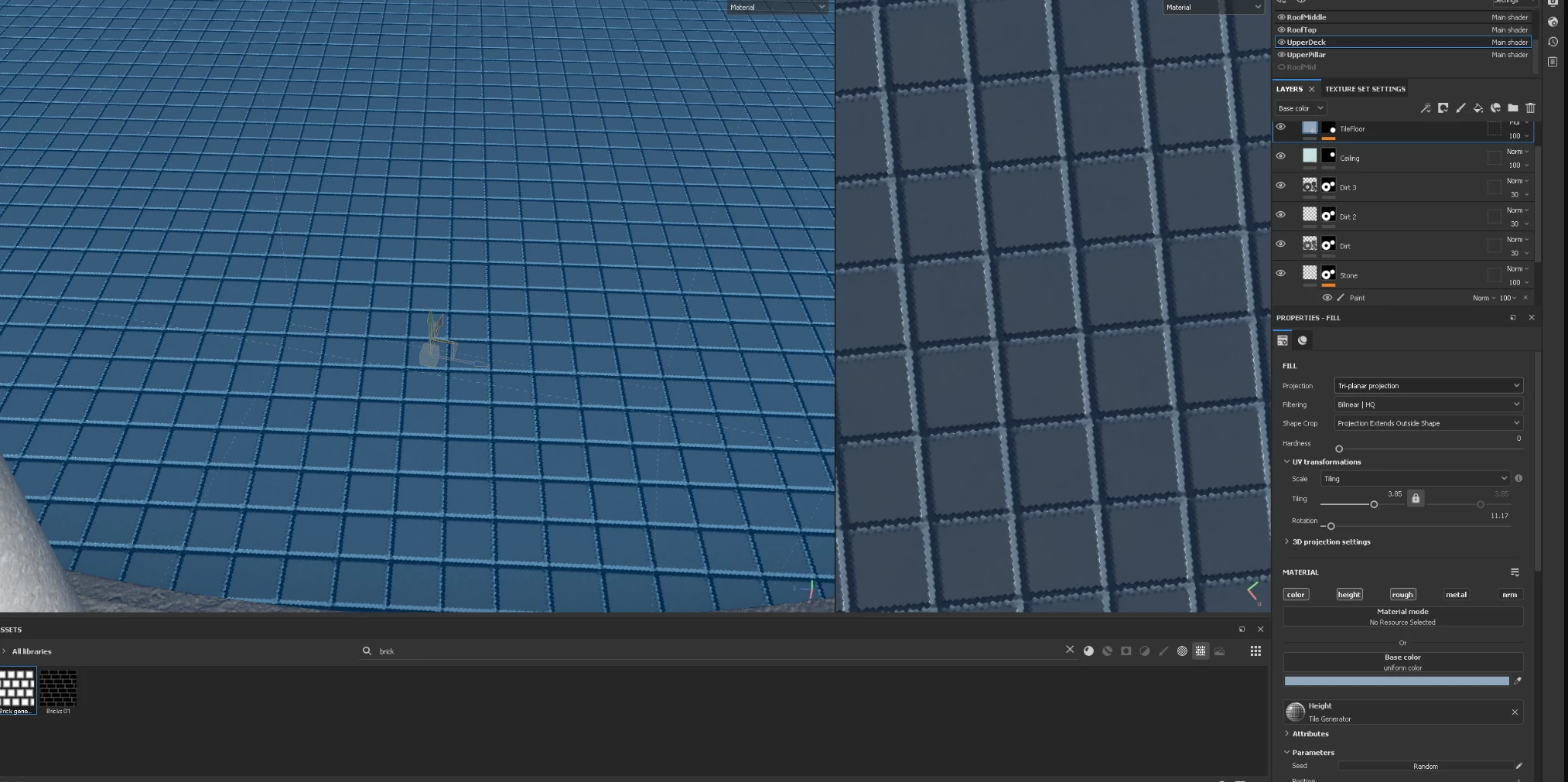
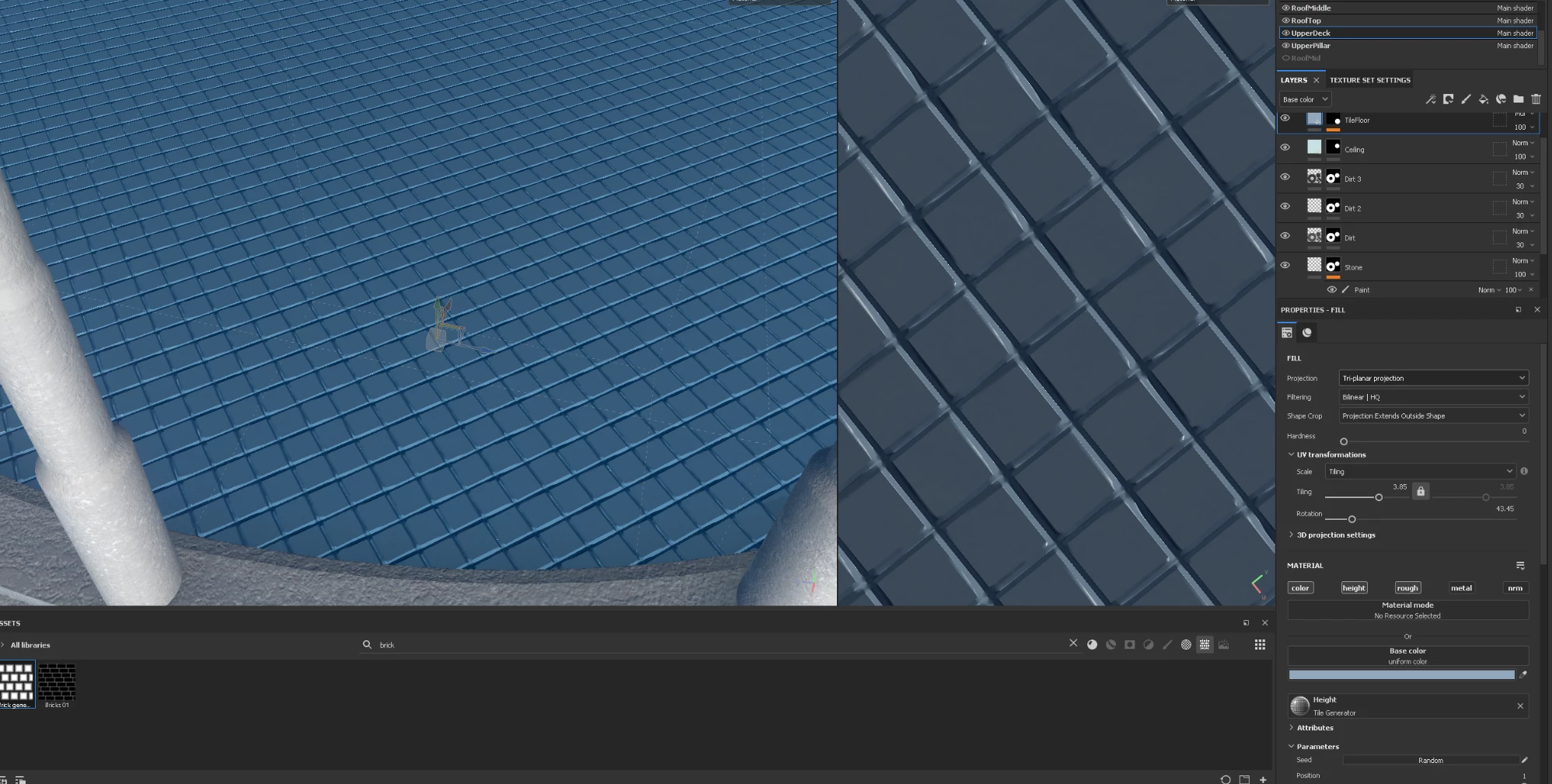
I'm wondering if anyone might be able to share their insight and shed some light on why the lines are distorted when I rotate. I've provided some screen shots of before and after. Thank you! 
This topic has been closed for replies.
Correct answer davescm

Lines at some angles are going to alias with the overall texture 'grid' in a worse way than others. Shallower angles tend to show up aliasing more than 45 degrees and of course 0 or 90 degrees does not suffer.

Increasing the texture size fom say 2K to 4K can help. Also adding a blur filter - just to the height channel should help hide this interaction. Only a very slight blur can be very effective.


Dave


2 replies

davescm
Community Expert
davescmCommunity ExpertCorrect answer
Community Expert
September 28, 2022

Lines at some angles are going to alias with the overall texture 'grid' in a worse way than others. Shallower angles tend to show up aliasing more than 45 degrees and of course 0 or 90 degrees does not suffer.

Increasing the texture size fom say 2K to 4K can help. Also adding a blur filter - just to the height channel should help hide this interaction. Only a very slight blur can be very effective.


Dave


Participant
September 28, 2022

Hi Dave!, I tried a blur filter like you had suggested and you are spot on. It really makes a huge difference. I sadly already had it at 4k but the blur effect made it way more acceptable for me. Thank you for the advice. 

Alexandre Becquet
Community Expert
Community Expert
September 28, 2022

Hello, i need to think more about this but have tried to change the Fill UV projection ?


Participant
September 28, 2022

Hi Alexandre, Yes I did try changing the UV projection but sadly it didn't improve anything. The UV tiles are all a nice square proportions although by default they are aligned diagonally by default like so

Participant
September 28, 2022

when I line up the texture tile pattern in the same way it looks how it should