Participant
October 20, 2023
Answered

Error importing model from 3ds max

  • October 20, 2023
  • 1 reply
  • 1668 views

Hello, 

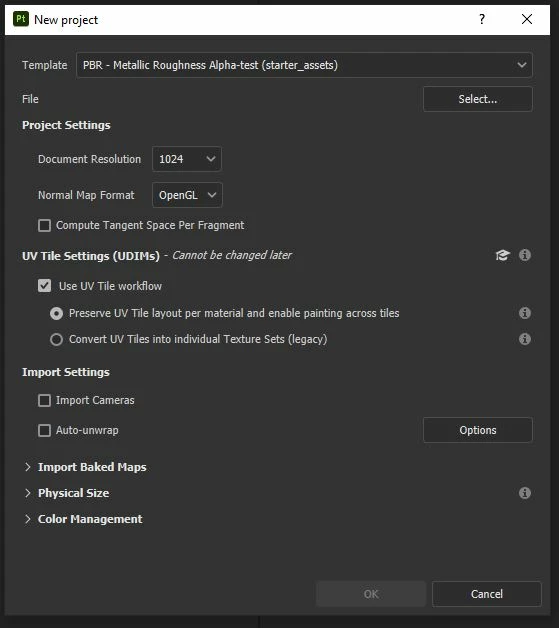
I'm quite new to Substance Painter, so please let me know if there are different settings I should use. 

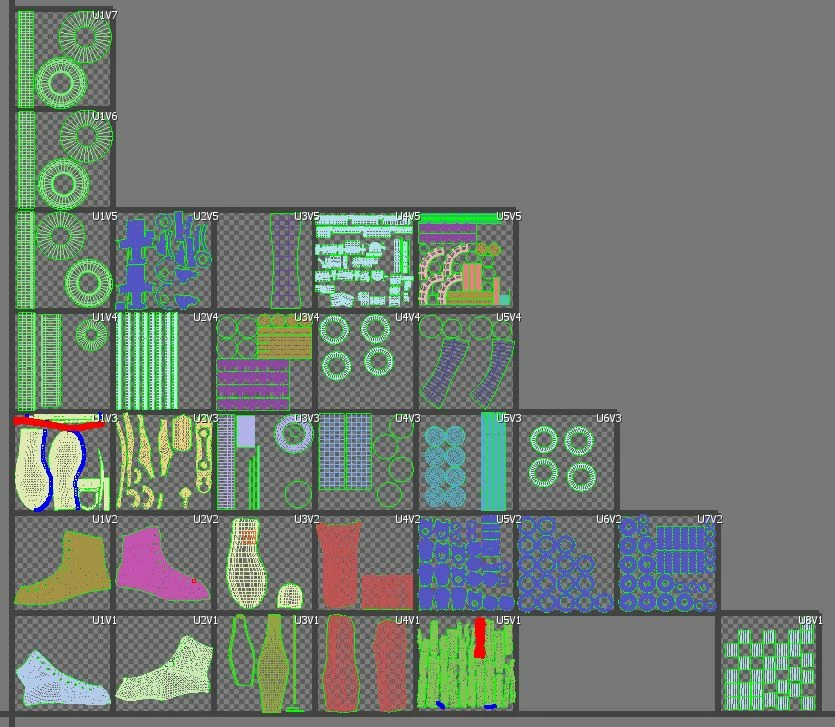
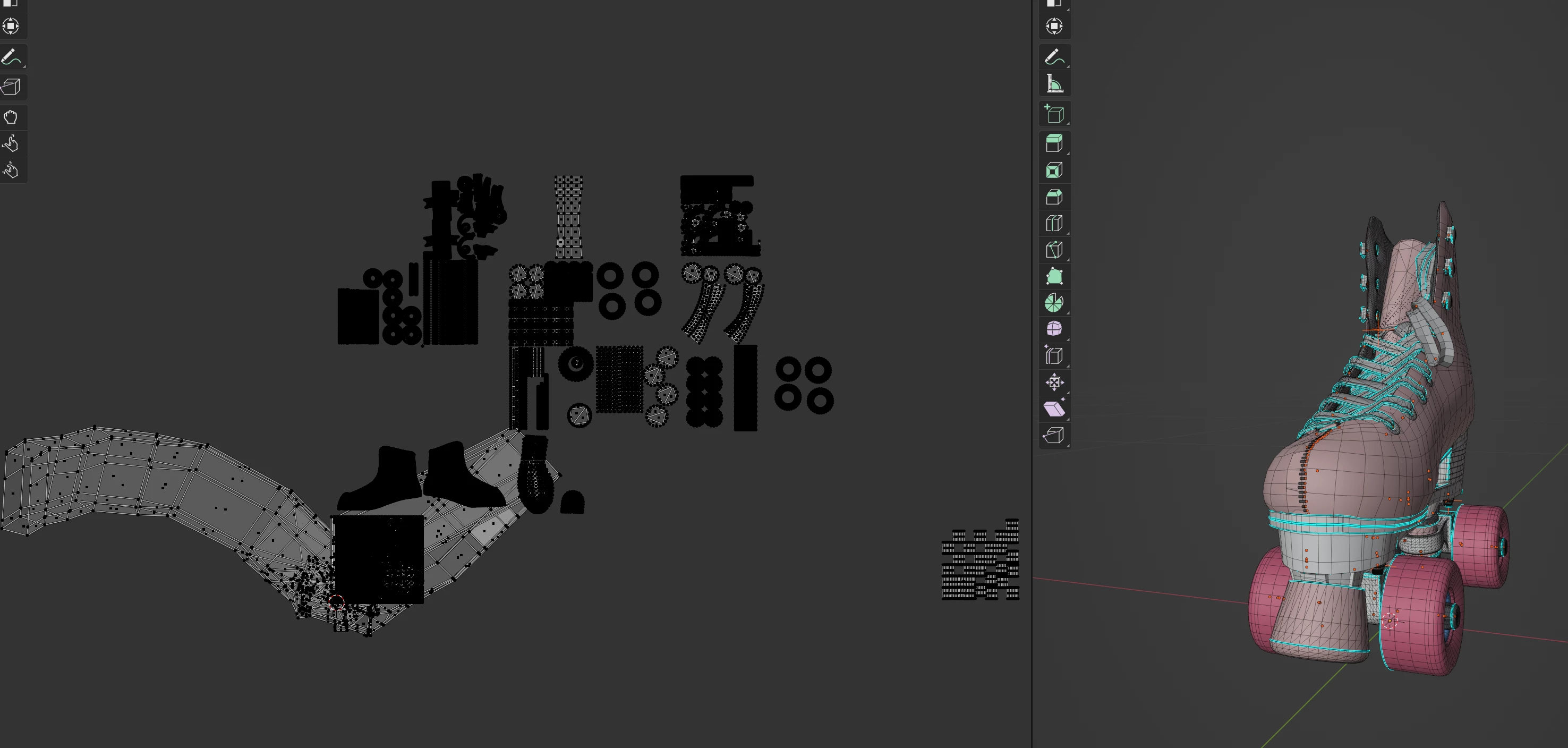
I have modelled a pair of roller skates in 3Ds Max, and have used the modifier 'Unwrap UVW'. Each tile corresponds to a different material. 


When starting a new file in Substance Painter I get the same messages and it won't open my model.


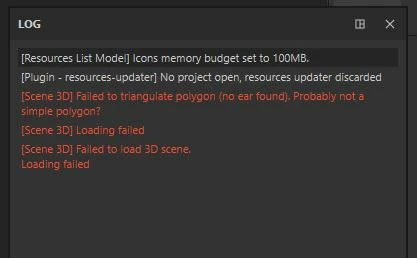
[Scene 3D] Failed to triangulate polygon (no ear found). Probably not a simple polygon?

[Scene 3D] Loading failed

[Scene 3D] Failed to load 3D scene.
Loading failed


I realised the first error refers to the mesh itself however I have tried using the Auto unwrap feature and it does open the model so I assume it is an issue with the UV unwrapping which is preventing proceeding. Is there a way to work out what is causing the issue? 


Any help would be appreciated, Thanks!
 

This topic has been closed for replies.
Correct answer Helen22755703hvc2

Hello Helen,


It seems the meshes you shared with me aren't the same as the one showed in this thread. The .OBJ doesn't have UVs at all, and the .FBX has parts that aren't unwrapped:

  • Back
  • left_fabric001
  • right_fabric001


In addition, there are UVs spilling on multiple tiles and in negative spaces (which Painter doesn't support).


Make sure to have clean UVs before importing in Painter.


Best regards,


Hi,

I wanted to follow up on my previous email and let you know that I
discovered there were issues with the export settings for the .obj file.
This has successfully allowed me to import into substance painter.

Thank you again for your help and suggestion to check the UVs, I will keep
this in mind for my next project!

Best regards,

Helen

1 reply

Cyril Dellenbach
Community Manager
Community Manager
October 24, 2023

Hi @Helen22755703hvc2,


Thanks for the details.


From what you're describing, I can't tell what's the issue. I don't see a problem with your project setup, and the UVs don't seem problematic either. It could maybe be due to a UV shell spilling from its tile, but if so, the error should be in the log.


It's worth the try to export the asset from 3DS Max with a different format. If this doesn't solve anything, I'd gladely take a look at the 3D object myself. You can send it to me at cdellenbach@adobe.com


Best regards,


Cyril Dellenbach (Micro) | QA Support Artist | Adobe
Participant
October 25, 2023

Hi @Cyril Dellenbach,


Thanks for the offer! I have sent you an email. Any advice would be much appreciated!

Thanks,

Helen

Cyril Dellenbach
Community Manager
Community Manager
October 26, 2023

Hello Helen,


It seems the meshes you shared with me aren't the same as the one showed in this thread. The .OBJ doesn't have UVs at all, and the .FBX has parts that aren't unwrapped:

  • Back
  • left_fabric001
  • right_fabric001


In addition, there are UVs spilling on multiple tiles and in negative spaces (which Painter doesn't support).


Make sure to have clean UVs before importing in Painter.


Best regards,


Cyril Dellenbach (Micro) | QA Support Artist | Adobe