

解決済み
ブラシツールについて
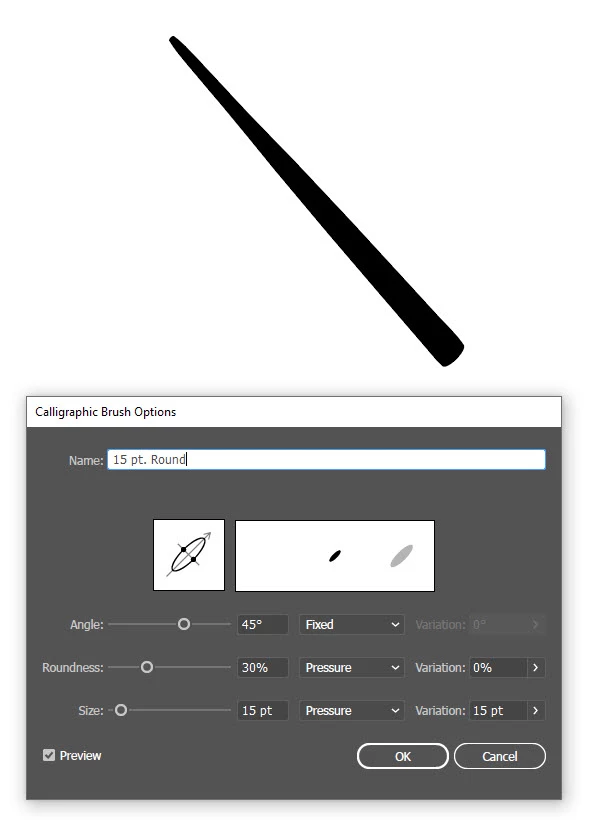
ブラシツールにてカリグラフィを作成し、線を引いたのですが、
筆圧は感知するものの、「入り抜き」の「抜き」がうまくいかず、
先端が尖らずに丸くなってしまいます。
https://www.youtube.com/watch?v=pRff05FouDY&t=105s
↑の動画のように、サッと線を引きたいのですが、どうすればよいでしょうか?
また、使用しているPCはSurface Pro 4です。

ブラシツールにてカリグラフィを作成し、線を引いたのですが、
筆圧は感知するものの、「入り抜き」の「抜き」がうまくいかず、
先端が尖らずに丸くなってしまいます。
https://www.youtube.com/watch?v=pRff05FouDY&t=105s
↑の動画のように、サッと線を引きたいのですが、どうすればよいでしょうか?
また、使用しているPCはSurface Pro 4です。
Enter your E-mail address. We'll send you an e-mail with instructions to reset your password.

 AdChoices