


Participant
May 6, 2020
Question

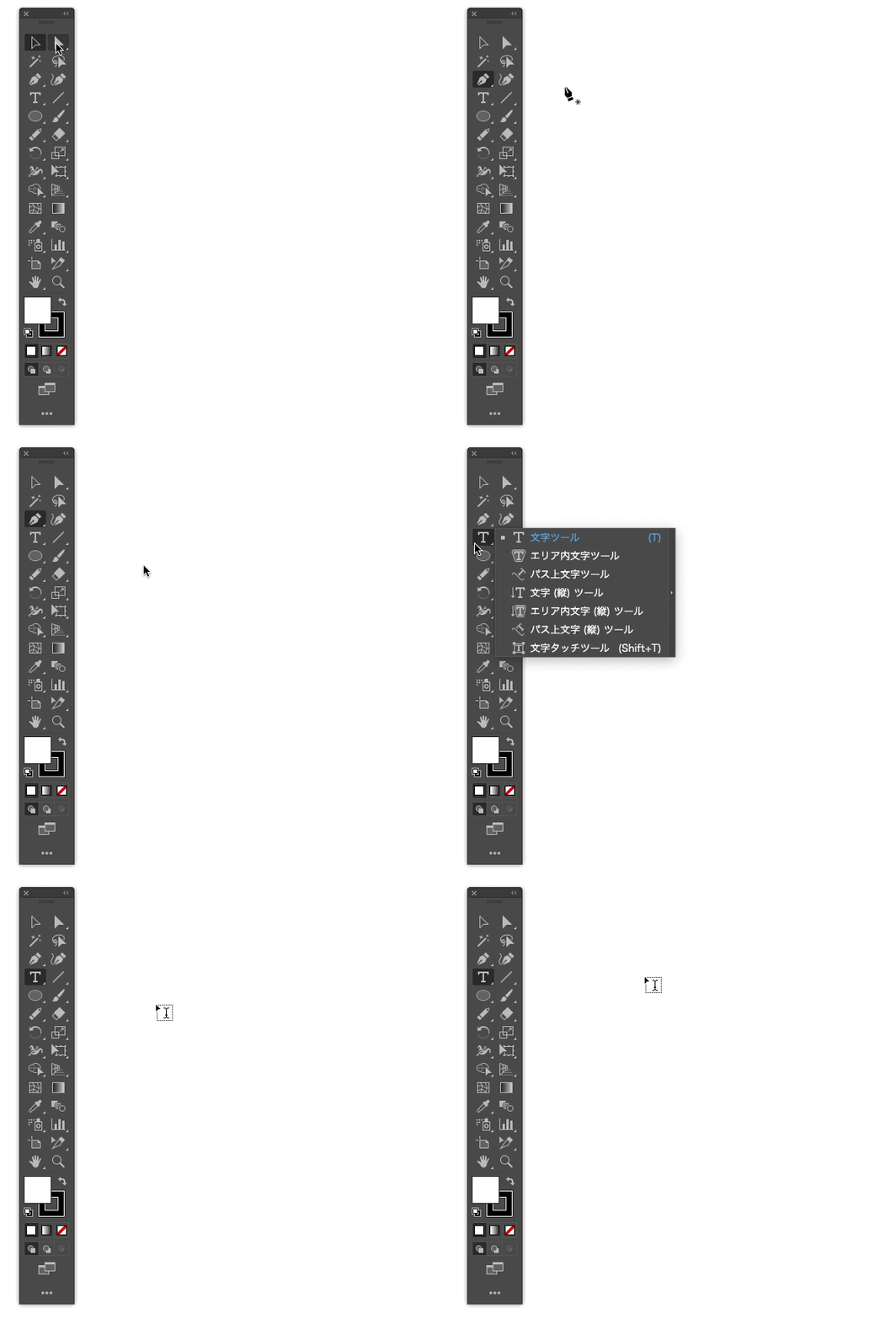
Illustratorのみカーソルが移動時フリック、点滅する
  • May 6, 2020
  • 3 replies
  • 17090 views


MacOS Catalina(10.15.4)を使用しています。

Photoshop同時起動時などによく起こるのですが、

ツールのアクティブと非アクティブ状態が移動中に何回も繰り返され、

使用がままならない状態になっています。


以前のフォーラムにもWinだとWebcomというソフトウェアが原因だったとありますが、

Macでの改善方法がわかりません。

Aiは24.2.1を使用しております。


I'm using MacOS Catalina (10.15.4). illusrator ver 24.2.1


This problem often happens when I use Photoshop at the same time.

The active and inactive states of the tool are repeated many times during the cursor moving.
It has become difficult to use it.


There was a solution on the forum that software called Webcom was the cause of the problem .

I don't know how to improve it on a Mac.


3 replies

assause
Community Expert
Community Expert
September 29, 2022

Illustrator (en) から Illustratorフォーラム (jp) に移動しました。

Yamonov
Legend
May 8, 2020

24.1.2の同じバージョン/Mojaveでも同様の現象が起きます。Safariを終了させると戻ったりしますが、再現性がありません。

システム環境設定>アクセシビリティ>ディスプレイの「マウスポインタをシェイクして...」をオフにしたり、Wacomタブレットドライバを最新版にしたり、Illustrator環境設定>ユーザーインターフェイスのカーソル周り、GPUオンオフ、等々試していますが、起きるときと起きないときの関係が全く分からず、おそらくバグの類いであろうと考えています。


こちらではカーソルがOSのものとIllustratorツールのものとで点滅するように入れ替わる現象はありますが、操作自体は(カーソルがおかしいことを除けば)行えます。そちらではいかがでしょうか。

--Yamonov
kaorimokaAuthor
Participant
May 8, 2020

返信ありがとうございます。


仰られてる通りで、Illustrator単体だと再現が難しいです。

操作ですが、作業効率が少し落ちる程度です。

ただし、HD程度の解像度があまり高くないモニターに出力した場合、かなり動きが悪くなります。


私はPhotoshopで画像編集しながらIllustratorを使う場合、かなり高い確率で起こっています。

やはりメモリかGPUの使用率などの関係があるとは思っていますが、改善が出来ませんでした。

マシンスペックはMPB Pro 2015 early / RAM 16GB / Intel Iris Graphics6100です


Thank you for your reply.


You're right, it's difficult to reproduce this problem

This happens at a high rate while editing images in Photoshop.

In terms of operability, it's a little less efficient.

when outputting to a monitor with a not-so-high resolution, the cursor movement will be quite poor.


I still think there is a relationship between memory and GPU usage, but I couldn't improve it.

MPB Pro 2015 early / RAM 16GB / Intel Iris Graphics6100


Barluo
Participant
September 28, 2022

私もその症状でずっと悩まされてましたが、Mac側のマウスの設定で「ポイントとクリック」「スマートズーム」や「その他のジェスチャ」を一度全てオフにしたら直りました!

その後設定を戻してもマウスの点滅はしなくなりました。理由はわかりませんが、一度お試しください。

Ashutosh_Mishra
Inspiring
May 6, 2020

Hi there,


Sorry to hear about your experience. This is really unusual behavior of the app. Please try turning off GPU Performance under Preferences > Performance and see if it helps or not.
You may also try resetting the Illustrator preferences once. Please follow the instructions below:

  • Close all Adobe applications. 
  • Go to locations 
  • ~/Library/Caches 
  • ~/Library/Application Support/Adobe 
  • ~/Library/Preferences 
  • Rename Adobe Illustrator, com.adobe.illustrator and Adobe Illustrator 24 Settings folders to Adobe Illustrator.old, com.adobe.illustrator.old and Adobe Illustrator 24 Settings.old 
  • Launch Illustrator from the Creative Cloud. 


**Please note that resetting preferences will remove all the custom settings and Illustrator will launch with default settings. This way all your old settings will be saved in .old folders and Illustrator will recreate new folders with default settings. 
Let us know how it goes. Looking forward to your response.


Regards,

Ashutosh

kaorimokaAuthor
Participant
May 7, 2020

Thanks for the reply.

I've tried all of your advice, but it hasn't improved the problem.