ao0
Known Participant
August 6, 2019
Answered

顔認識がされていない人に顔認識をつけたい

  • August 6, 2019
  • 2 replies
  • 484 views

橋のほうにいる人や横を向いている人に後からつける方法があるのであれば教えてください!

This topic has been closed for replies.
Correct answer Rob_Cullen
I want to give facial recognition to people who don't have facial recognition.

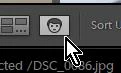
If you know the person's name- add a Name Keyword and check the [Person] box.

Or if Lightroom will not recognize by facial recognition-

Type the name under face-
 

2 replies

ao0
ao0Author
Known Participant
August 8, 2019

ありがとうございます!動画まで本当に感激です!できました!!

Rob_Cullen
Community Expert
Rob_CullenCommunity ExpertCorrect answer
Community Expert
August 7, 2019
I want to give facial recognition to people who don't have facial recognition.

If you know the person's name- add a Name Keyword and check the [Person] box.

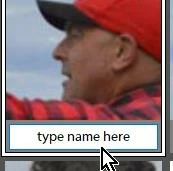
Or if Lightroom will not recognize by facial recognition-

Type the name under face-
 

Regards. My System: Windows-11, Lightroom-Classic 15.1.1, Photoshop 27.3.1, ACR 18.1.1, Lightroom 9.0, Lr-iOS 10.4.0, Bridge 16.0.2 .
ao0
ao0Author
Known Participant
August 7, 2019

回答ありがとうございます

②のBOXのつけ方を教えていただきたいのです

↓ こちらがどこにあるかわからないのです

↓ このBOXがついていない人物につけたいのです

(このBOXが出てきて変更の仕方はわかるんです)

ご存じでしたらお願いします!

Rob_Cullen
Community Expert
Community Expert
August 8, 2019

I hope my answer is helping.

In Library select one photo and View in 'Loupe view' mode-

On the Tool Bar  (T to view Toolbar) 

If [Draw Face Region] icon is not visible- Check Menu to make visible at the end of Tool Bar.

Click on the Tool Icon to activate it-


Draw a box over a Face by dragging the cursor with Left mouse button held, and enter a name-

Regards. My System: Windows-11, Lightroom-Classic 15.1.1, Photoshop 27.3.1, ACR 18.1.1, Lightroom 9.0, Lr-iOS 10.4.0, Bridge 16.0.2 .