
Answered
セーフマージンを表示するとプログラムモニターが黒画面になりなにも表示されない(Pr CC 13.0.2)
昨日Premiereを最新(13.0.2)にアップデートしました。
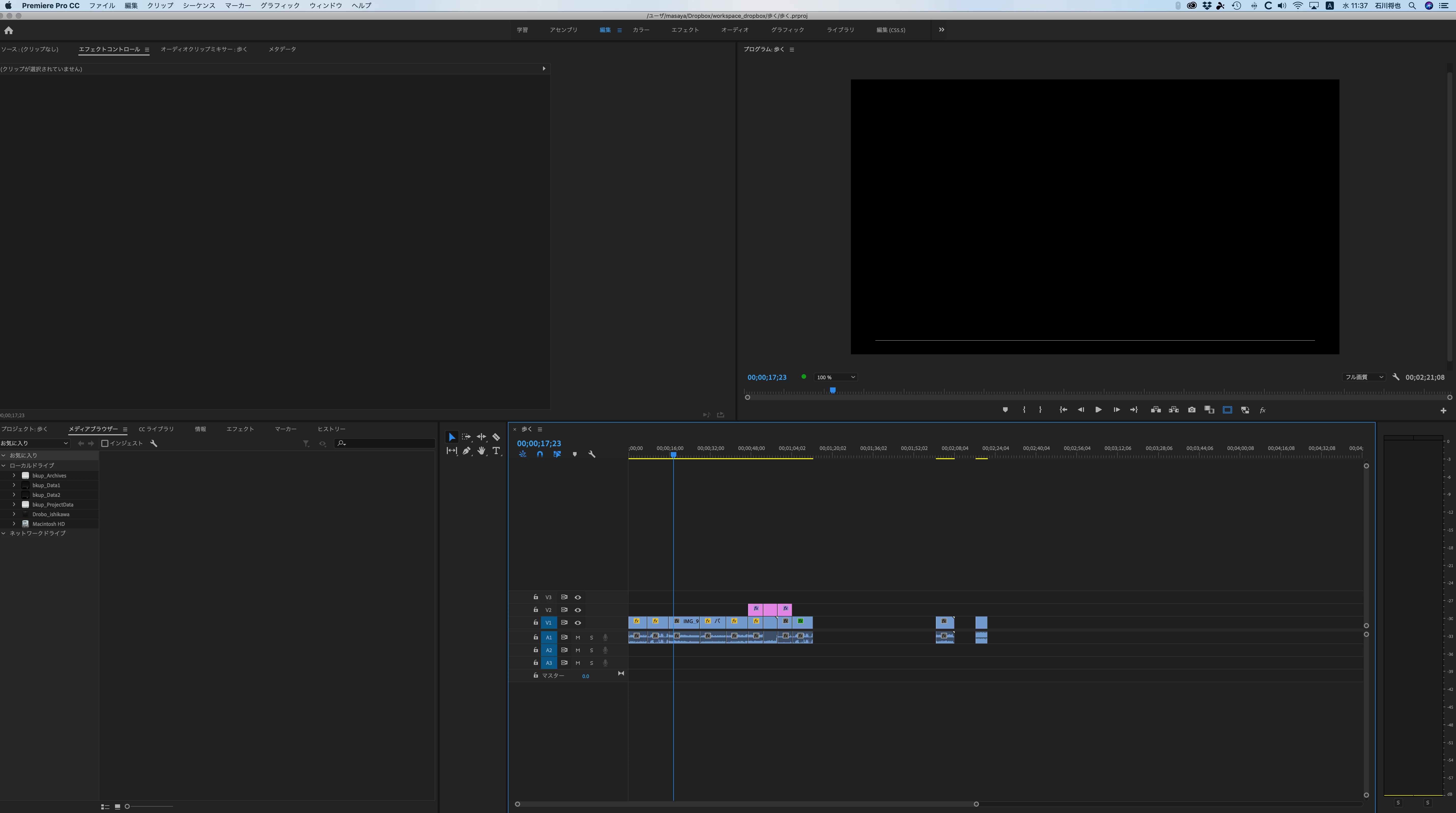
すると、プログラムモニターが真っ黒なまま(なぜか1pxの白い線だけが表示される)になってしまいました。
セーフマージン表示をオフにすると、正常に表示されることがわかりました。
セーフマージンをonにすると真っ暗です。
セーフマージンが原因だと気づくまでに、プレミアの再インストール、Blacmagic Desktop Video の再インストールなど一通り試しましたが、改善しませんでした。
マージンを表示しなければ使えるということが分かったのでホッとしましたが、もしかしたら同じ現象に直面している人もいるかもしれないので投稿します。
Program Monitor doesn't show anything when using safe margin(Premiere CC 2019 13.0.2)
I updated my Premiere CC to the recent 13.0.2 yesterday and since then, the program monitor is blacked out(except it shows a one-pixel white line).
Unable to use. I uninstalled premiere, re-installed, nothing changed. I made new projects, new sequences, but same.
I recognized that this occurs when the"Show safe margin" is toggled.
Mac OS 10.14.2
iMac Pro 8-core vega56


 AdChoices