Answered

This topic is closed to new replies. Start a new post to keep the conversation going.
まずは使い慣れていらっしゃるMac本体のトラックパッドを使ってカーソルを左上の方にもってゆき、表示された緑色のボタン(フルスクリーンを解除)を押してみてください。
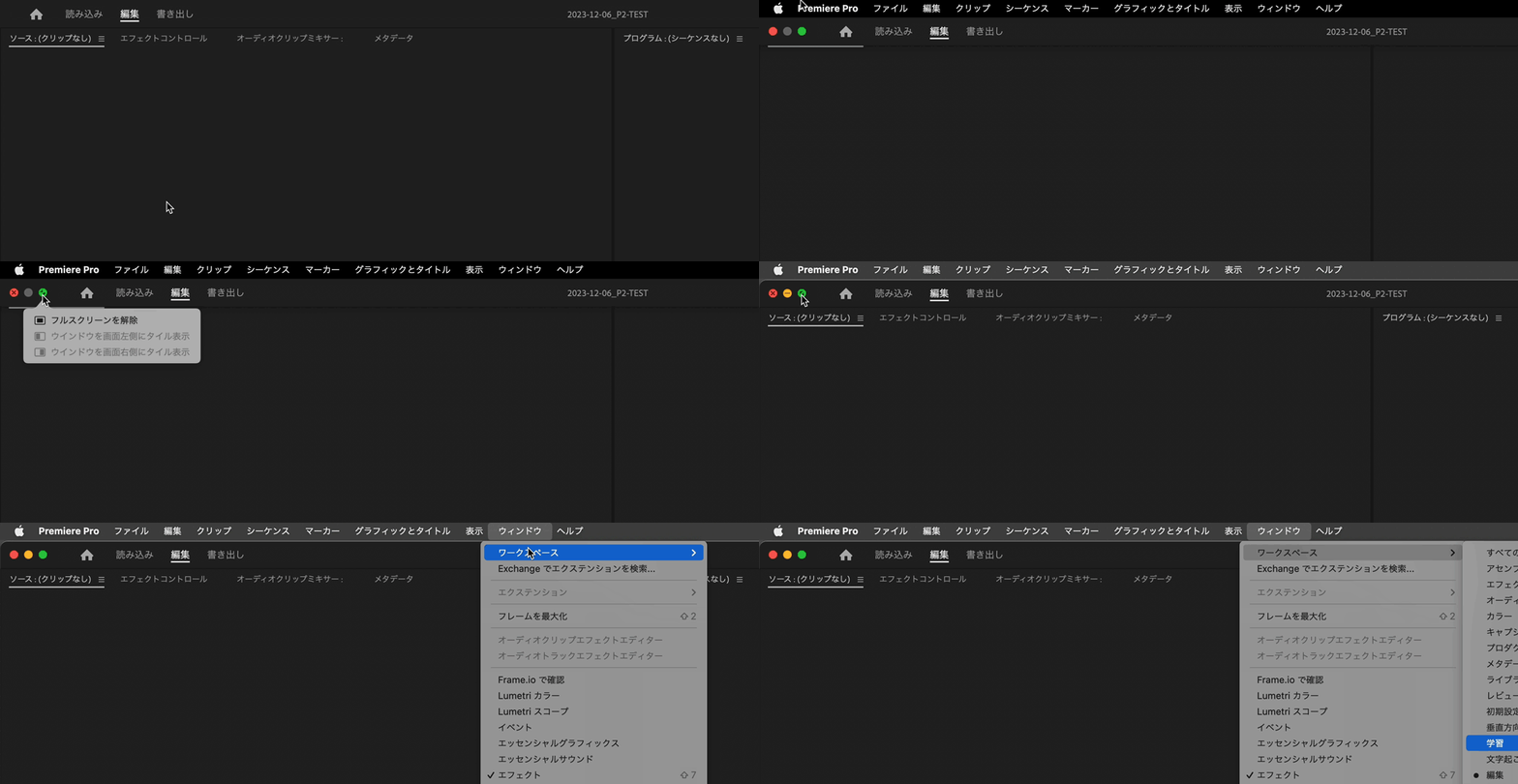
そうしますと、上部にメニューバーが表示されるかと思いますので、「ウィンドウ」→「ワークスペース」→「保存したレイアウトにリセット」をおこなっていただきますと、元のような表示に戻るのでは無いかと思います。


Sign up
Already have an account? Login
To post, reply, or follow discussions, please sign in with your Adobe ID.
Sign inSign in to Adobe Community
To post, reply, or follow discussions, please sign in with your Adobe ID.
Sign inEnter your E-mail address. We'll send you an e-mail with instructions to reset your password.
 AdChoices