Participant
August 2, 2021
Question

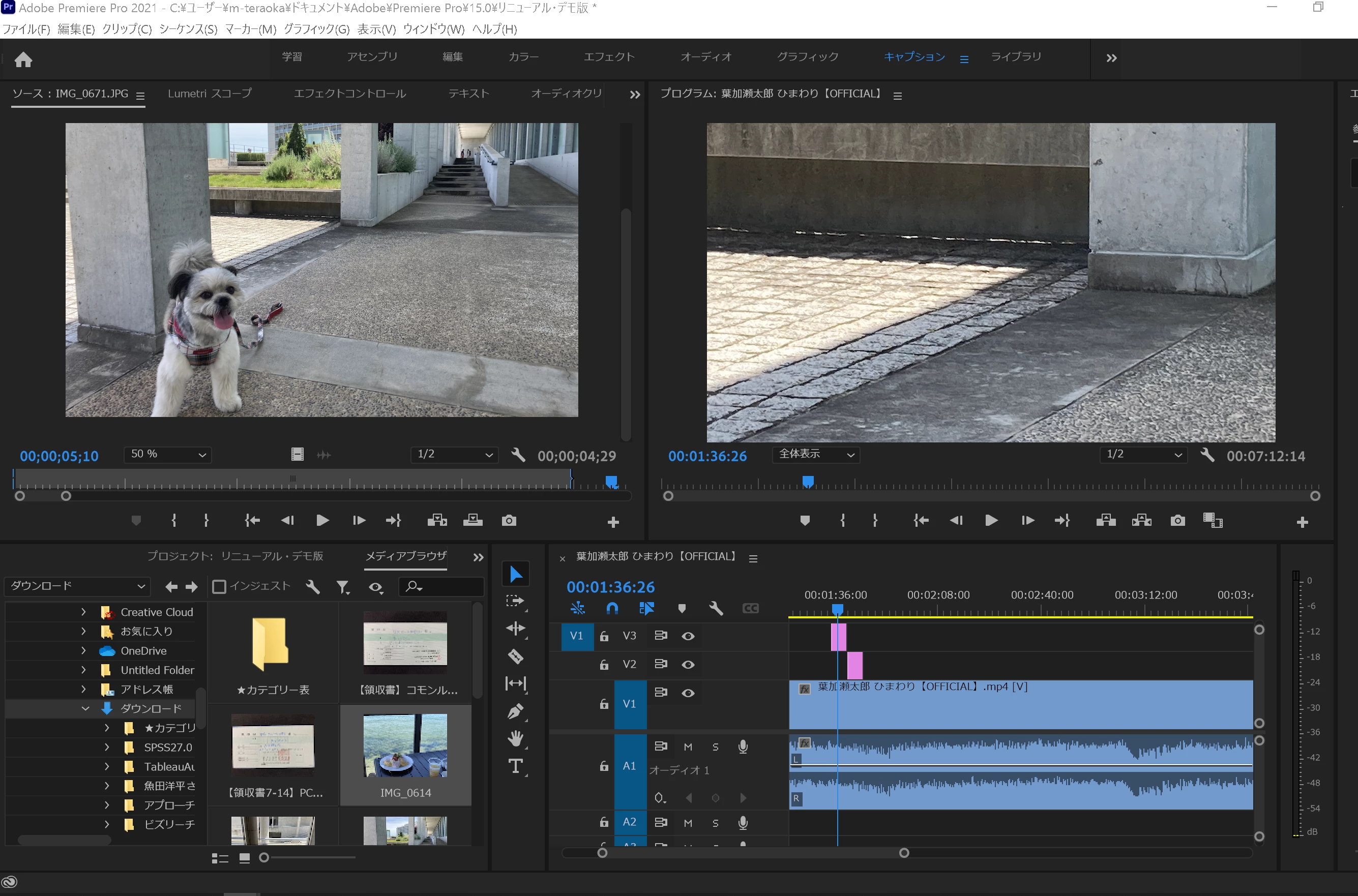
挿入した犬の画像が一部しか再現されません。

  • August 2, 2021
  • 4 replies
  • 844 views

左上の画像全体を表示させるにはどうすればよいですか?

This topic is closed to new replies. Start a new post to keep the conversation going.

4 replies

150kw
Community Expert
Community Expert
August 3, 2021

こんばんは、MASAHIRO5CEBさん


「ソースモニター」下部の拡大率を「全体表示」に設定してみたらいかがでしょうか。

なお、「プログラムモニター」のほうは、「全体表示」になっていますね。

UY320
Community Expert
Community Expert
August 3, 2021

写真の大きさとシーケンス(映像の入れ物)の大きさが異なるため拡大されているので

ピンクのクリップを右クリックし「っフレームサイズに合わせる」を選んでくださいー。


また、クリップを選択時にエフェクトコントロールパネル内でスケールを変更することでも大きさを変更できます。

assause
Community Expert
Community Expert
August 3, 2021

Premiere Pro (us) から Premiere Proフォーラム (jp) に移動しました。

Kartika Rawat
Community Manager
Community Manager
August 2, 2021

Hi MASAHIRO5CEB!

The upper left is the Source monitor while the right one is Preview. Do you want the image on the Source monitor? If so, what happens when you double click on the image?


Let us know.

Thanks,

Kartika