

Answered

CkunCorrect answer
Community Expert
Apr 7, 2023 11:52 AM UTC
プログラムパネルの画面上で右クリックしていただき、「VRビデオ」から「設定」を選んでいただくことで、表示範囲を変更できます。
【画像を追加します】
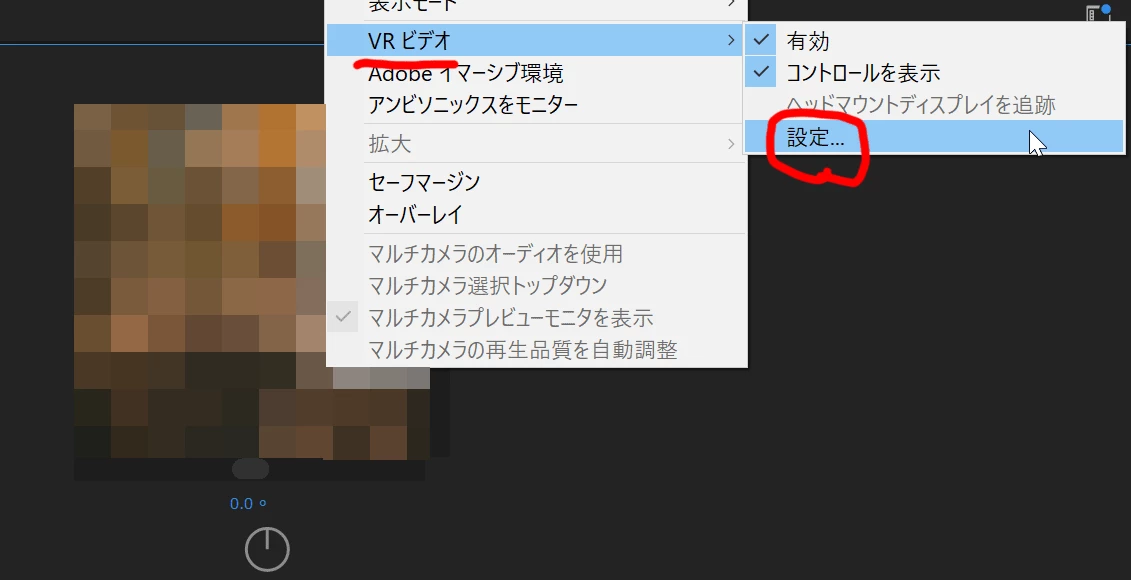
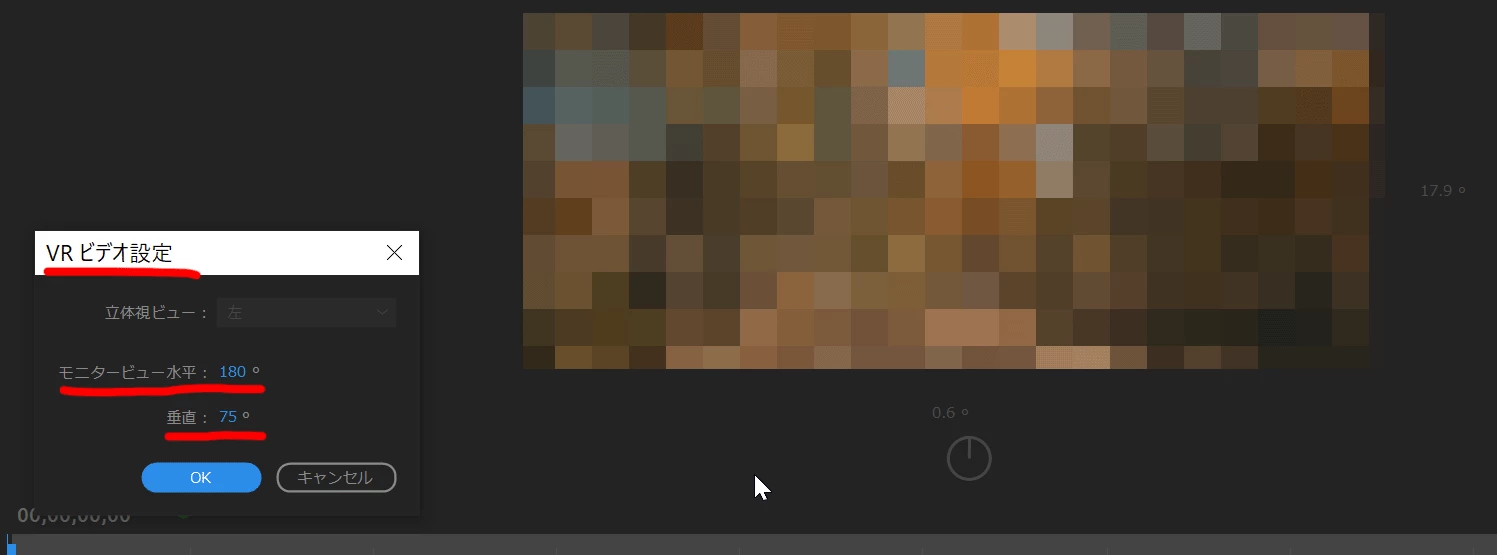
※VR設定のウィンドウで表示範囲の角度の数値を変更後、OKを押すと画面に反映されます。この画像は、変更結果が分かりやすいよう、数値を変更してOK押下後、再びVRビデオ設定のウィンドウを表示させている状態です。

Already have an account? Login
Enter your E-mail address. We'll send you an e-mail with instructions to reset your password.
 AdChoices