Participant
October 11, 2022
Answered

Japanese characters not exporting as metadata

  • October 11, 2022
  • 4 replies
  • 507 views

The editor recently created EDLs. Many of the filenames have Japanese characters in them. In such cases, the clip name does not show up in the EDL and instead is either left blank or the clip # is displayed where the clip name would be. 


Does anyone have a solution so that Japanese characters will translate properly as metadata?
This topic has been closed for replies.
Correct answer Mukaida

Premiereの言語を日本語に切り替えて試してはどうでしょう。


切り替える方法は、
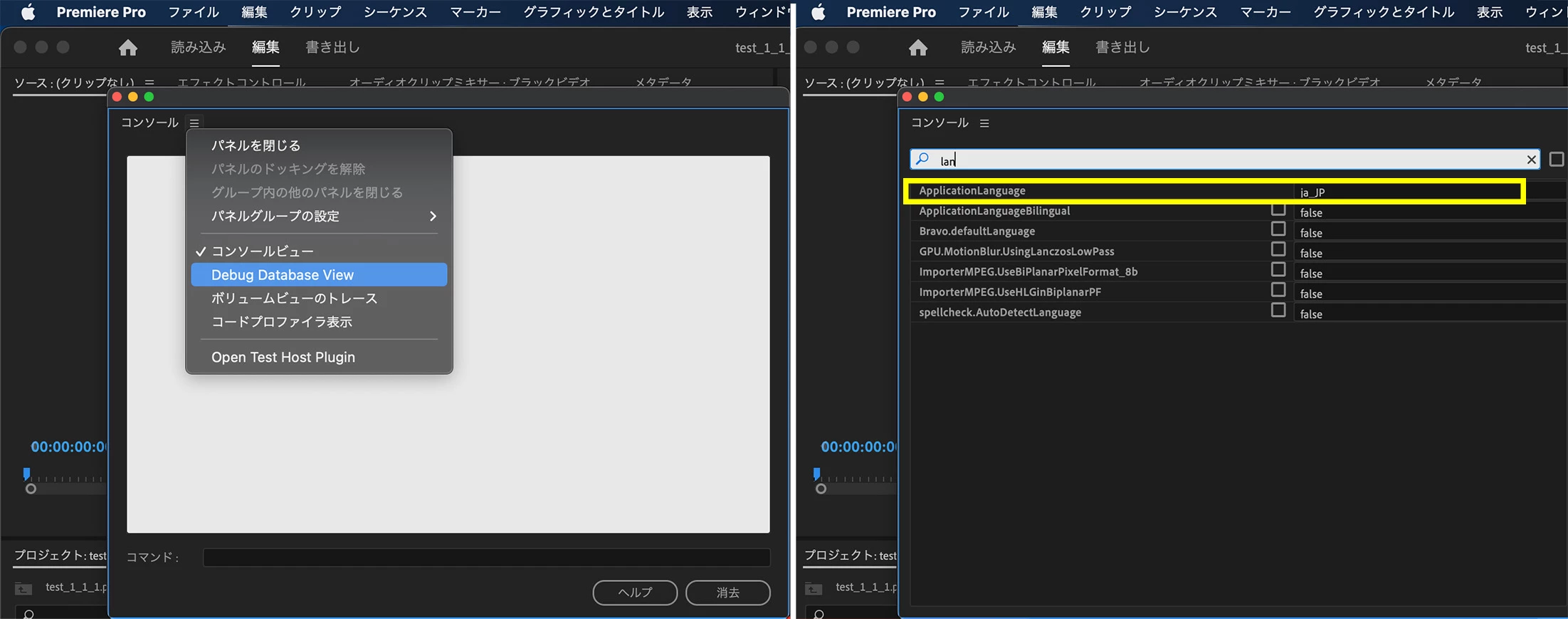
ショートカットキー Ctrl + F12 (MacはCommand + F12)でコンソールパネルを出します。
パネルメニューの Debug Database View を選択します。
検索窓に「Applicationlanguage」を入力して項目を表示させます。


もし、あなたが英語を利用している場合は、「en_EN」と表示されています。

「en_EN」を「ja_JP」に書き換えます。
Premiereを再起動させると日本語表記で動作します。


日本語から元の言語に戻す方法も、コンソールパネルを表示させて
「ja_JP」を「en_EN」に書き換えてPremiereを再起動させます。

4 replies

Participant
October 20, 2022

I have fixed this. In addition to changing the language in Premiere, I adjusted language appropriately in the text reading softwares used (Notepad ++ and Excel). Thank you for the help. 

Participant
October 20, 2022

Thank you, Mukaida and Kevin.


This seems to have resolved some of the metadata issues, but not all. Here is an example of an error that occurs.
Filename:
[Old-Film] [1992 - Haneda] 旧・羽田空港離陸22連発!.mp4
EDL output:
FROM CLIP NAME: [Old-Film] [1992 - Haneda] ‹ŒE‰H“c‹ó`—£—¤22˜A”­I.mp4

There are numerous other examples. Perhaps the issue is with the software that is reading the EDL rather than Premiere itself. I am not sure, but if there are any other suggestions I would appreciate it. 

MukaidaCommunity ExpertCorrect answer
Community Expert
October 13, 2022

Premiereの言語を日本語に切り替えて試してはどうでしょう。


切り替える方法は、
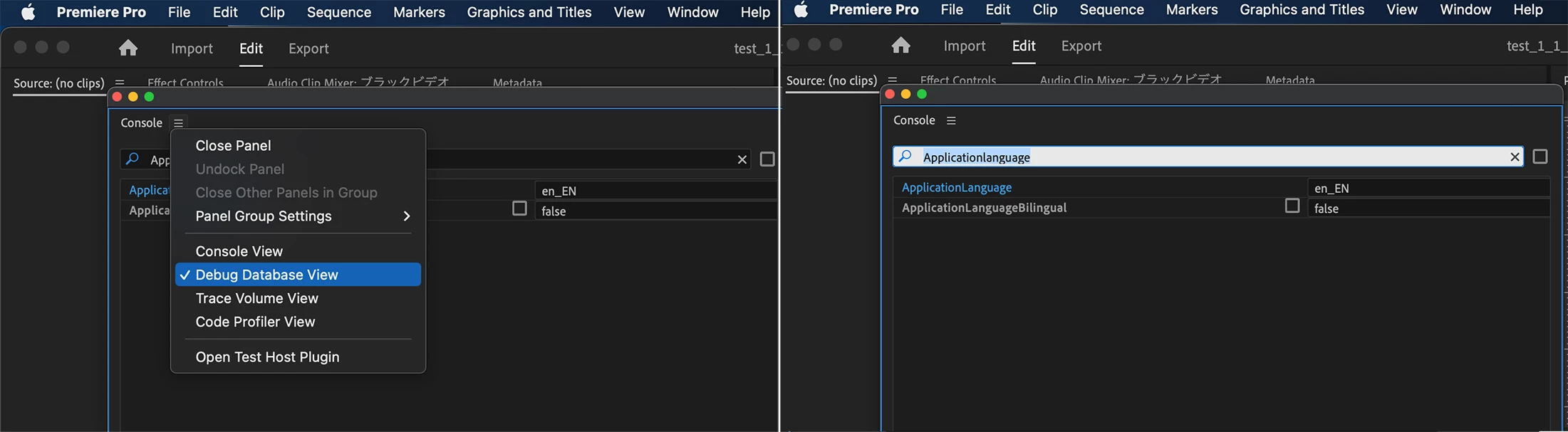
ショートカットキー Ctrl + F12 (MacはCommand + F12)でコンソールパネルを出します。
パネルメニューの Debug Database View を選択します。
検索窓に「Applicationlanguage」を入力して項目を表示させます。


もし、あなたが英語を利用している場合は、「en_EN」と表示されています。

「en_EN」を「ja_JP」に書き換えます。
Premiereを再起動させると日本語表記で動作します。


日本語から元の言語に戻す方法も、コンソールパネルを表示させて
「ja_JP」を「en_EN」に書き換えてPremiereを再起動させます。

Kevin-Monahan
Community Manager
Community Manager
October 12, 2022

Hi Daniel,

Sorry. I'll move this to the Japan forum. You might need to translate the response, but I think that's the best place for this question. OK?


Thanks,
Kevin

Kevin Monahan - Sr. Community & Engagement Strategist – Pro Video and Audio