화목74_2
Participant
October 13, 2020
Question

색감차이

  • October 13, 2020
  • 1 reply
  • 371 views

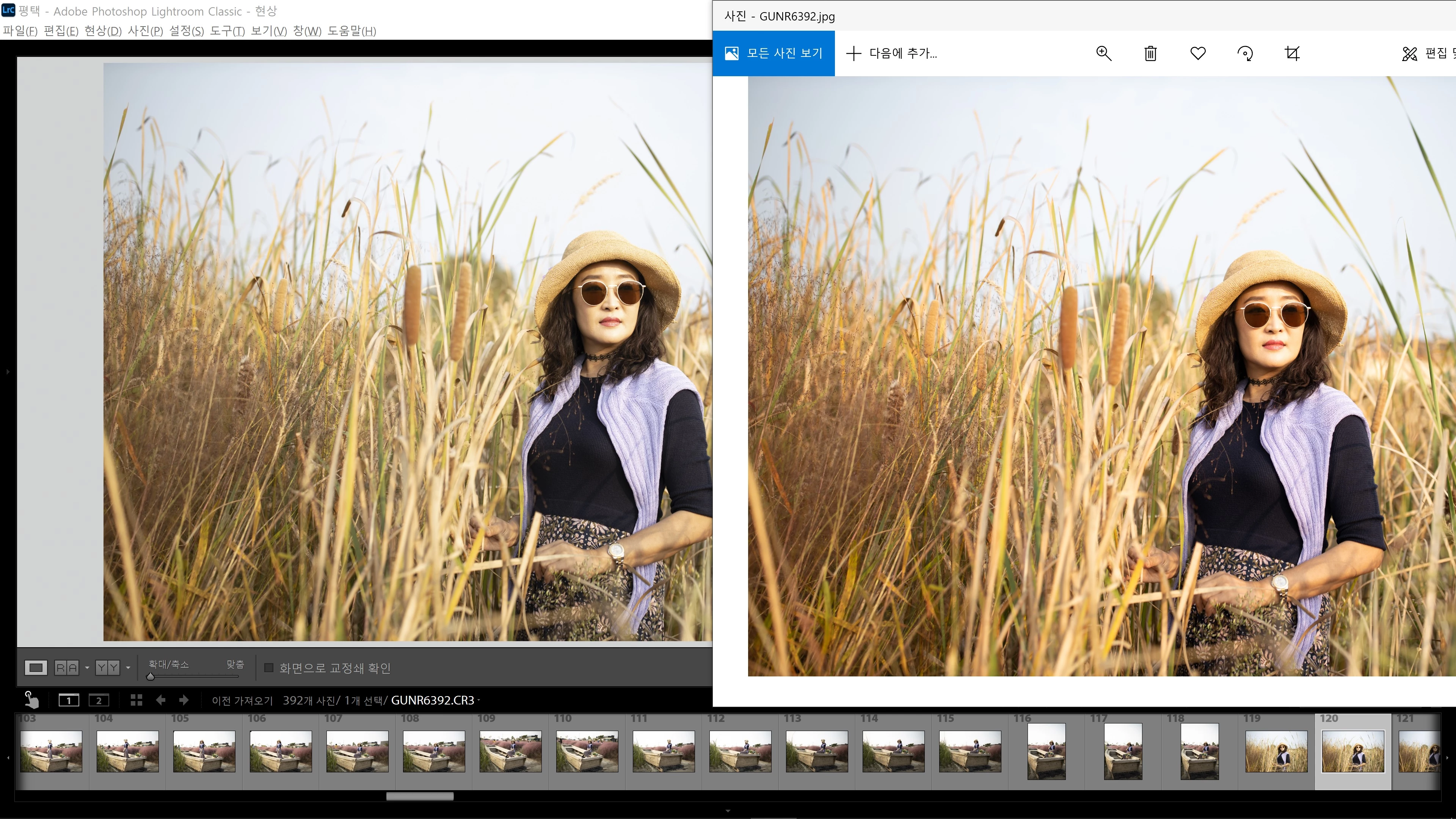
라이트룸에서 작업한 사진을 내보내기 한후 윈도우10 에서 열면 색감이 전혀 다릅니다 혹 윈도우10에서 문제가 있어 폰으로 보내어 봐도 마찬가지로 작업할때와 내보내기 한후의 색감이 많은 차이가 납니다 
This topic has been closed for replies.

1 reply

Per Berntsen
Community Expert
Community Expert
October 13, 2020
When you export a photo you've worked in Lightroom, and then open it in Windows 10, the color is totally different, and there's a lot of difference between working and exporting when you're working and then sending it to your phone because you're having problems with Windows 10.

Lightroom is color managed, and uses the monitor profile to display correct colors. (it converts the colors from the document profile to the monitor profile)

The Photos app is not color managed, and does not do this conversion, so it displays uncorrected (and wrong) colors. 


The solution is to use a color managed image viewer to view your exported files. Windows does not come with any color managed viewer, so you have to use a third party viewer. I recommend  Fast Stone which is free for personal use.

Color management has to be enabled in Settings, both checkboxes must be checked.

You can also use Bridge, which is included in your Creative Cloud subscription.
