

Thumbnail preview of PDFs not displayed in Windows Explorer - Fix
Thumbnail preview of PDFs not displayed in Windows Explorer - Fix
After the Feb 9, 2021 release of Acrobat & Reader DC version 2021.001.20135, Thumbnail preview of PDFs were not displaying/generating in the Windows Explorer.
The thumbnail preview of PDFs was not displaying/generating correctly in the Windows Explorer even though the Enable PDF thumbnail previews in Windows Explorer option was selected in Edit > Preferences > General.
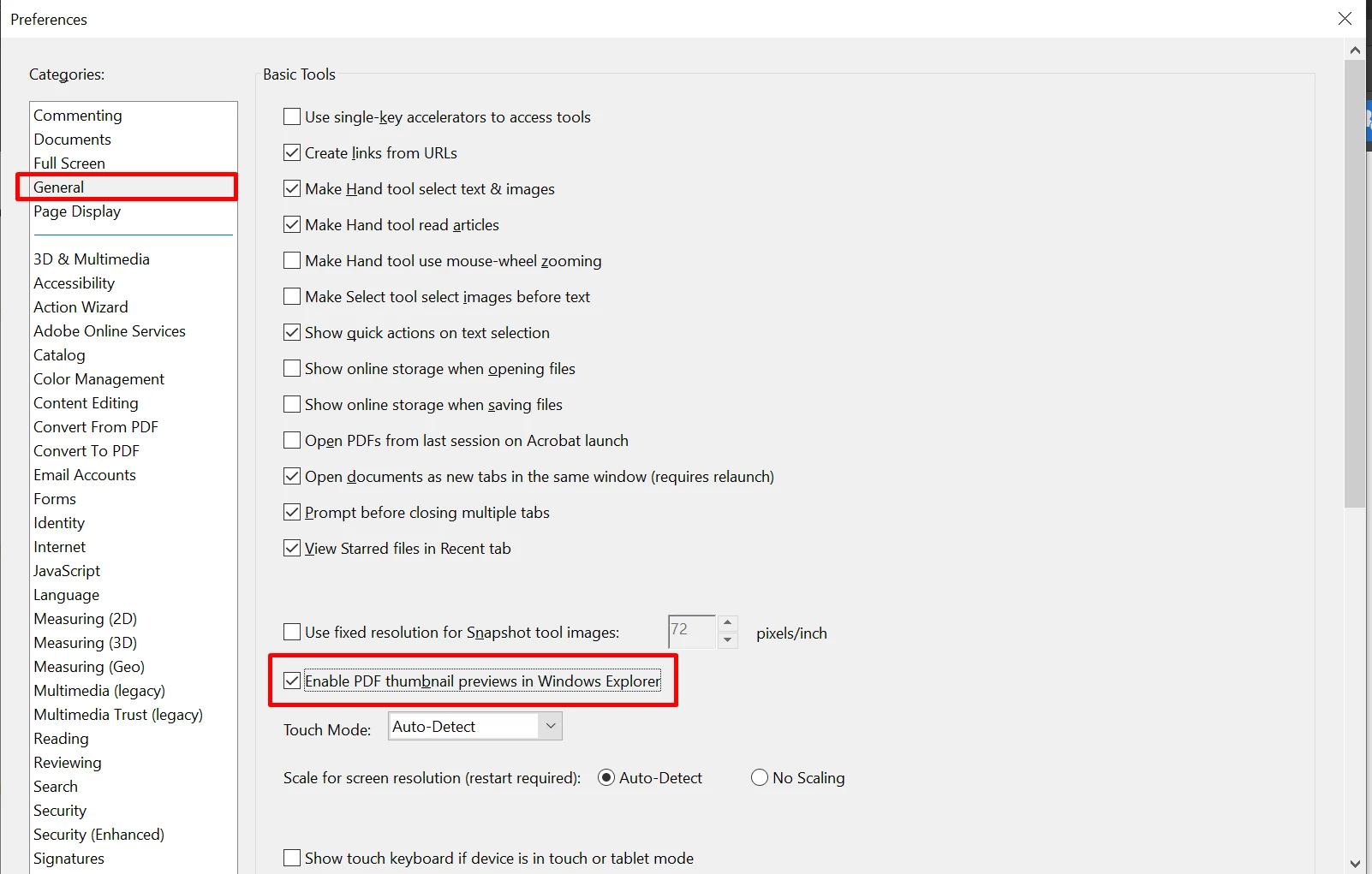
Workaround:
Note: This is a temporary workaround, Adobe is working to fix this issue asap.
- Quit Acrobat Reader DC if it's already running.
- Open the Registry Editor: Go to Run (Windows menu + R), type regedit.exe in the Open field, and then click OK.
- In the Registry Editor, create the following key:
Path: HKEY_CURRENT_USER\SOFTWARE\Adobe\Acrobat Reader\DC\AdobeViewer
Key: EULA
Type: REG_DWORD
Value: 1
- Close the Registry Editor.
- Open the Task Manager in Windows by doing one of the following:
- Right-click on the taskbar at the bottom of the screen and choose Task Manager.
- Press Ctrl + Alt + Delete keys on your keyboard and then choose Task Manager.
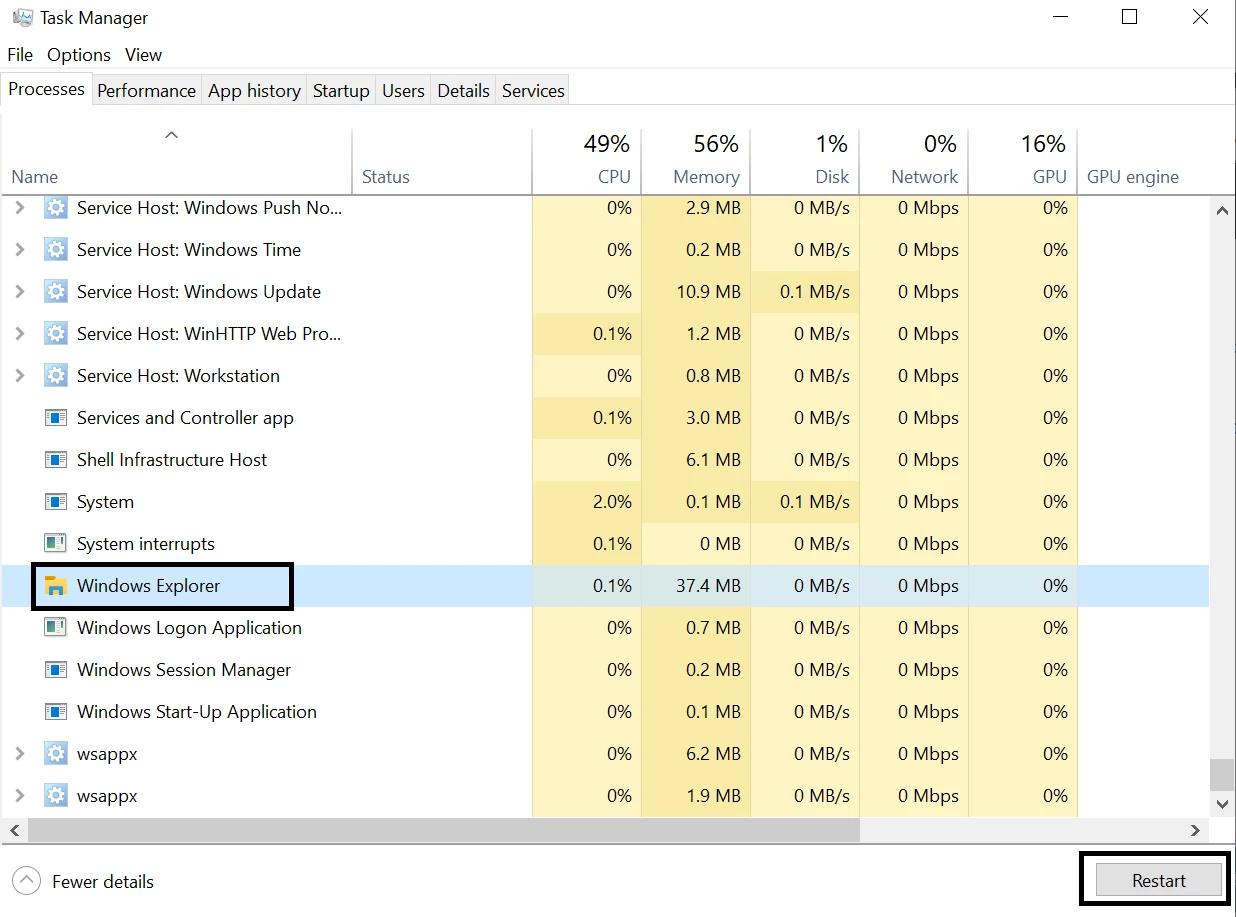
- In the Task Manager window, choose the Windows Explorer process, and then click Restart.
7. Close the Task Manager.
8. Open Windows Explorer and check the thumbnail previews of PDFs.


 AdChoices