




🌟 New in Adobe Express: Share Student Work with View-Only Gallery Links
One of the best parts of teaching is celebrating what our students create. Whether it’s a thoughtful digital poster, a multimedia story, or a collaborative class project. Those moments of creativity deserve to be seen.
With the new view-only Gallery links in Adobe Express, teachers can safely open a window into the classroom and invite caretakers, families, and school leaders to celebrate student learning.
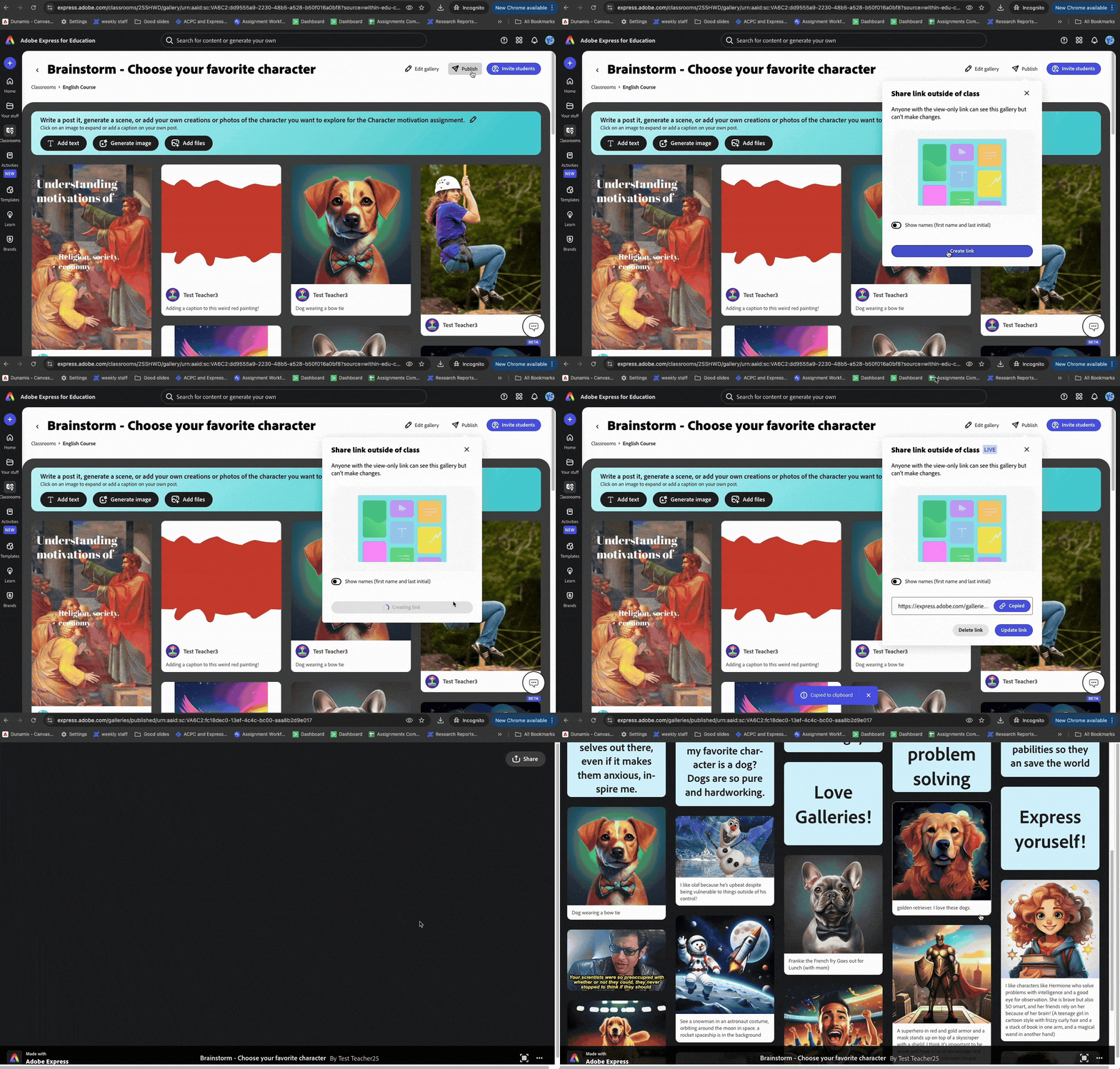
Why this matters for educators
- Safety first. Student work is published in a secure, view-only format—no edits, no downloads, just a showcase.
- Celebration beyond the classroom. Share links in parent newsletters, school social media, or family nights so the broader community can appreciate student voices.
- Portfolio ready. Students can build collections that travel with them—perfect for college readiness, end-of-year reflections, or capstone projects.
- Admin-friendly. If your org has asset restrictions turned on, links will only be visible to members of the same org.
Use Cases from the Classroom
- Parent Nights & Open Houses: Instead of printing out projects, publish a Gallery link that parents can browse on their phones while walking the hallways.
- Weekly Newsletters: Highlight a “Student Project of the Week” with a link families can explore at home.
- School-Wide Celebrations: Collect submissions from across grade levels into one Gallery and showcase it during assemblies or community events.
- Student Portfolios: Help students publish a link to their best work, supporting ownership and reflection over time.
From our ACE Community
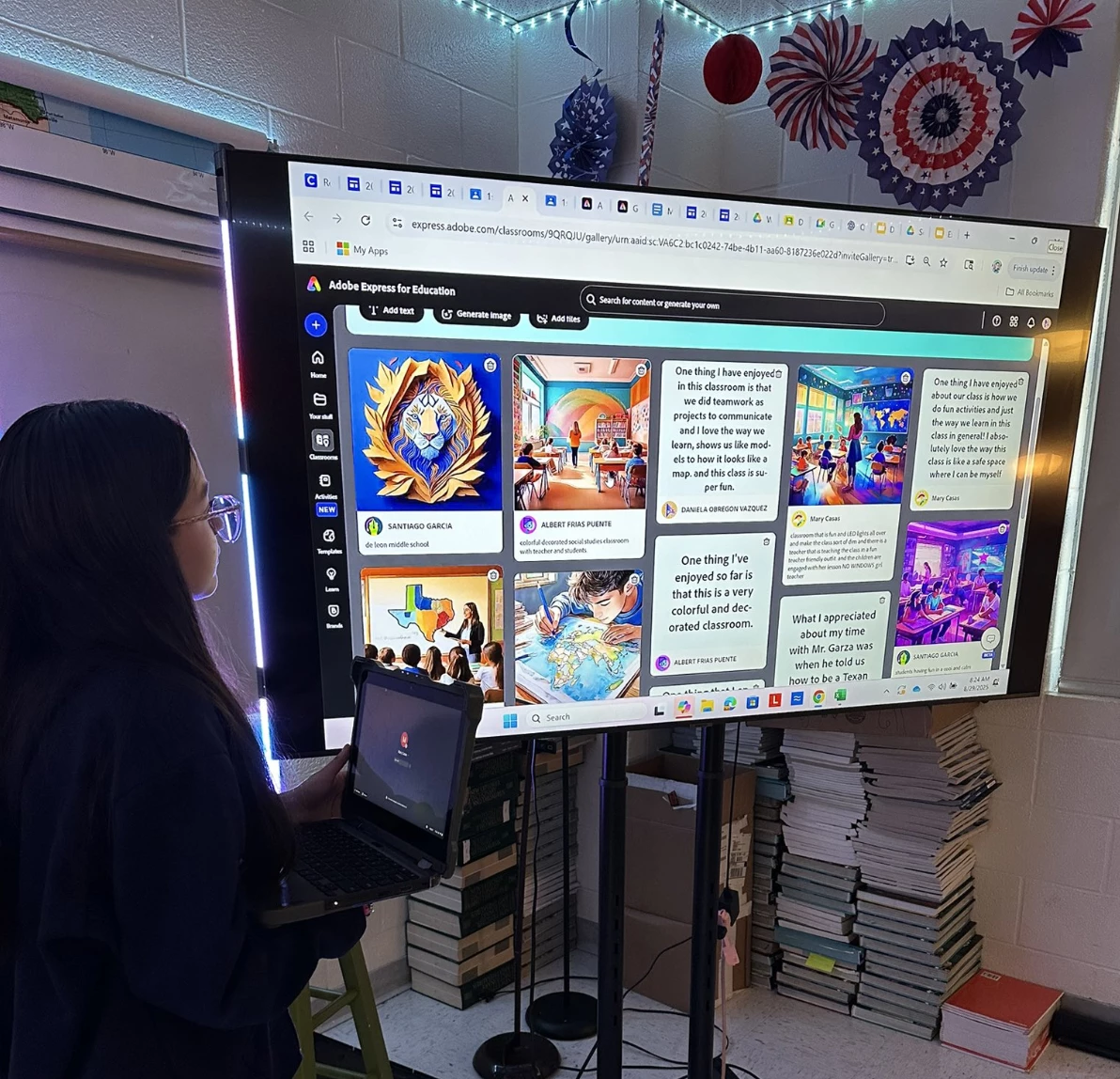
ACE Innovator Tania Gonzalez in Texas recently shared how her 7th graders explored The Early People of Texas and used AI in Adobe Express Classroom Galleries to share their answers with classmates.
Her students’ reflections were displayed in a live Gallery, turning social studies content into a vibrant, visual conversation. As Tania noted, “Our 7th graders explored The Early People of Texas and used AI via @AdobeForEdu Classroom Galleries to share their answers with classmates.” See Tania’s post on X
This new feature is all about empowering students to share their voices while giving educators peace of mind around safety and privacy.
Try publishing your first Gallery today and see how easy it is to share student creativity with confidence!
How might you use Gallery links in your classroom or school community? Drop your ideas below. We’d love to see how you plan to celebrate student work!
 AdChoices