




YAWL - You Asked, We Listened: Multi Class Assignment Creation!
Now Available: Multi Class Assignment Creation! 🎉
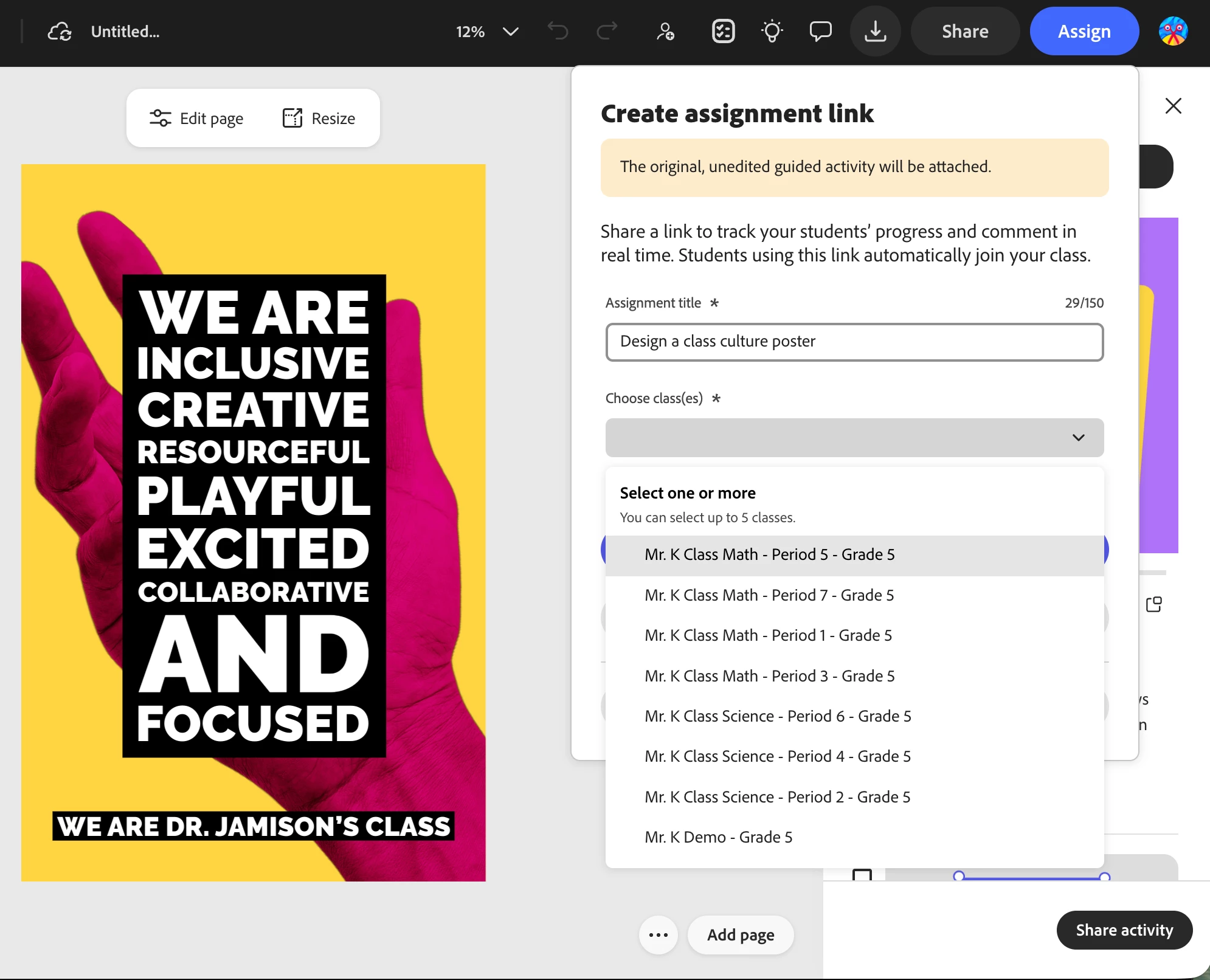
Heavily requested feature for educators using Classrooms and creating assignments, you now can assign the same one to multiple classrooms, at once! ⚡️
Special thanks to educators in Broward School District in Florida, many educators in Texas, and Michael House who submitted for upvoting! 🙌 The voice of our Adobe Creative Educator Community is amazing!
Why this matters:
This streamlines your work, reducing repetitive actions, and gets the same assignment sent to up to 5 classes.
At the recent Adobe Education Summit, assignment sharing was discussed with our developers and our team is so happy to make this possible!
How to do this:
- In the Classrooms section, select create assignment.
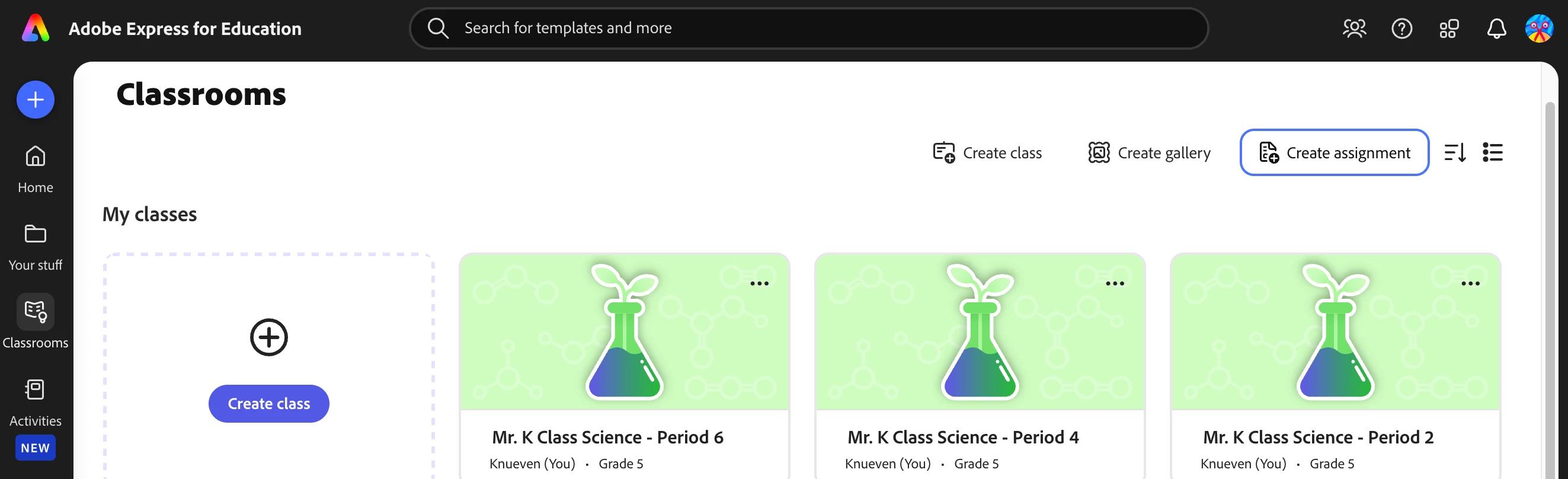
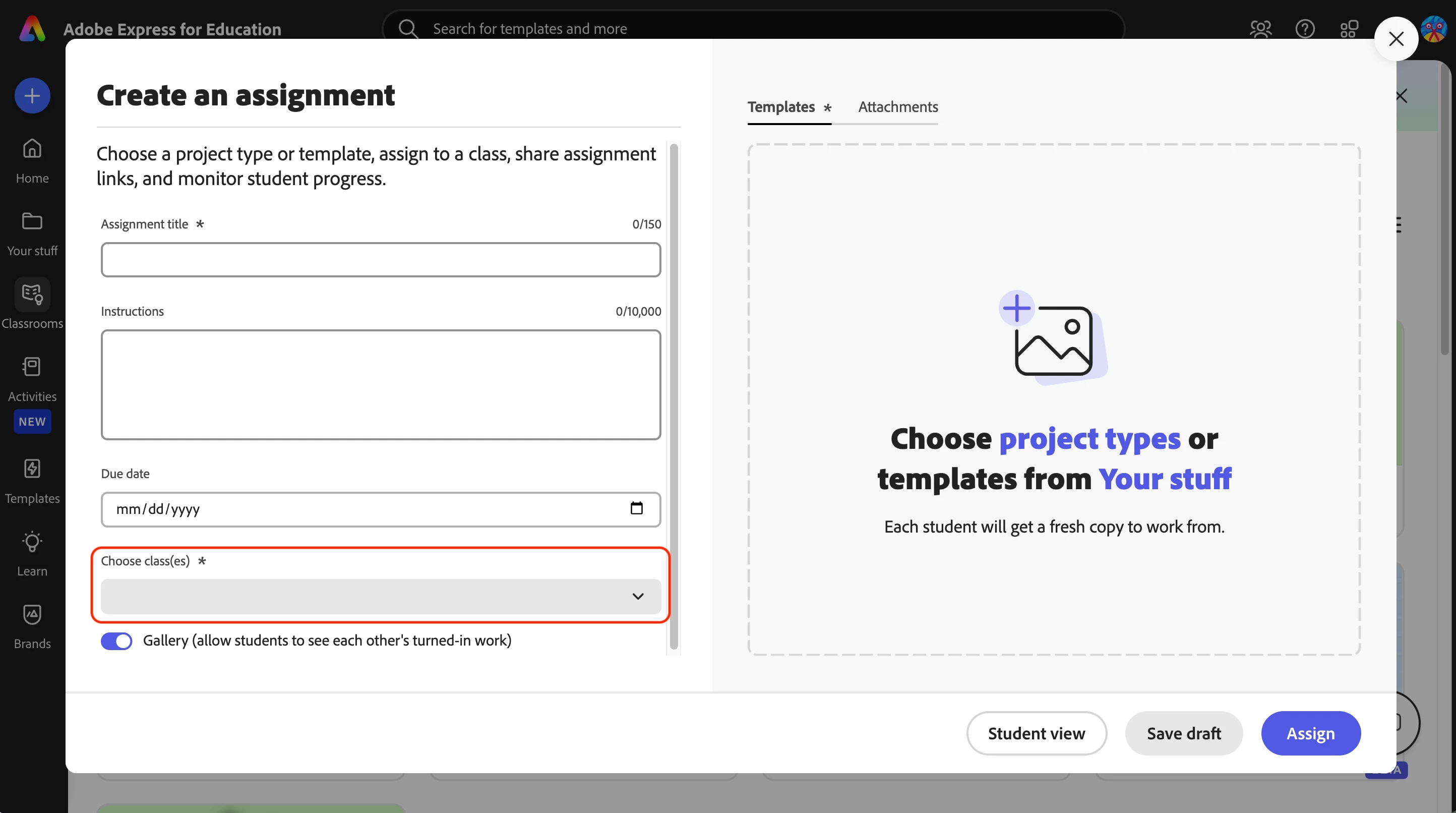
- Enter the assignment details then select the dropdown and select up to 5 classes:
-
Select Assign 🎉
OR
-
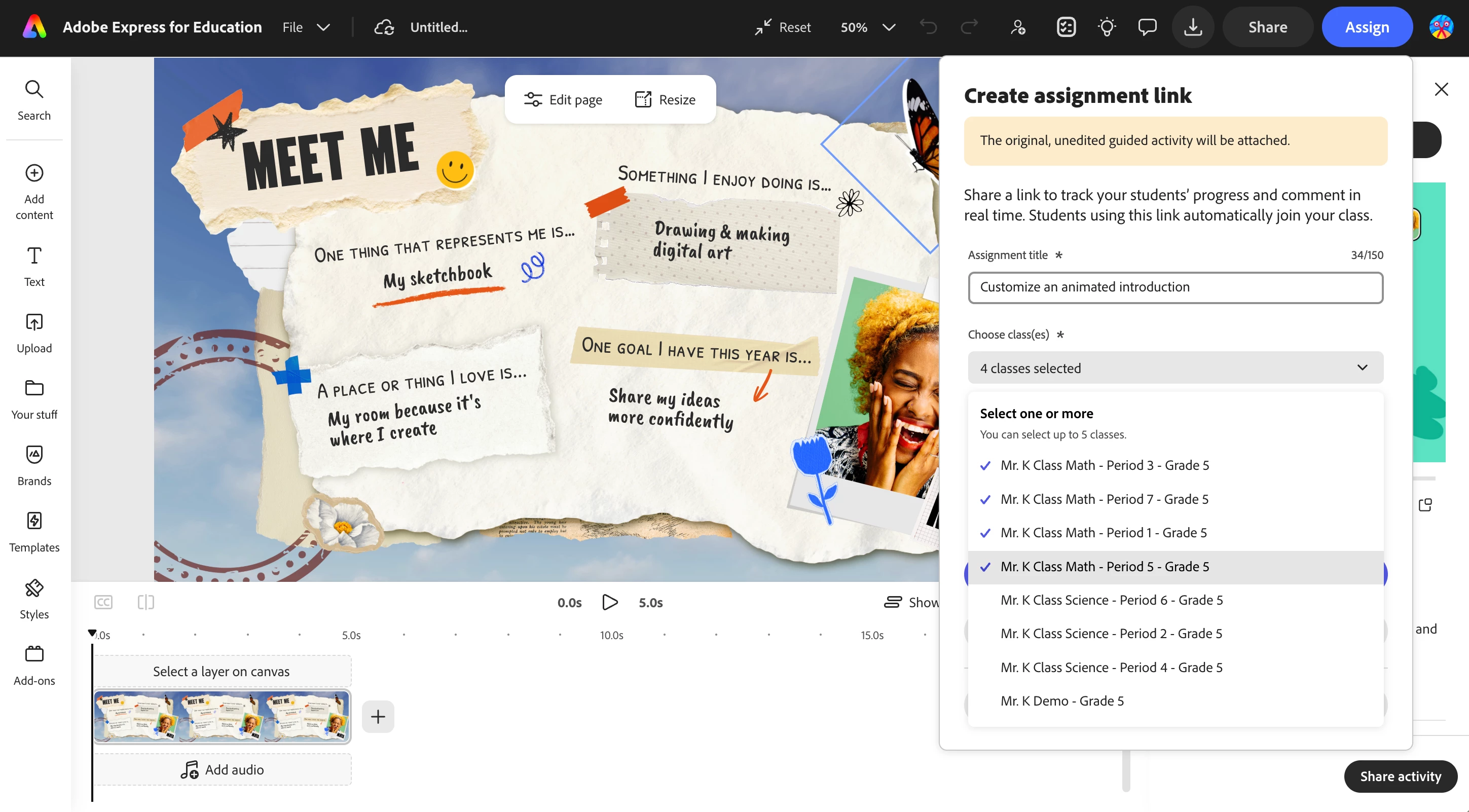
Open an assignment, activity, or template you have created and select Assign at the top of the page.
-
Edit the title and select the dropdown choosing up to 5 classes.
-
Select Create Link
😊 Your Turn
Got an idea that would make classroom creativity even more epic? Drop it in the replies, make your own post in the Adobe Education Forum, or send directly to our team through Submit an idea — we really do read everything you share! 👀

Your feedback = new features to support you and your students
So keep those ideas coming! ❤️
 AdChoices