



Harmony J
Community Manager
Community Manager
February 25, 2025

Enhance Speech v2 update

  • February 25, 2025
  • 5 replies
  • 731 views

Hello Adobe Podcast community!


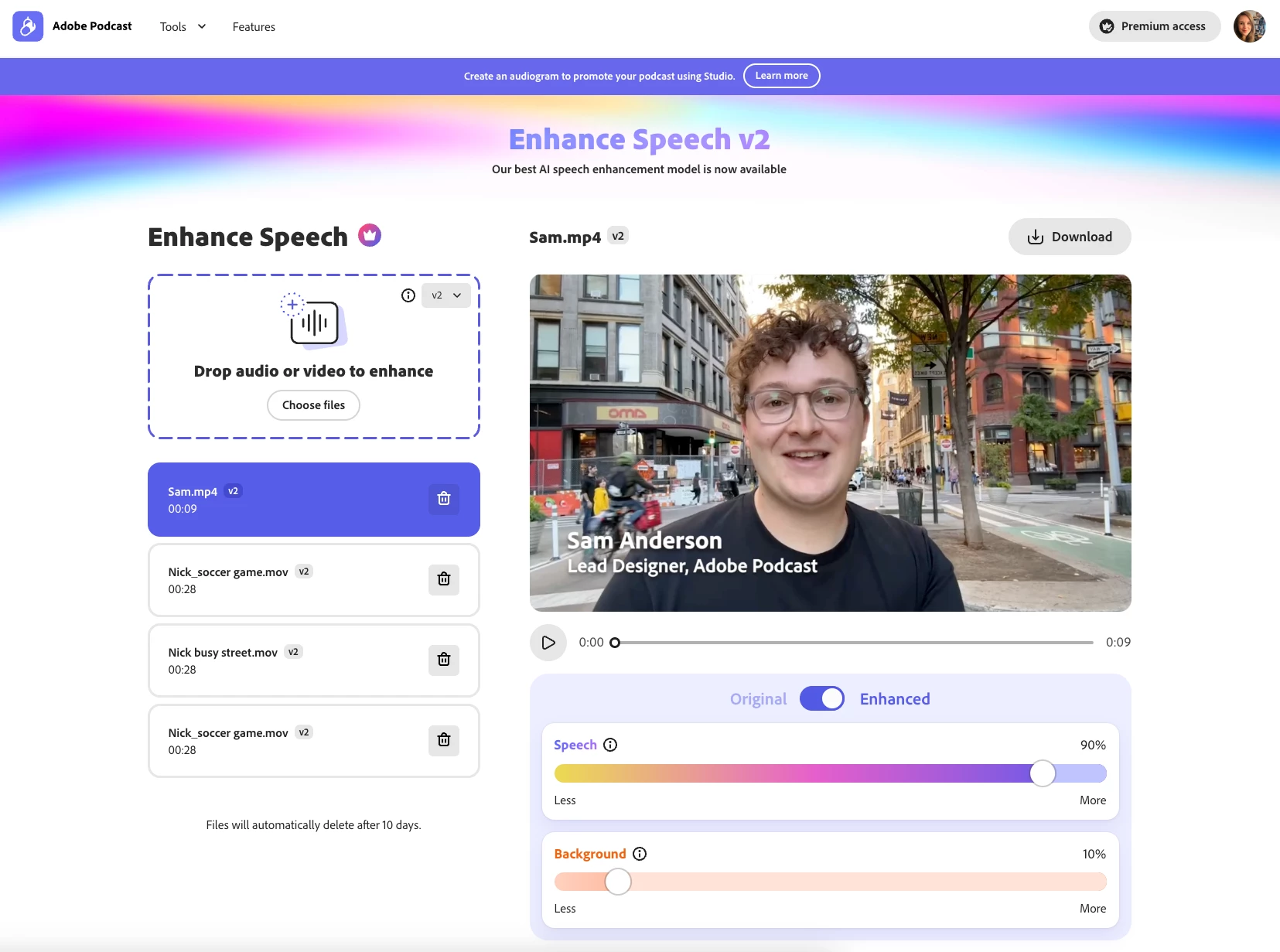
With this latest Enhance Speech v2 update, you get even more flexibility when fine-tuning your sound:


  • The speech slider allows you to adjust how much enhancement to apply to the isolated speech.
  • The background slider allows you to adjust the loudness of the isolated background noise.


Give it a try and let us know what you think! 
    5 replies

    Participant
    July 29, 2025

    I think this tool is one of the strongest available on the market. It's amazing. I am beyond stunned as to how flawless the audio is once you toggle the bg and the speech to the right settings. 
    I would LOVE if there was a way to have Adobe find ahh's, uhh's, and umm's, and be able to reduce or silence those in the enhance speech tool. That would make it absolutely perfect. 

    Harmony J
    Community Manager
    Harmony JCommunity ManagerAuthor
    Community Manager
    July 30, 2025

    Hi @WRESTLING23215733nxii, thanks so much for the thoughtful feedback. 


    Also, this is a great request for Enhance Speech to remove filler words – I've shared this with the team and we're excited to continue to improve the tool and make it more useful for creators. 

    Harmony Jiroudek, Customer Education & Success | Adobe Podcast
    Participant
    March 28, 2025

    I can only enhance in low bitrate mono. Not much use at all.

    Participant
    March 14, 2025

    This update doesn't work. Yes, it cleans up the background noise, but the original sound is too robotic. I had better results with the old version.

    Participant
    February 28, 2025

    The enhancer is no longer functioning at all - neither v1 nor v2. This is urgent!


    Can you please update us on the fix.

    Harmony J
    Community Manager
    Harmony JCommunity ManagerAuthor
    Community Manager
    February 28, 2025

    Hi @Justin_Hay8264 and @johns63061594, can you please specify if you're getting an error? I just ran a quick test and everything is working as expected. If you have a screenshot or screen recording that will help. Thank you!

    Harmony Jiroudek, Customer Education & Success | Adobe Podcast
    Participant
    February 27, 2025

    WHY IS IT BROKEN IT DOES NOT WORK