

Fresco (iPad version 7.0) | Pose and Redesigned brush panel

Adobe Fresco: Creativity for Everyone
Fresco 7.0 for iPad is here! Unleash your creativity with pixel, vector, and live brushes—all in one powerful app. Whether you’re sketching, painting, or animating, Fresco makes it effortless to bring your ideas to life.

Check out what's new in Adobe Fresco
|
Pose with precision Adjust individual strokes or whole illustrations while maintaining proportions, making it easy to refine your composition seamlessly. Whether crafting expressive linework or designing characters, the tool provides precise control while keeping your creative flow uninterrupted.
Want to learn more about the Pose tool? Click here. |
 |
|
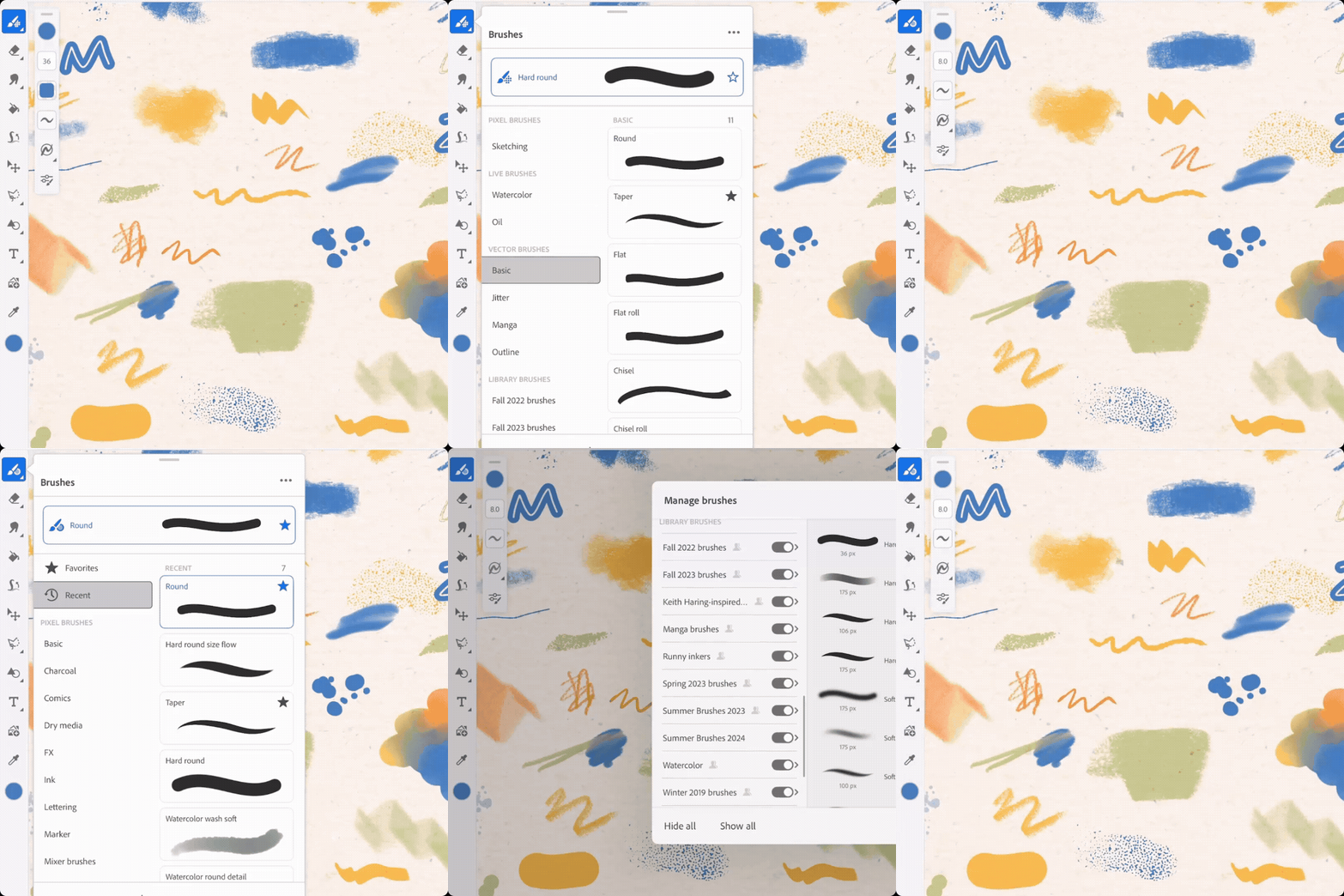
Explore the Redesigned Brush Panel Quickly locate your favorite brushes with a unified, streamlined panel that brings all brush types together for an intuitive browsing experience. The unified brush panel enhances usability and simplifies brush management.
Want to dive deeper into the redesigned brush panel? Check out the link here. |
 |
Curious about what's new in Fresco? Take a look at the latest features here.
Want to see if Fresco works with your iPad? Click here.
Need help or feedback? Drop your questions here in the community, and we'll be happy to help.
We'd love to hear from you!
Try out Adobe Fresco, and let us know your thoughts. Feel free to reach out if you have any questions or suggestions!

We'd love to see what you've created and hear about your experience or feedback! Click 'Reply' below.
Click 'Follow' below to bookmark this post for easy reference.
For other questions, feel free to start a new post in the community.


 AdChoices