


Anshul_Saini
Community Manager
Community Manager
March 17, 2023

Fresco v4.4 - Snap to shape, Add motion on clipped layers, New Learn experience & more

  • March 17, 2023
  • 1 reply
  • 866 views

Here’s all that’s new and exciting in the March update. 

 

Snap to shape (iPad, iPhone, and Windows):- 
Use Snap to Shape to refine the shape or edges for roughly drawn objects.  You can draw, scale, rotate and refine any basic shape by holding your stylus or finger at the end of the stroke. 



Add motion on clipped layers (iPad and Windows) :-

In previous versions of Fresco it was possible to apply motion to a complete layer but not to a clipped portion. Fresco v4.4 provides you with an option to add motion to clipped layers which helps achieve finer control over your animations. 



Non-contiguous option for Magic Wand and Fill (iPad and iPhone): -
Change the color of disconnected areas with the new “Contiguous” control in Fill and Magic Wand settings. Enhanced performance ensures better speed when filling or selecting pixel layers. 
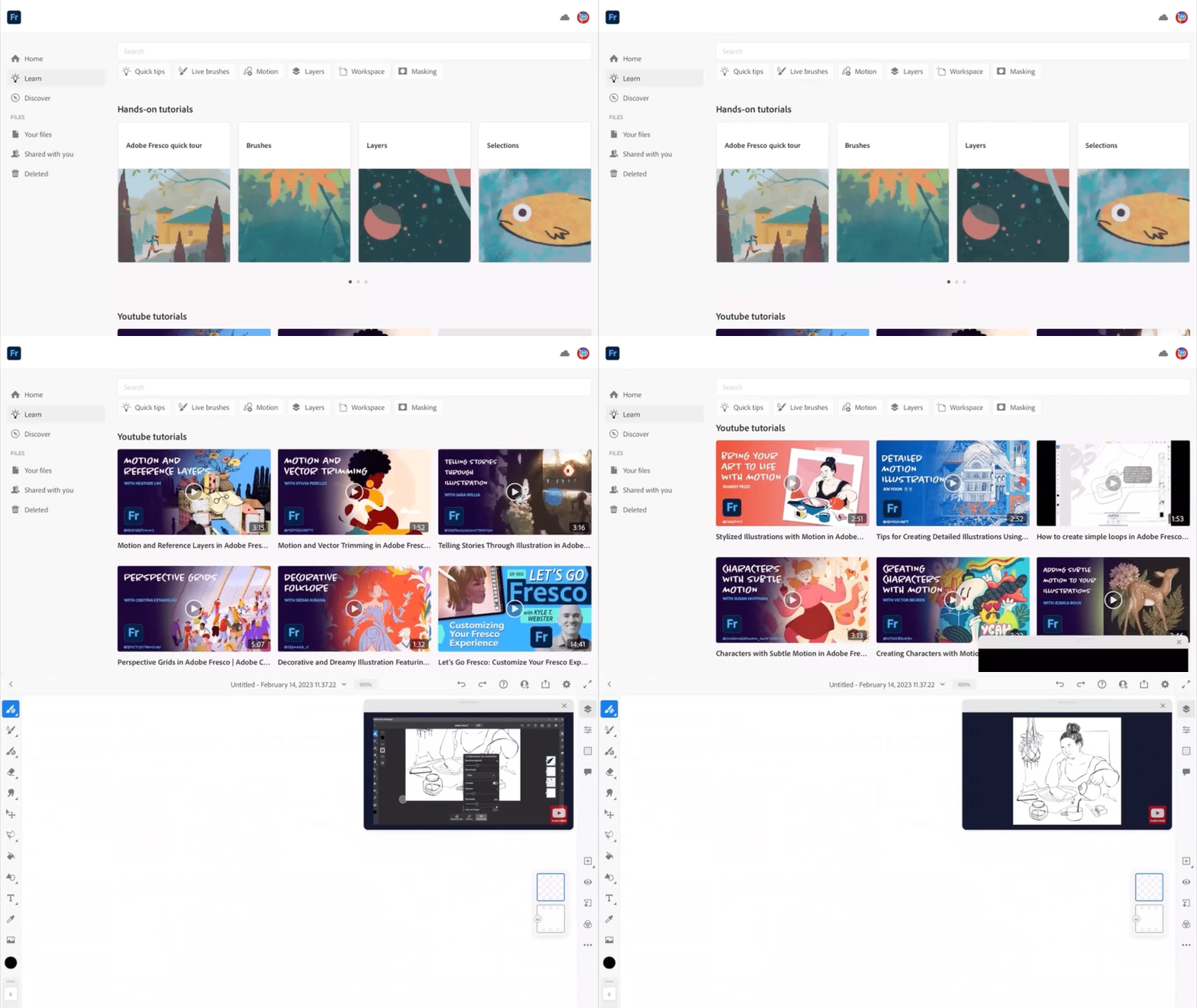


New Learn experience (iPad):-

The Learn tab empowers you to filter, search, and browse tutorials from the Adobe YouTube playlist and follow along with picture in picture play mode.



Tweak video duration for social posts (iPhone): -
Fresco v4.4 provides you the capability to preview and export your timelapse videos as social posts by trimming their duration.


See What's New for more information on the latest features. To help us have focused discussions, create separate posts for feedback on features related to this update. 

Thanks,
Anshul Saini

    This topic has been closed for replies.

    1 reply

    kevinl62018888
    Participating Frequently
    April 22, 2023

    Hi. The latest version of Fresco autoupdated through the Adobe Creative Cloud app and now Fresco crashes the moment it loads. It gets to the point where it says loading documents, then a crash report window appears (which is frozen) and then a few seconds later the program crashes and shuts down. Behind the crash report one can see the "What's New" document loaded. I triedd uninstalling and reinstalling - same thing happens. Please help! In the past Fresco has loaded perfectly.

    Anshul_Saini
    Community Manager
    Community Manager
    April 27, 2023

    Hi @kevinl62018888,


    Thank you for reaching out to the Adobe community. We're sorry to hear that you're experiencing issues with the latest version of Adobe Fresco.


    We understand that the program crashes when it loads, and you've already tried uninstalling and reinstalling the software. Thank you for informing us that version 4.3 worked for you on other posts. This information can be helpful to others who may be experiencing similar issues.


    Our team is aware of the crashing issue with Fresco version 4.4 and is currently investigating the cause of the problem. In the meantime, we recommend using version 4.3 or an earlier version until the next release, which will be released in May sometime.


    We appreciate your patience while we work to resolve this issue. If you have any further questions or concerns, please don't hesitate to reach out to us. We are here to help.


    Thank you for bringing this to our attention, and we again apologize for any inconvenience this may have caused.


    Best,

    Anshul Saini

    kevinl62018888
    Participating Frequently
    May 2, 2023

    Hey 🙂

    Thank you for getting back to me! I have sent an email to Customer Care with my log files and Sys info file. Hope this helps you isolate the issue.

    Regards

    Kevin