



Say Hello to Adobe Premiere Elements 2026 — Create Without Limits!
Hey everyone!
Experience fast and easy video editing with new Premiere Elements 2026, powered by AI and automation. Get started in a snap and grow your skills with Quick, Guided, and Advanced modes. Effortlessly trim and resize your videos and enhance them with effects, transitions, motion titles, and more. Add text to social clips, adjust color, and amp up the action with music and animations. Plus, organize your videos seamlessly for easy searching and sharing.

What’s new in Premiere Elements 2026?
|
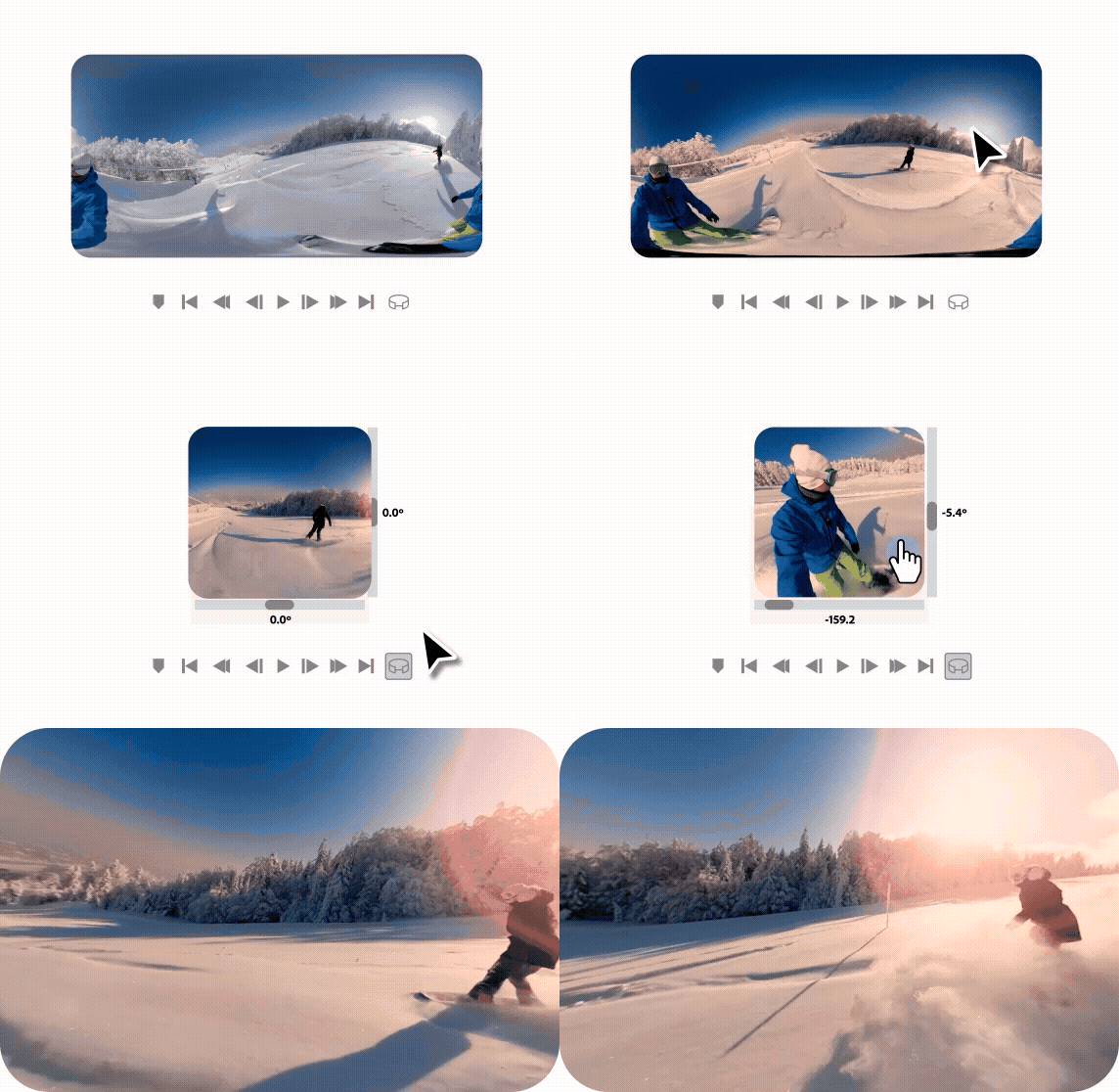
Edit and enhance 360° and VR videos with features that let you position your footage and add effects, transitions, text, and graphics. Export in VR or standard formats. |
|
|
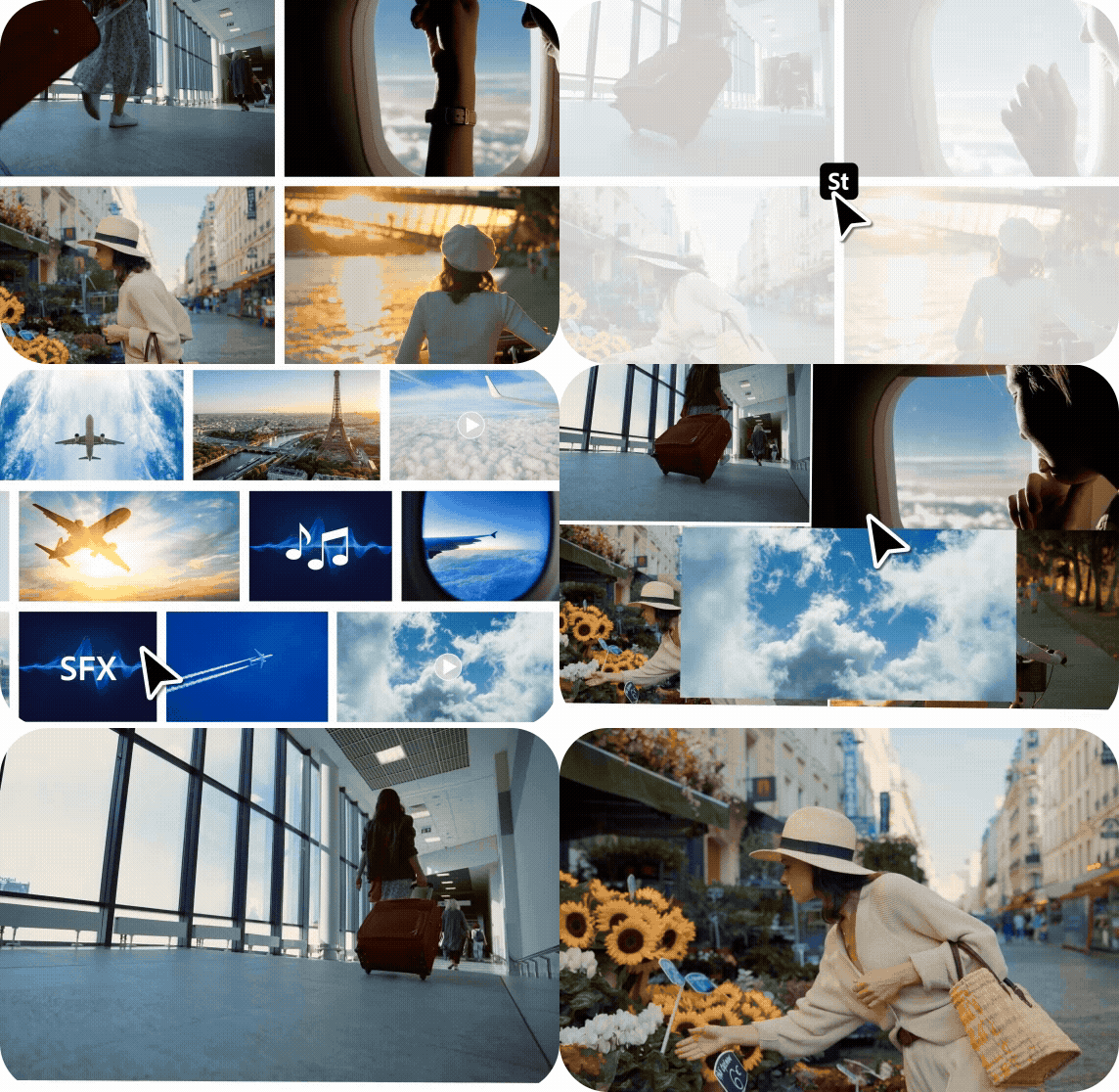
Access free Adobe Stock media like high-quality photos, videos, audio clips, and sound effects right inside Premiere Elements. |
|
|
Frame scenes better with freehand crop - just drag crop handles to resize your videos. |
|

|
Create consistent looks fast by using included text style templates or creating your own, and save your favorites in a visual browser for easy access. |
|

|
Explore more motion title templates with stylish text, graphics, and animations. |
|

|
Create more vibrant and expressive titles and text with color fonts and emojis. |
|

|
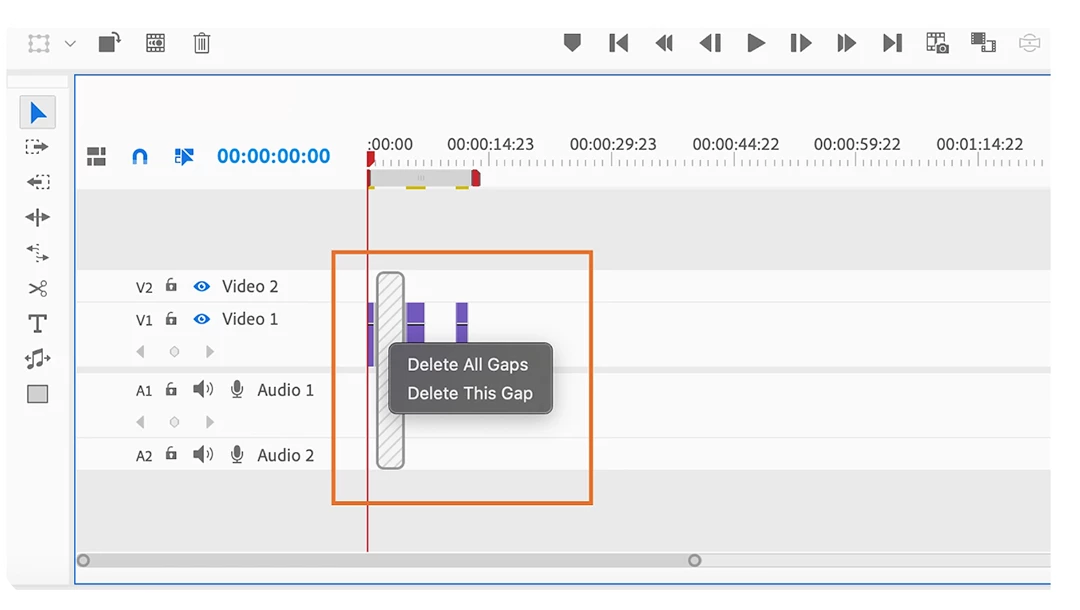
Save time with workflow enhancements like the ability to delete Timeline gaps all at once and stabilize shaky footage faster. |
|
If you have technical questions or need help getting started, check out our Learn & Support page.
We’d love to hear from you!
Try out Premiere Elements 2026 and let us know your thoughts. Feel free to reach out if you have any questions or need more tips!
Have questions? Click 'Reply' below to ask.
Click 'Follow' below to bookmark this post for easy reference.
 AdChoices