
Crop Panel Bugged - Geometry section vanishes under is own panel.
Camera Raw 18.6.0.2698
Windows 11
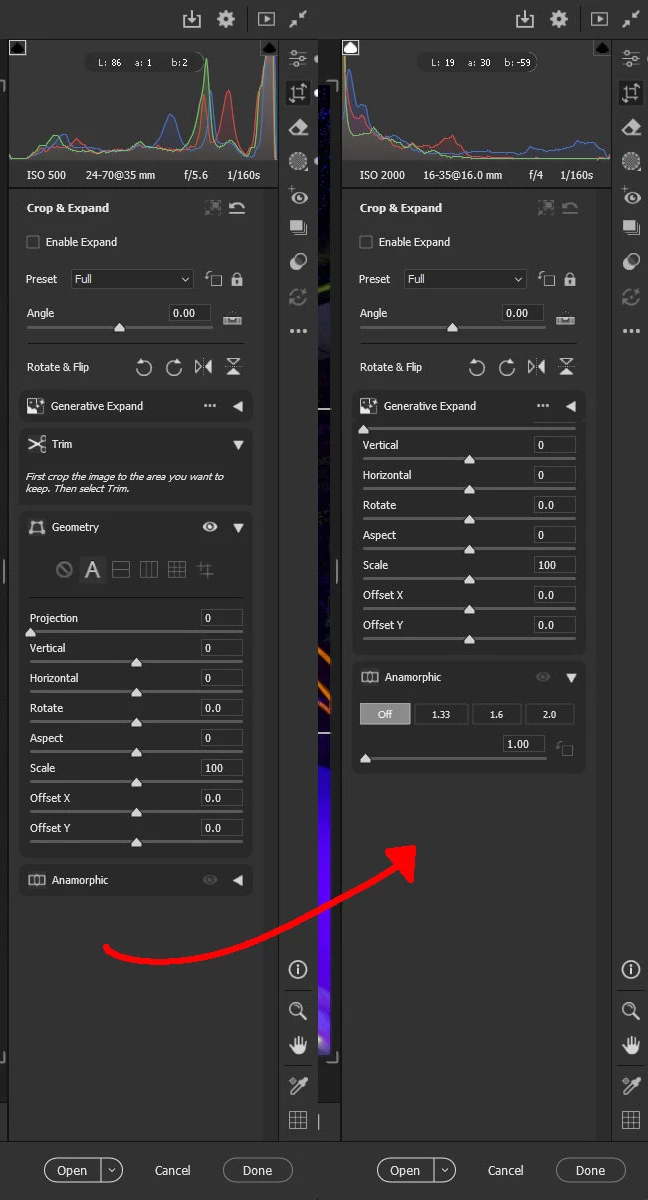
When editing multiple images at once, the Crop Panel hides Parts of the Geometry section or sometimes the Trim section.
The Panels seem to eat themselves.
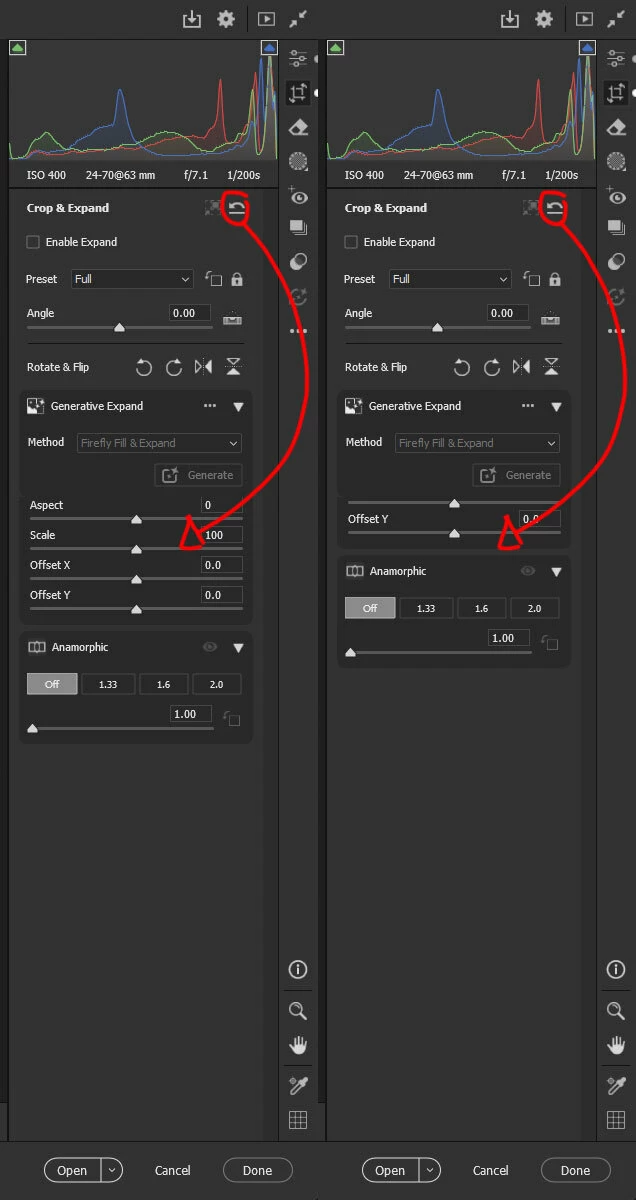
I’m not sure what triggers it to start happening, but clicking the Reset button makes the panel start slide up underneath itself.
- Open Image in Camera Raw.
- Open Crop Panel (Make sure some sections are expanded).
- Click the Reset Button or Keyboard shortcut (Ctrl + Alt + R)
You will see panel start sliding up and begin to vanish (Images Attached).
1st Image is Default Panel vs How the Level Options go missing.
2nd Image shows how the panel slides up after repeatedly clicking the Reset button.


 AdChoices